How to Automate WhatsApp Bookings Without Losing Your App
Learn how to use Meta's new WhatsApp Coexistence feature to automate bookings while keeping full access to your mobile app. This guide covers setup, limitations, and statistics.
Yes, you can automate bookings without losing your mobile app. Meta's WhatsApp Coexistence feature, launched on May 6, 2025, allows small businesses to link their existing WhatsApp Business App number with the WhatsApp Cloud API [1]. This lets you run both platforms simultaneously on a single phone number [1]. This dual-platform setup is a game-changer for service businesses. By deploying WhatsApp automation for small business, you can use the Cloud API to run automated booking systems, which achieve a 40 percent higher completion rate than traditional web forms [8]. Meanwhile, you can still use the physical WhatsApp Business App on your phone to handle manual customer service for free [1, 3]. Connecting your number to third-party tools is simple. You can also explore other related articles on our blog to maximize your growth.
What is WhatsApp Coexistence and How Does It Work?
For years, small business owners faced a frustrating dilemma. If they wanted to implement official WhatsApp automation via the Meta Cloud API, they had to sacrifice their mobile app. Meta officially solved this problem when they rolled out the WhatsApp Coexistence feature on May 6, 2025 [1]. This update allows small businesses to link their existing WhatsApp Business App phone number with the WhatsApp Cloud API [1]. Instead of choosing between the two, you can now run both platforms simultaneously on the exact same phone number [1]. The technical magic happens during the onboarding process. When you connect your number to an API provider, WhatsApp Coexistence supports a one-time import of up to 180 days of individual chat history [1, 2]. This means you do not have to start from scratch. You can choose to sync your past 1:1 text conversations directly from the mobile app to your API-connected CRM or shared inbox, preserving crucial customer context and ongoing conversations [1, 2].
The Financial Benefit: Dual-Billing
Structure One of the most attractive aspects of WhatsApp Coexistence is its hybrid cost model. Meta has designed a dual-billing structure that aligns perfectly with the budget of a growing business [1, 3]. Under this model, messages sent via the WhatsApp Business App remain completely free [1, 3]. If a customer messages you and you reply manually using the phone in your hand, you do not pay a cent [1, 3]. On the flip side, messages sent via the Cloud API are subject to Meta's standard conversation-based pricing [1, 3]. This hybrid billing allows businesses to optimize their communication budgets: - Manual 1:1 customer service: Handled on your phone for free [1, 3].
- Automated workflows: Campaigns, broadcasts, or AI chatbot flows triggered via the API are paid [1, 3]. This ensures you only pay for the high-value automation that directly drives revenue, such as instant booking confirmations and promotional broadcasts. Check out our pricing plans to see how this setup can dramatically lower your operational costs while scaling your customer outreach.
Why Service Businesses Need WhatsApp
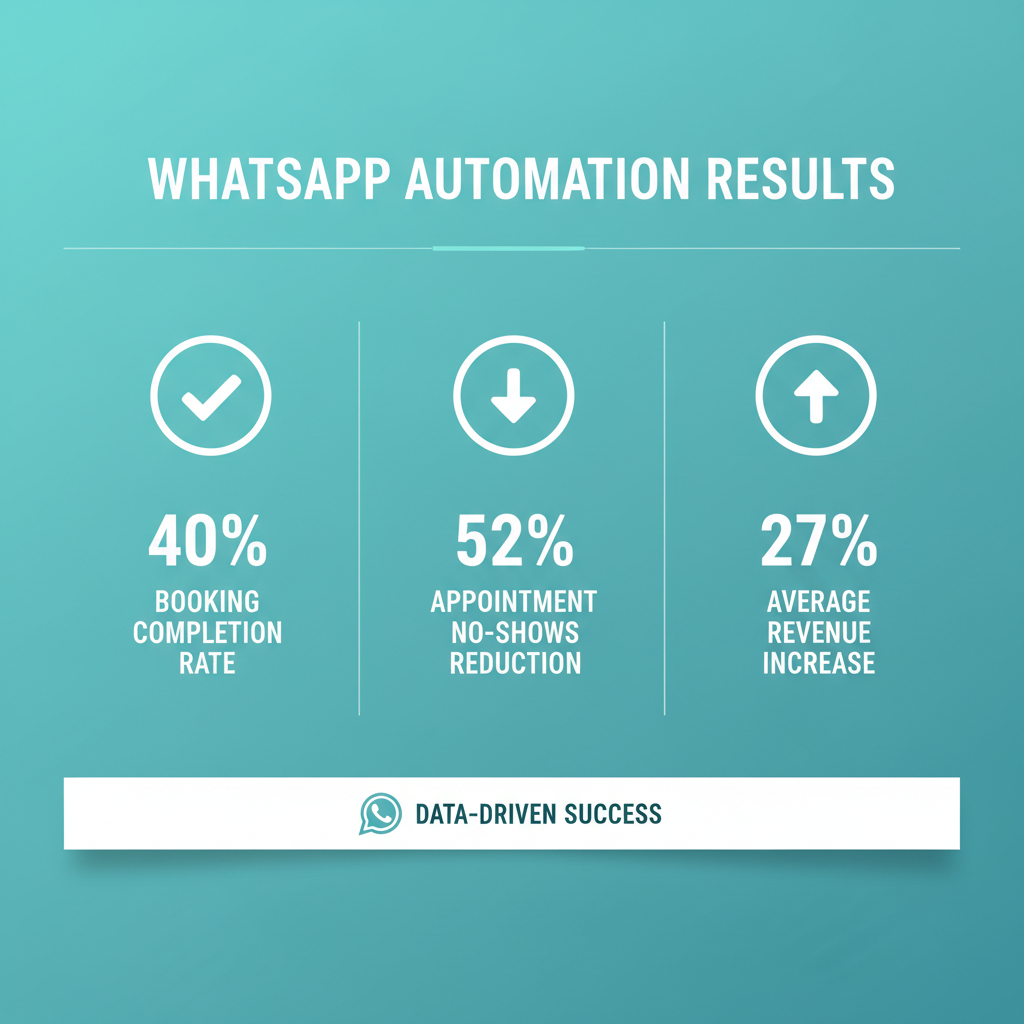
Automation The demand for automated communication is skyrocketing. Approximately 64 percent of small businesses plan to adopt a chatbot by the end of 2026 [6]. For service-oriented businesses, implementing WhatsApp automation for small business is no longer a luxury; it is a necessity for survival and growth. Consider the tangible impact of automating your booking system: - Higher Booking Completion Rates: WhatsApp booking systems achieve a 40 percent higher completion rate compared to traditional web forms [8]. Customers prefer the conversational interface over tedious fields on a website.
- Drastic No-Show Reductions: Automated WhatsApp reminders reduce appointment no-shows by 52 percent [8, 10]. Sending automated booking confirmations and reminders via the API keeps your schedule full without requiring manual staff follow-ups.
- Substantial Revenue Growth: Businesses using WhatsApp as a booking channel report an average revenue increase of 27 percent [6, 8]. The combination of automated scheduling and instant personal replies via Coexistence helps small businesses maximize their booking capacity.
Key Limitations of Coexistence Mode
You Must Know While Coexistence mode is incredibly powerful, it does come with specific technical guardrails set by Meta to ensure system stability. First, numbers running in Coexistence mode are subject to a fixed throughput limit of 20 messages per second [1, 3]. Meta enforces this rate limit to ensure stable message synchronization between the mobile app and the Cloud API platform [1, 3]. If your business sends massive broadcasts to tens of thousands of users simultaneously, this throughput limit is an important factor to consider. Second, certain native app features are disabled under Coexistence mode. These include disappearing messages, view-once messages, and live location [2, 3]. These features are turned off in the WhatsApp Business App because the API and the mobile app handle message retention and data storage differently [3]. Third, not all activities sync between the two platforms. Group chats, voice and video calls, and the native product catalog do not sync to the Cloud API under Coexistence [1, 2]. While these features continue to function normally within the WhatsApp Business App on the user's phone, they are treated as app-only and will not appear in the connected third-party shared inbox [1, 2]. Finally, there is the 14-day rule. To maintain the Coexistence connection, users must open the WhatsApp Business App on their phone at least once every 14 days [2, 5]. If the app is not opened within this two-week window, the API channel connection may be automatically removed, disrupting message deliverability [2, 5]. 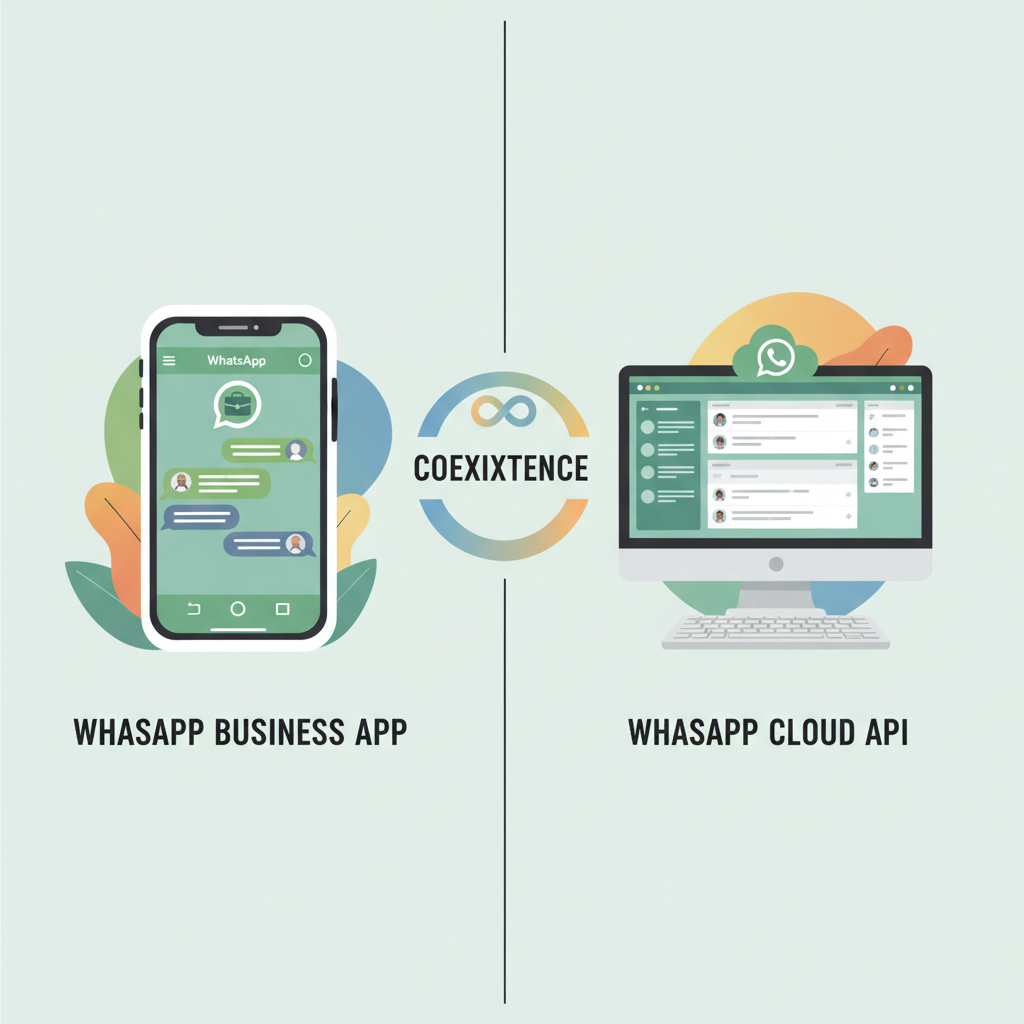
How to Set Up WhatsApp Coexistence for
Your Business Setting up this hybrid environment is straightforward, provided you use a compatible provider. Follow these steps to get started: - Step 1: Select a supporting platform. Major business messaging platforms like respond.io, Wati, and Omnichat have integrated WhatsApp Coexistence into their systems [9, 12]. These providers allow you to connect your existing mobile app numbers directly to a shared team inbox and AI automation suite without needing a separate phone number [12].
- Step 2: Initiate the onboarding process through your chosen provider. This will guide you through linking your active WhatsApp Business App number with the Meta Cloud API [1, 2].
- Step 3: Choose to sync your chat history. During onboarding, opt to import up to 180 days of past 1:1 text conversations directly from the mobile app to your connected CRM or shared inbox [1, 2].
- Step 4: Configure your automated booking flows, AI auto-responses, and reminders.
- Step 5: Keep the connection alive. Make sure to open the physical WhatsApp Business App on your phone at least once every 14 days to prevent automatic disconnection [2, 5].
Comparing Alternatives: Coexistence vs.
Traditional API vs. WhatsApp Coexistence supports a one-time import of up to 180 days of individual chat history [1, 2]. During onboarding, you can sync these past 1:1 text conversations directly to your connected CRM or shared inbox [1, 2].
How much does WhatsApp Coexistence cost?
The mobile app usage remains completely free [1, 3]. However, any messages or automated flows sent via the Cloud API are subject to Meta's standard conversation-based pricing [1, 3]. This allows you to split your costs efficiently.
What happens if I do not open my mobile app for 14 days?
To maintain your Coexistence connection, you must open the WhatsApp Business App on your phone at least once every 14 days [2, 5]. If you miss this two-week window, the API channel connection may be automatically removed, which will disrupt your message deliverability [2, 5].
Can I use group chats and voice calls with Coexistence?
Yes, group chats, voice and video calls, and your native product catalog continue to function normally within the mobile app on your phone [1, 2]. However, these features do not sync to the Cloud API and will not appear in your third-party shared inbox [1, 2].
Is there a limit on how many messages I can send?
Yes, numbers running in Coexistence mode are subject to a fixed throughput limit of 20 messages per second [1, 3]. Meta enforces this rate limit to ensure stable message synchronization between your mobile app and the Cloud API platform [1, 3].
Which platforms support WhatsApp Coexistence?
Major business messaging platforms such as respond.io, Wati, and Omnichat have fully integrated WhatsApp Coexistence [9, 12]. These providers allow you to connect your existing mobile app number directly to a shared team inbox and AI automation suite [12].
Summary
The introduction of WhatsApp Coexistence bridges the gap between personal touch and powerful automation. By combining the free, manual conversational power of the WhatsApp Business App with the automated scheduling, reminders, and AI capabilities of the Cloud API, small businesses no longer have to compromise. You can keep your phone in your pocket for personal follow-ups while letting an automated system handle the heavy lifting of booking management, boosting your revenue and keeping your calendar full.
Sources
- [1] YCloud WhatsApp Business App Coexistence Meta Update
- [2] GoHighLevel WhatsApp Coexistence Feature for Dual Platform Messaging
- [3] DualHook WhatsApp Coexistence Limitations
- [4] iSlash WhatsApp Coexistence Product Details
- [5] Respond.io WhatsApp Coexistence Help Center
- [6] WizMessage WhatsApp Business Statistics
- [7] Sanuker WhatsApp Coexistence Business API
- [8] SchedulingKit WhatsApp Business Statistics
- [9] DualHook Best WhatsApp Coexistence Providers
- [10] Wati WhatsApp Coexistence Sales Automation
David Friedman - Founder, Conversify · LinkedIn
David Friedman is a B2B operations leader with over 10 years of experience managing large-scale teams and business processes. After years of working with service businesses and seeing how much time was lost to manual customer communication, he founded Conversify, an AI-powered platform that helps healthcare practices and service providers across Europe automate their patient and client interactions. David built the platform from the ground up, working directly with practicing healthcare professionals to ensure every feature solves a real operational pain point. He is based in Spain.