How to Automatically Send a Feedback Survey After a Project is Completed
Discover how to set up customer satisfaction survey automation using SMS and WhatsApp. Learn why messaging channels outperform email and get a step-by-step guide to automating feedback loops.
To automatically send a feedback survey after a project is completed, you must integrate your customer relationship management (CRM) software or booking platform with a messaging tool like Conversify [2] to trigger an automated text or WhatsApp message within 24 hours of job completion [3]. This setup drives response rates up to 65% by replacing manual emails with instant, mobile-native conversational flows [1].
By automating this process, service businesses eliminate manual admin work and capture client sentiment when the experience is fresh. Traditional email surveys suffer from low engagement, but transitioning to digital, mobile-first channels captures responses rapidly [4, 5]. In fact, 80% of all transactional survey responses arrive within the first 48 hours of delivery, making immediate automated triggers essential [8]. If you want to learn more about optimizing client interactions, explore our related articles.
Utilizing an AI-powered front desk allows businesses to automate these touchpoints. With Conversify, you can schedule automated requests across SMS and WhatsApp to ensure high completion rates [2, 3].
Why Email Surveys Are Failing Service
Businesses (And What Works Better)
For years, email has been the default channel for customer feedback. However, changing consumer behaviors have made traditional email surveys increasingly ineffective. According to Mailchimp data, traditional email open rates sit at an average of 35.63%, with an average survey response rate of only 10% to 25% for active accounts [4]. While email remains a reliable channel for detailed inquiries, its lower open and response rates can cause service businesses to miss out on feedback from the vast majority of their clientele.
When clients have to open an email, click a link, and load an external form, they experience high friction. This friction directly translates into lost feedback. In contrast, mobile-native messaging channels meet customers where they already spend their time.
SMS surveys boast a 98% open rate, with 90% of messages read within three minutes and an average response rate of 15% to 30% [5]. The immediacy of text messaging makes it an incredibly powerful tool for capturing quick, transactional feedback right after a service interaction. Furthermore, a study of over 10 million conversations by Verse showed that SMS reply rates average 50%, compared to a meager 1.4% reply rate for email [6]. This highlights that conversational text engagement is highly responsive and far outperforms traditional email outreach for real-time customer communication.
Even more impressive are the results from mobile messaging apps. WhatsApp Net Promoter Score (NPS) surveys achieve response rates of 45% to 65%, compared to just 8% to 15% for traditional email surveys [1]. This dramatic difference highlights how switching to mobile-native messaging channels can help service businesses capture significantly more feedback. Implementing WhatsApp review requests has been shown to drive an 84% increase in response rates compared to email [2, 3]. Conversational feedback flows, where each question arrives as a message, produce higher completion rates than traditional form-based surveys.
How to Set Up Customer Satisfaction Survey Automation
Transitioning from manual follow-ups to automated digital workflows eliminates manual data entry and allows businesses to address customer complaints in real time [7]. Here is how you can set up a seamless, automated customer satisfaction survey system for your business:
- Select a Unified Messaging and Automation Platform: Choose a platform that supports multi-channel messaging, especially SMS and WhatsApp. When evaluating your options, review their pricing plans to find a model that scales with your customer volume.
- Connect Your Core Business Software: Link your customer database, booking engine, or project management tool to your messaging platform using direct integrations or webhook connections.
- Establish the Survey Trigger: Define the exact event that indicates a project is complete. This could be changing a project status to 'Closed' in your CRM or marking an appointment as 'Completed' in your scheduling software.
- Design Conversational Feedback Flows: Instead of sending a link to an external website, structure your survey as a chat conversation. Ask one question at a time, allowing the customer to reply directly within the messaging app [2, 3].
- Set the Timing Window: Configure the automation to send the message within 24 hours of the project completion trigger to maximize recall and engagement [3].
- Implement Frequency Caps: Ensure you do not overwhelm your clients. Set rules to exclude anyone who has received a transactional survey within the last 30 days [10].
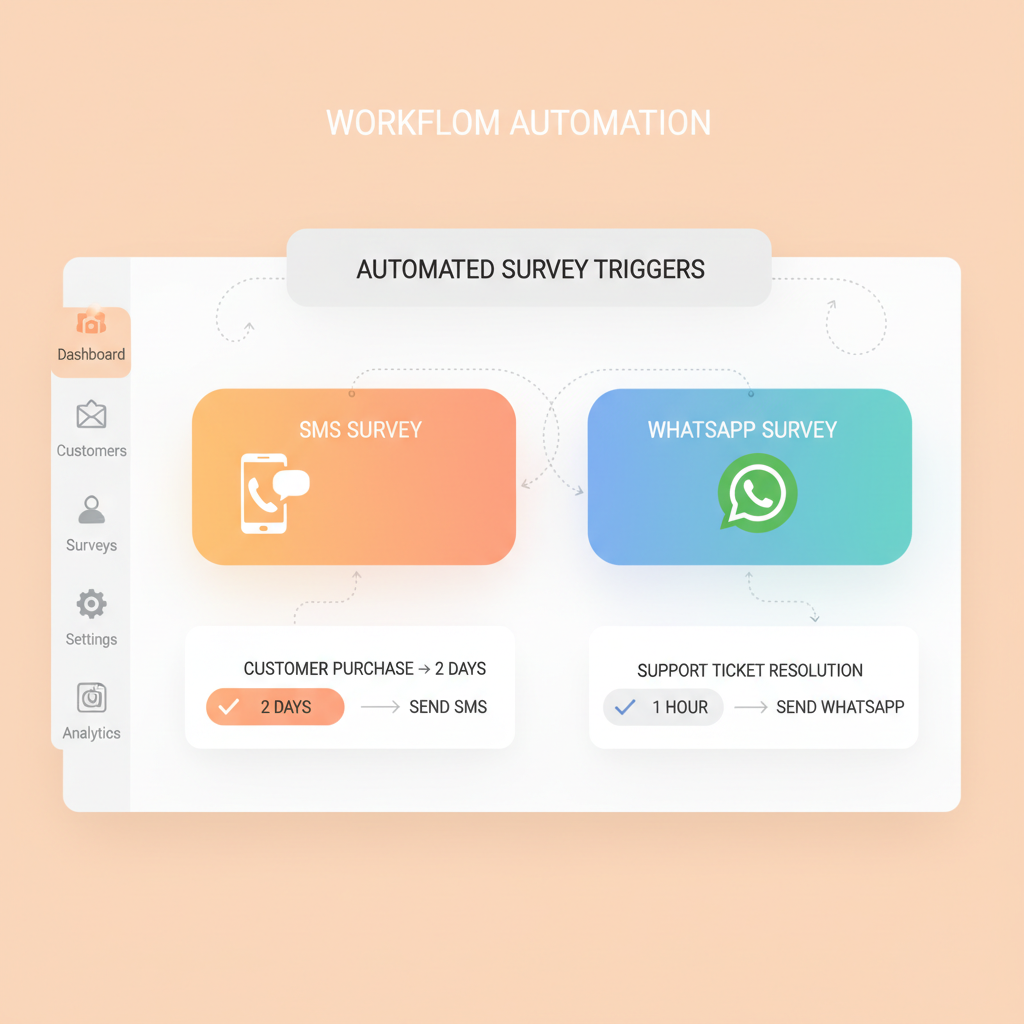
Timing and Channel: The Twin Pillars of High Response Rates
Two primary variables dictate the success of your feedback campaigns: when you send the survey, and where you send it.
First, let us look at the timing. Automating surveys within 24 hours of job completion increases customer satisfaction (CSAT) response rates by three to five times [3]. Sending feedback requests immediately after a project or service is completed ensures the experience is still fresh in the customer's mind, maximizing engagement.
If you wait too long, recall decay sets in. Although transactional surveys should be left open for 7 to 14 days, approximately 80% of all responses will arrive within the first 48 hours [8]. This rapid response window emphasizes the importance of immediate, automated triggers to capture feedback before the specifics of the experience blur.
Second, let us examine the channel. The channel and format used to deliver a survey are the variables that most consistently drive participation and shape overall completion rates [10]. According to SurveyMonkey platform data, customer feedback surveys average a 31.81% response rate, with mobile SDK (in-app) surveys reaching 34.37% [10].
In service-based environments, digital satisfaction surveys achieve a 36% response rate, which is significantly higher than the 22% response rate of paper-based options [7]. Transitioning from manual, paper-based follow-ups to automated digital workflows eliminates manual data entry and allows businesses to address customer complaints in real time.
Best Practices to Avoid Survey Fatigue
and Maintain Data Quality
While gathering feedback is essential, over-surveying your audience can backfire. To prevent survey fatigue, experts recommend a global frequency cap of no more than one transactional survey every 30 days and one relational survey every six months per customer [10]. Automatically excluding customers who have received any feedback request within the last 30 days protects the customer experience and maintains high data quality.
When you do capture feedback, you need a clear benchmark for success. A good Customer Satisfaction (CSAT) score typically falls between 75% and 85%, meaning at least three out of four customers rated their experience as satisfied or very satisfied [11]. Tracking this metric through automated post-interaction triggers allows service businesses to benchmark their performance and identify areas for immediate improvement.
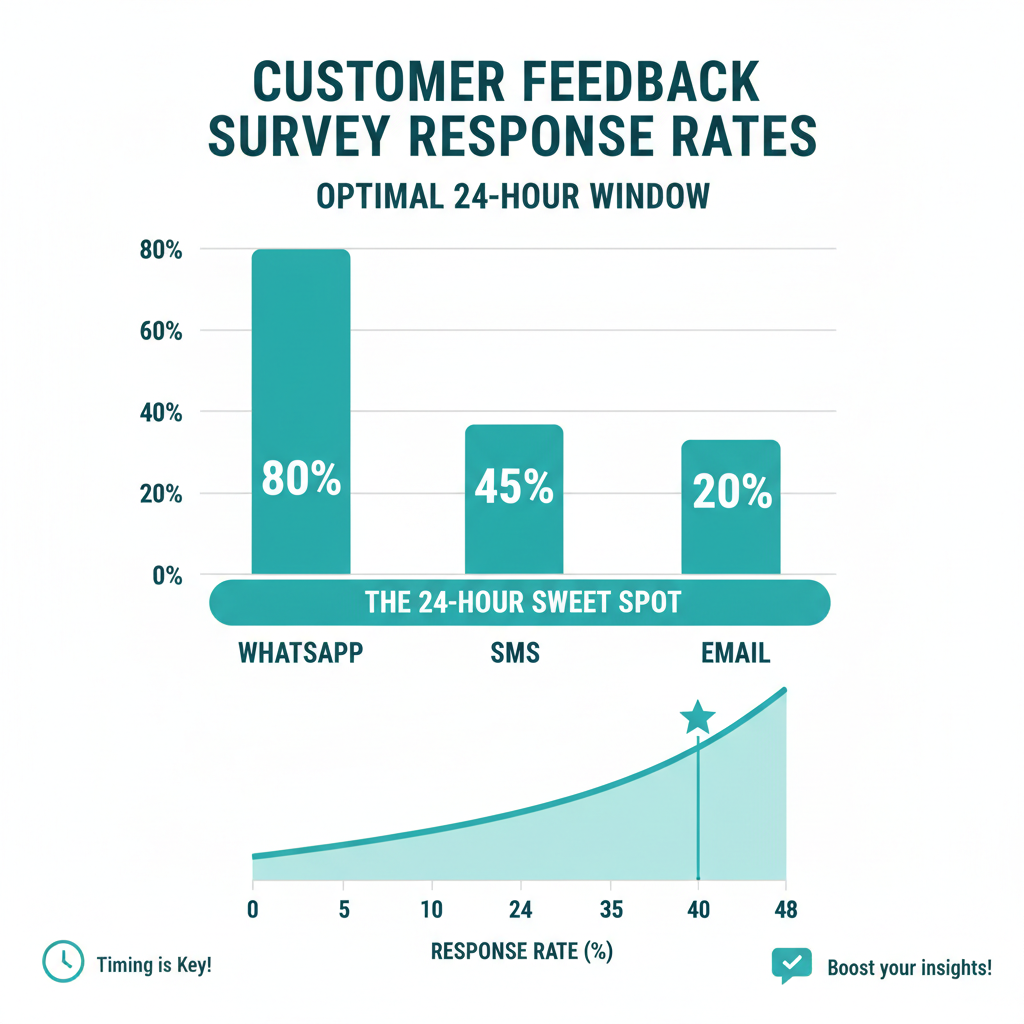
Comparing the Channels: Email vs. SMS vs. WhatsApp
To help you decide which channel is best for your business, let us compare the performance metrics of traditional email surveys with modern messaging channels:
| Metric / Channel | Traditional Email | SMS (Text Messaging) | WhatsApp Flows |
|---|---|---|---|
| Average Open Rate | 35.63% [4] | 98% [5] | Extremely High [1] |
| Average Response Rate | 10% to 25% [4] | 15% to 30% [5] | 45% to 65% [1] |
| Reply Rate (Conversational) | 1.4% [6] | 50% [6] | 84% increase vs email [2, 3] |
| Speed of Response | Hours to Days [8] | Within 3 Minutes [5] | Immediate / Real-time [2] |
How Conversify Streamlines Post-Project Feedback
Setting up these complex automations can feel daunting, but with Conversify, it is simple. Conversify acts as an AI front desk and receptionist for your business, managing customer communications, appointment booking, and automated follow-ups.
By unifying your inbox and automating messaging across SMS and WhatsApp, Conversify ensures you capture client feedback instantly without manual intervention. This helps service businesses maintain high CSAT scores, collect valuable reviews, and resolve customer issues before they escalate.

Frequently Asked Questions
How soon should I send a customer satisfaction survey after a project is finished?
It is best to send a survey within 24 hours of project completion, which can increase response rates by three to five times [3]. Because 80% of all transactional survey responses arrive within the first 48 hours, capturing feedback immediately prevents memory decay and ensures accurate data [8].
What is a good response rate for automated customer feedback surveys?
While traditional email surveys average a 10% to 25% response rate [4], digital satisfaction surveys in service environments reach around 36% [7]. Utilizing mobile-native channels like WhatsApp can push your Net Promoter Score (NPS) response rates even higher, ranging from 45% to 65% [1].
How often should I send surveys to the same customer?
To prevent survey fatigue and protect the customer experience, experts recommend a global frequency cap of no more than one transactional survey every 30 days [10]. For relational surveys that measure overall brand health, you should limit outreach to once every six months per customer [10].
Why does WhatsApp get higher survey completion rates than email?
WhatsApp review requests achieve an 84% higher response rate than email because they use conversational feedback flows [2, 3]. Instead of forcing customers to open a link and fill out a long form, each question arrives as a simple, interactive chat message [2].
What is considered a good Customer Satisfaction (CSAT) score?
A good CSAT score typically falls between 75% and 85%, indicating that at least three out of four customers rated their experience as satisfied or very satisfied [11]. Tracking this metric automatically after interactions helps service businesses benchmark performance and resolve complaints in real time [7, 11].
How does SMS compare to email for quick customer feedback?
SMS surveys boast a 98% open rate, with 90% of messages read within three minutes and average response rates of 15% to 30% [5]. Additionally, SMS reply rates average 50% compared to a meager 1.4% for traditional email, making text messaging far superior for real-time engagement [6, 8].
Sources
- WhatsApp NPS Surveys by WA Expert
- Customer Satisfaction Survey Automation by Conversify
- How to Increase Review Response Rates by 84% Using WhatsApp by Feefo
- Understanding Survey Response Rates by Material Plus
- Email vs SMS Surveys by SurveyVista
- Digital Survey Response Rates by RateNow
- SMS Marketing vs Email Marketing by Vonage
- SMS Response Rates by Verse AI
- When to Send Customer Feedback Surveys by Doc2Form
- Survey Response Rate Benchmarks by SurveyMonkey
- What is CSAT? by Verint
David Friedman - Founder, Conversify · LinkedIn
David Friedman is a B2B operations leader with over 10 years of experience managing large-scale teams and business processes. After years of working with service businesses and seeing how much time was lost to manual customer communication, he founded Conversify, an AI-powered platform that helps healthcare practices and service providers across Europe automate their patient and client interactions. David built the platform from the ground up, working directly with practicing healthcare professionals to ensure every feature solves a real operational pain point. He is based in Spain.