
How to Automate Customer Feedback Surveys After a Job is Completed
Learn how to set up customer satisfaction survey automation using WhatsApp and AI to boost your response rates up to 65% and capture instant feedback.
Customer satisfaction survey automation is the process of using digital tools to automatically send feedback requests immediately after a service is finished. Transitioning from manual follow-ups to automated workflows ensures that your team never misses an opportunity to collect valuable reviews. While traditional email surveys often get ignored, mobile-first automation ensures your message is seen and answered. To explore how businesses scale their communications and improve operational efficiency, check out our related articles on messaging strategies. Learn more About Conversify and how our team is building conversational tools for modern businesses. ---
Why Traditional Feedback Methods Are
Failing Service Businesses For years, service businesses relied on email or paper forms to gauge customer satisfaction. However, these traditional channels are failing to deliver the volume and quality of data required to make informed decisions. Email open rates hover around a meager 20%, and the resulting survey response rates crawl in at just 8% to 15% [1][7]. When a business relies solely on email, they miss out on the opinions of the vast majority of their clientele. Paper-based surveys perform slightly better but are highly inefficient. In service-based environments, digital satisfaction surveys achieve a 36% response rate, which is significantly higher than the 22% response rate of paper-based options [6]. Relying on paper means manual data entry, lost forms, and delayed insights that prevent businesses from addressing customer complaints in real time. Even standard SMS text messages fall short. While SMS boasts an open rate of over 90%, the actual response rate for SMS-based surveys is often less than 5% depending on the length of the survey [8]. This indicates that simply sending a text message is not enough; businesses need interactive, conversational channels to drive actual survey completion. Mobile outreach must be dynamic and frictionless to succeed. 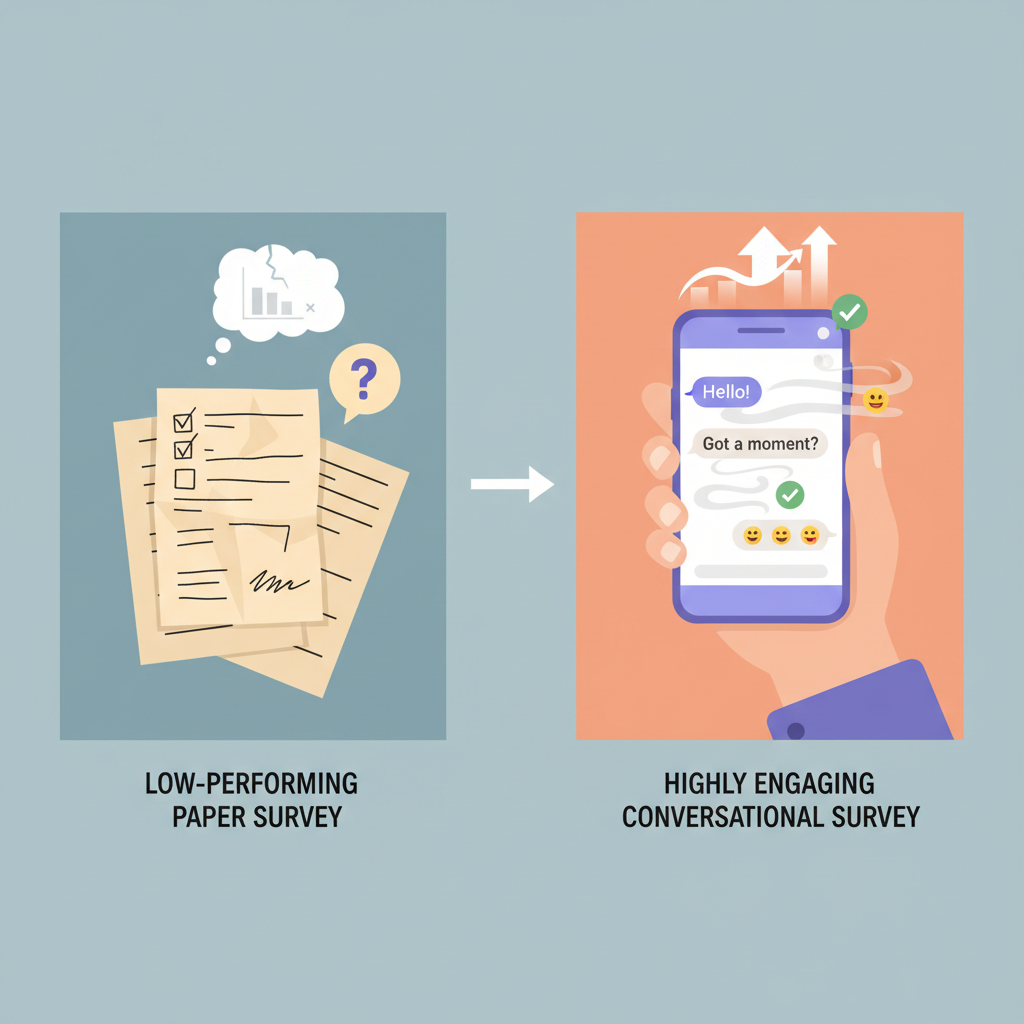 ---
---
Step-by-Step Guide to Setting Up Customer
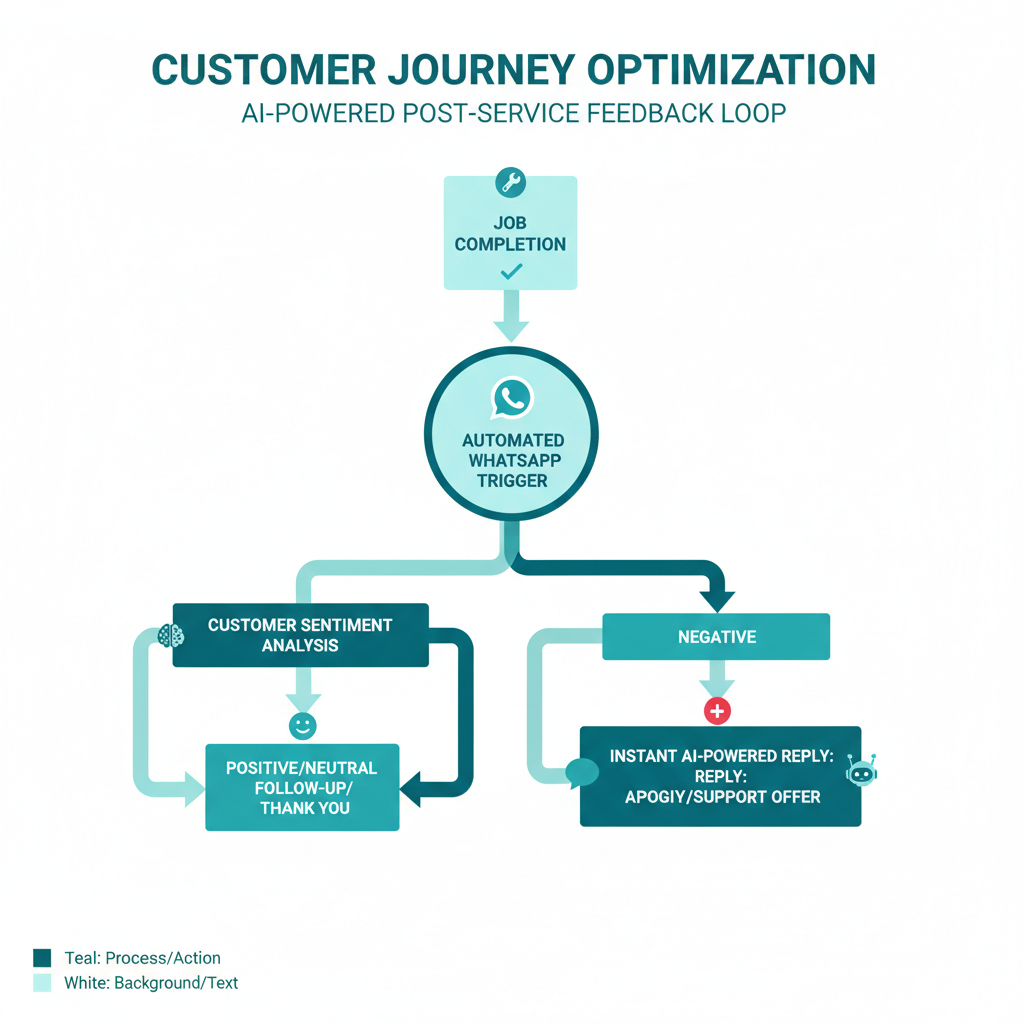
Satisfaction Survey Automation Implementing an automated feedback loop does not have to be complicated. By following a structured approach, you can transition from manual outreach to a fully automated system that works in the background. - Step 1: Choose the Right Communication Channel Selecting a channel with high visibility is critical. WhatsApp boasts an extraordinary 98% message open rate [7]. Switching to a mobile-native messaging platform ensures your request is seen almost instantly. - Step 2: Connect Your Booking or CRM System Integrate your customer relationship management (CRM) software or booking platform with your messaging tool. This connection allows your system to recognize exactly when a job is marked as complete, serving as the primary trigger for your survey automation. - Step 3: Keep Your Survey Short and Conversational Research indicates that a single-question customer satisfaction survey typically gets a 10% to 20% response rate, whereas a five-question survey drops the response rate to just 2% to 3% [7]. Prioritize a brief, single-question format to prevent survey fatigue. - Step 4: Set the Automation Trigger to Fire Within 24 Hours Timing is everything. Post-service feedback collected within 24 hours of an interaction can deliver three to five times higher response rates than waiting 48 hours or more [2]. Automate the survey trigger to fire immediately after job completion. - Step 5: Leverage AI to Analyze and Classify Responses Once the feedback rolls in, manual classification becomes a bottleneck. Currently, 44% of mid-market firms use AI to classify or analyze feedback, while 61% of enterprises with over 1,000 employees have deployed AI-powered text analytics [11]. Using AI ensures that negative feedback is flagged instantly for your team to handle. ---
The Power of Conversational Channels: WhatsApp vs.
Email and SMS When comparing channels for customer satisfaction survey automation, the data clearly favors conversational messaging over traditional platforms. WhatsApp Net Promoter Score (NPS) surveys achieve response rates of 45% to 65%, compared to just 8% to 15% for traditional email surveys [1]. This dramatic difference highlights how switching to mobile-native messaging channels can help service businesses capture significantly more feedback. Furthermore, implementing WhatsApp review requests has been shown to drive an 84% increase in response rates compared to email [3][5]. For service businesses looking to build their online reputation, automating review requests via WhatsApp is far more effective than traditional email workflows.
| Metric | Email Surveys | SMS Surveys | WhatsApp Surveys |
|---|---|---|---|
| Average Open Rate | ~20% [7] | >90% [8] | 98% [7] |
| Average Response Rate | 8% to 15% [1] | <5% [8] | 45% to 65% [1] |
| Response Speed | Slow (Days) | Fast (Minutes) | Ultra-Fast (Real-time) |
 ---
---
Best Practices for Maximizing Your Survey
Response Rates To get the most out of your customer satisfaction survey automation, structure your outreach to minimize friction for the customer. Here are the top industry best practices: - Automate Immediately: Do not wait days to send your survey. Trigger the communication the moment the service technician leaves or the appointment ends. Keeping the gap under 24 hours maximizes the accuracy and volume of your data [2].
- Use Interactive Elements: Use quick-reply buttons or numbered options. Instead of forcing customers to click an external link to fill out a long form, let them reply directly inside the chat interface.
- Focus on One Metric: Ask for a single rating, such as a CSAT score from 1 to 5 or an NPS rating from 1 to 10. You can always follow up with an open-ended question if they provide a high or low score.
- Personalize the Message: Ensure the automation includes the customer's name, the service provider's name, and the specific job completed. Personalized messages build trust and increase engagement.
and find the perfect fit for your business. ---
Frequently Asked Questions
Why should I automate my customer satisfaction surveys?
Automating your customer satisfaction surveys ensures that feedback is collected consistently without adding administrative work to your team. Sending surveys within 24 hours of service completion can increase response rates by three to five times compared to manual, delayed follow-ups [2].
How does WhatsApp compare to email for survey response rates?
WhatsApp surveys achieve response rates between 45% and 65%, while traditional email surveys only reach 8% to 15% [1]. This is largely due to WhatsApp's incredible 98% open rate compared to email's 20% open rate [7].
What is the ideal length for an automated customer survey?
To maximize response rates, you should stick to a single-question format, which typically yields a 10% to 20% response rate [7]. Adding more questions introduces friction, and a five-question survey can cause your response rate to drop to just 2% to 3% [7].
Can I use SMS for automated customer surveys?
While SMS has a high open rate of over 90%, the actual response rate for SMS-based surveys is often less than 5% [8]. Interactive and conversational channels like WhatsApp are far more effective at driving actual survey completion.
How does AI help in the customer feedback loop?
AI helps businesses classify and analyze raw feedback at scale, which is why 44% of mid-market firms use AI for feedback classification [11]. AI can instantly categorize responses, flag negative reviews for immediate attention, and even draft automated follow-up replies.
Is digital outreach really better than paper-based feedback?
Yes, digital outreach drives 56% higher survey completion rates than traditional mail [10]. In service environments, digital surveys achieve a 36% response rate compared to only 22% for paper-based surveys [6]. ---
Sources [1] [WhatsApp Flows Feedback
NPS](https://wa.expert/pages/whatsapp-flows-feedback-nps.html) [2] WhatsApp Customer Survey Guide [3] Customer Feedback Automation Best Practices [4] CSAT Survey Automation Insights [5] How to Increase Review Response Rates by 84% Using WhatsApp [6] Digital Patient Surveys Are Better Than Paper [7] How to Turn WhatsApp Into Your NPS Powerhouse [8] Digital Channels for Patient Feedback [9] How to Use Digital Patient Experience Surveys [10] Patient Satisfaction Surveys: How and Why to Use Them [11] Customer Feedback Automation Trends
David Friedman - Founder, Conversify · LinkedIn
David Friedman is a B2B operations leader with over 10 years of experience managing large-scale teams and business processes. After years of working with service businesses and seeing how much time was lost to manual customer communication, he founded Conversify, an AI-powered platform that helps healthcare practices and service providers across Europe automate their patient and client interactions. David built the platform from the ground up, working directly with practicing healthcare professionals to ensure every feature solves a real operational pain point. He is based in Spain.