How to Connect Booking Software to Instagram DM Automation
Learn how to connect booking software like Vagaro or Fresha to Instagram DM automation. This guide covers native integrations, API workarounds, and automated DM flows to turn social media engagement into instant appointments.
Connecting booking software like Vagaro or Fresha to Instagram DM automation is achieved by linking your booking calendar to a professional Instagram account and using integration platforms like Manychat, Zapier, or native Meta tools. This allows businesses to automatically send direct scheduling links and capture leads instantly in the DM inbox. With over 150 million people messaging businesses on Instagram every month, and the average brand taking over 10 hours to respond [2], automated solutions are critical. Approximately 65% of inbound leads for appointment-based businesses arrive outside of standard business hours [10]. By automating your direct messages, you bridge this gap. You can set up "Comment-to-DM" triggers to instantly deliver real-time booking links or use native profile buttons to sync your calendar directly [5] [6]. For platforms like Fresha that lack public APIs, tools like Zapier act as bridges to sync client data with external CRMs [8], ensuring seamless automation.
Why Instagram DM Automation is Essential
for Service Businesses For modern service providers, social media is no longer just a digital portfolio; it is the primary gateway for customer acquisition. According to Meta, there are approximately 1 billion conversations happening between users and businesses across WhatsApp, Messenger, and Instagram every single day [3]. Clients expect instant gratification, yet manual response times often lag behind. When a potential customer reaches out late at night, a delayed response usually means a lost booking. Implementing instagram dm automation for businesses solves this friction point. Because approximately 65% of inbound leads for appointment-based businesses arrive outside of standard business hours [10], manual monitoring is practically impossible. Automated DM workflows ensure that late-night inquiries are captured, qualified, and booked immediately without requiring staff to monitor their phones 24/7. To explore how these trends impact modern service-based businesses, you can read our related articles on automated customer communication.
Step-by-Step: How to Prepare Your Instagram
Account for Automation Before you can link any booking software or trigger automated messaging sequences, you must configure your Instagram account infrastructure. Meta enforces strict security and API rules to prevent spam, which means personal accounts cannot access these advanced features. - Convert to a Professional Account: You must use a professional Instagram account, which can be either a Business or Creator account [4]. Personal accounts are restricted from using Meta's official Graph API, which is required to trigger automated DM flows.
- Link to a Meta Business Portfolio: Your professional Instagram account must be connected to a Meta Business Portfolio (formerly Business Manager) and linked directly to an active Facebook Page [4].
- Enable Direct Message Access: Within your Instagram account settings, navigate to Privacy, then Messages, and ensure that "Allow Access to Messages" is toggled on. This grants permission for external booking tools and automation platforms to interact with your inbox. Once these three prerequisites are met, your account is ready to communicate with third-party automation tools and calendar integrations.
Connecting Vagaro to Instagram:
The Native Approach For businesses using Vagaro, setting up a direct booking path on Instagram is straightforward. Vagaro offers a free native integration that allows businesses to add a "Book Now" action button directly to their Instagram business profile [5]. 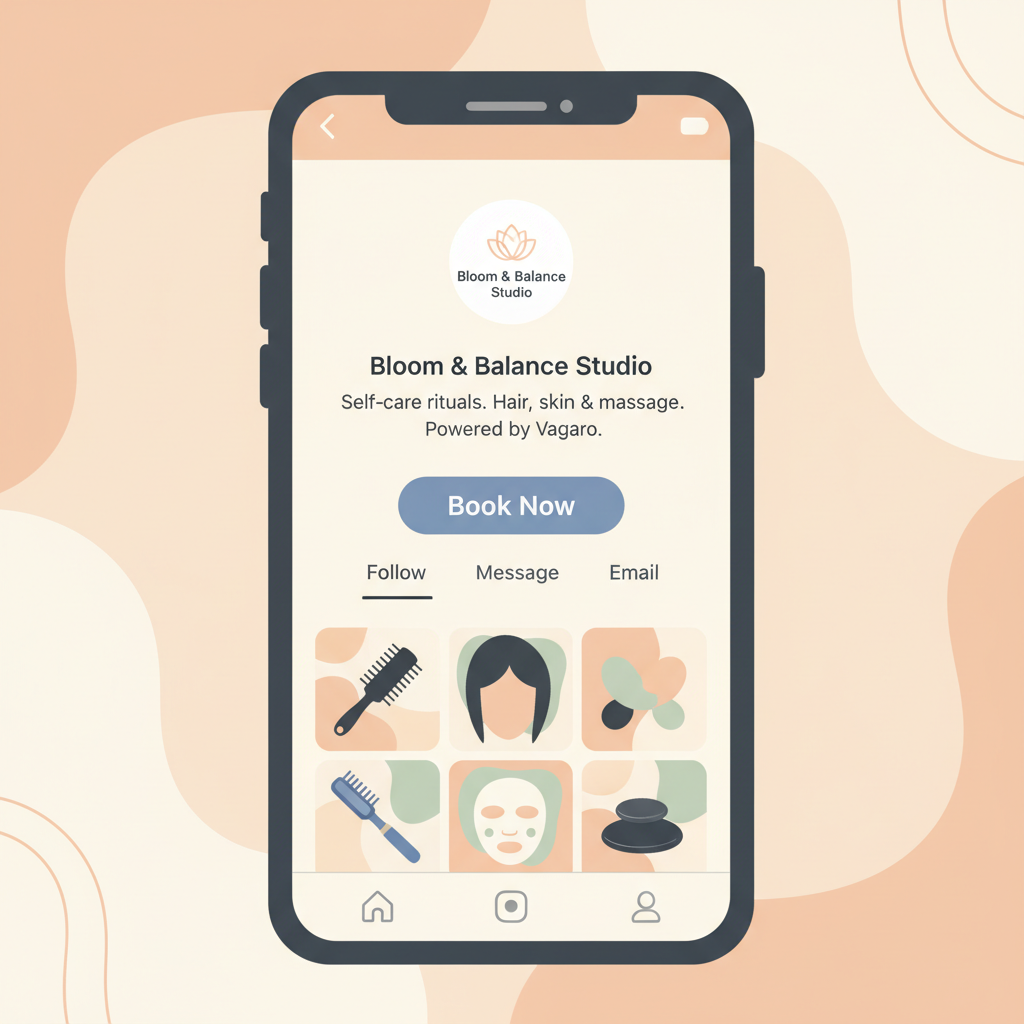 This native button routes profile visitors directly to the Vagaro booking portal, allowing clients to schedule appointments without leaving the Instagram app [5]. To set this up, follow these steps: - Log into your Vagaro account on a web browser.
- Navigate to the integrations or marketing section and locate the social media settings.
- Select the Instagram integration option and log in with your Facebook credentials that manage your Meta Business Portfolio.
- Confirm the connection to authorize Vagaro to add the action button to your Instagram profile. This simple integration ensures that any user visiting your profile can immediately view your real-time availability and secure an appointment.
Connecting Fresha to Instagram:
Native Buttons and API Workarounds Fresha also offers an official integration with Meta platforms that allows beauty and wellness businesses to add a "Book Now" button to their Facebook and Instagram profiles at no cost [6]. This integration syncs directly with the Fresha calendar to display real-time availability. This setup helped New York salon Citryne Rose achieve an 80% booking rate through Instagram and a 5x overall increase in appointments [7]. However, if you want to connect Fresha to advanced DM automation tools, you will run into technical limitations. Because Fresha does not publish a public merchant API or native webhooks, businesses must use workaround bridges like Zapier to sync client-level data with external CRM and automation platforms [8]. To build a workaround bridge for Fresha automation: - Connect Zapier to your communication or CRM platform.
- Use Zapier to parse Fresha's automated notification emails whenever a new booking or client profile is created [8].
- Alternatively, query Fresha's paid Snowflake Data Connector to extract and sync detailed data with your external systems [8].
- Use this parsed data to trigger automated confirmation DMs, follow-up messages, or promotional sequences in your automation suite. While not as seamless as a native API, this workaround allows high-performing salons to maintain automated client tracking across all systems.
Leveraging Manychat for Advanced Comment-to-DM
Triggers While native profile buttons are excellent for passive visitors, active engagement requires a proactive approach. Manychat's visual Flow Builder allows businesses to set up "Comment-to-DM" triggers, which automatically send a private message containing a booking link when a user comments a specific keyword on a Reel or post [9]. 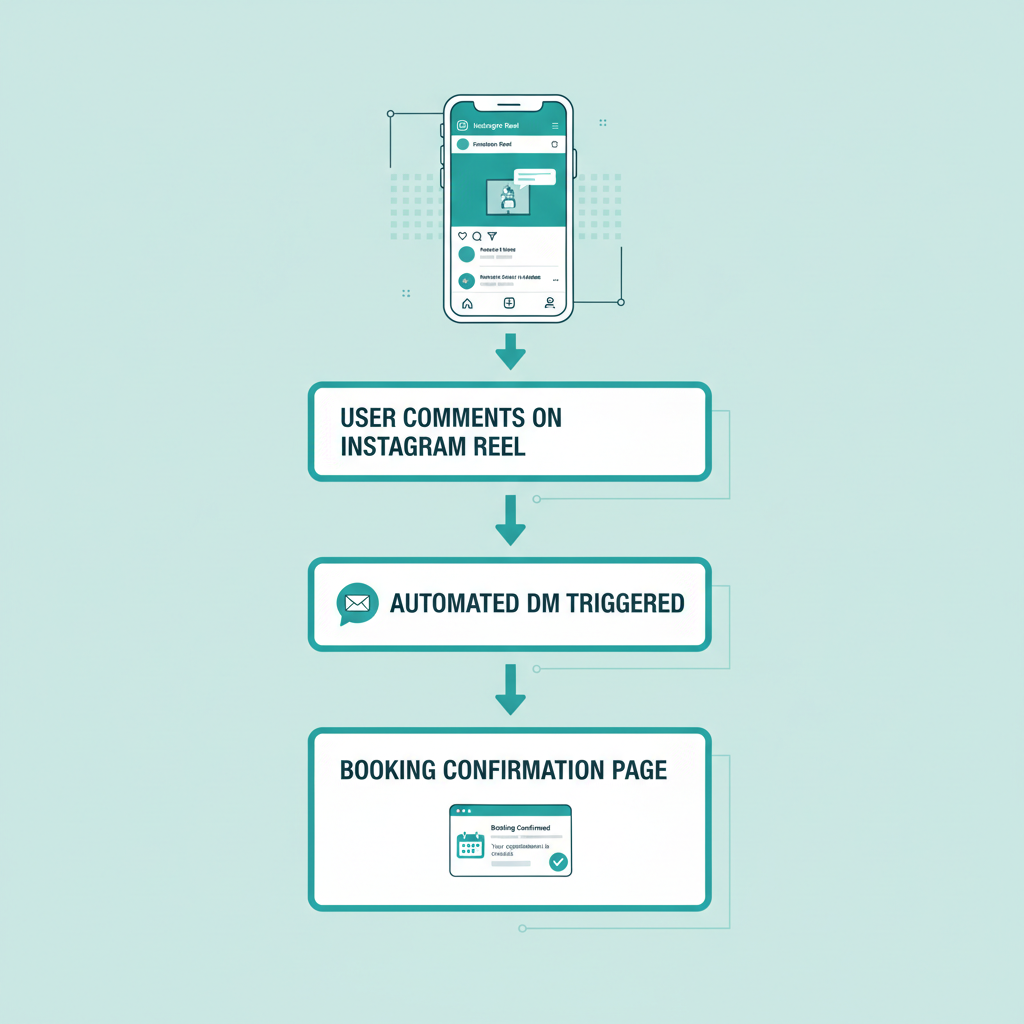 This automation bypasses the friction of forcing users to navigate to a profile bio, directly delivering scheduling links like Calendly, Setmore, or your native Vagaro/Fresha link to the user's inbox [9]. For example, integrating Setmore with Facebook and Instagram allows businesses to automatically insert their booking page link directly into Instagram DMs using the "+" icon in the message field [11]. This feature enables manual or automated chat agents to quickly share real-time scheduling links with clients during active conversations [11]. To set up a Comment-to-DM workflow: - Open Manychat and connect your professional Instagram account.
- Create a new flow in the Flow Builder and select "User comments on your Post or Reel" as the trigger.
- Specify the keyword (for example, "BOOK" or "SALON").
- Set the automated response to send a friendly DM containing your direct booking link.
Elevating Your Booking Strategy with
AI-Powered DM Assistants For businesses looking to offer a premium, personalized booking experience, simple keyword bots may feel too rigid. Implementing AI-powered DM assistants, such as SetSmart, has been shown to increase appointment bookings by up to 30% for service providers [12]. Unlike rigid, rule-based keyword bots, AI agents can handle objections, qualify leads, and book calls directly on a calendar through natural, human-like conversations [12]. This level of automation is highly valuable for specialized practices. High-ticket service businesses and clinics are advised to implement DM appointment automation once they receive 8 or more inbound DMs per day [1]. At this volume, manual lead qualification and scheduling become a major administrative bottleneck, making automated qualification flows highly cost-effective [1]. For growing clinics and healthcare practices, managing this volume requires a robust setup. Learn more about our team and mission at About Conversify to see how we help businesses scale. By combining the reach of Instagram, the conversational power of AI, and the organizational structure of your booking software, you can build a highly efficient, automated booking machine that works for you day and night.
Frequently Asked Questions
Do I need a special Instagram account to use DM automation?
Yes, you must use a professional Instagram account, which can be either a Business or Creator account, linked to a Meta Business Portfolio [4]. Personal accounts are restricted from using Meta's official Graph API, which is necessary to trigger automated DM flows.
Is there a free way to connect Vagaro to my Instagram profile?
Yes, Vagaro offers a free native integration that allows you to add a "Book Now" action button directly to your Instagram profile [5]. This button routes visitors directly to your booking portal without forcing them to leave the Instagram application.
Can I connect Fresha to external automation tools like Zapier?
Because Fresha does not publish a public merchant API or native webhooks, you must use workaround bridges like Zapier to sync client-level data [8]. Salon owners often use Zapier to parse Fresha's notification emails or query its paid Snowflake Data Connector to trigger automated workflows.
What is a Comment-to-DM trigger and how does it work?
A Comment-to-DM trigger is an automation set up via tools like Manychat's visual Flow Builder [9]. When a user comments a specific keyword on your Reel or post, the system automatically sends them a private message containing your direct scheduling link.
When should my business implement automated DM booking?
It is highly recommended to implement DM appointment automation once your business receives 8 or more inbound DMs per day [1]. At this volume, manual lead qualification and scheduling become a major administrative bottleneck, making automated flows highly cost-effective.
Can AI assistants actually book clients through natural conversation?
Yes, AI-powered DM assistants like SetSmart can increase appointment bookings by up to 30% [12]. Unlike rigid, rule-based keyword bots, these AI agents can handle customer objections, qualify leads, and book calls directly on your calendar through human-like dialogue.
Sources [1] [AI Agents Instagram DM
Automation for Brands](https://creatorflow.so/blog/ai-agents-instagram-dm-automation-brands/)
- Instagram Automation: How to Generate More Leads for Your Business
- Instagram DM Automation
- How to Connect Instagram to Manychat
- Instagram Integration
- Set up Facebook and Instagram Bookings
- Case Study: How Citryne Rose Gets 5x More Bookings
- Connect Fresha to Zapier
- How to Get Started with Instagram DM Automation
- Instagram DM
- Book Appointments from Instagram
- SetSmart
David Friedman - Founder, Conversify · LinkedIn
David Friedman is a B2B operations leader with over 10 years of experience managing large-scale teams and business processes. After years of working with service businesses and seeing how much time was lost to manual customer communication, he founded Conversify, an AI-powered platform that helps healthcare practices and service providers across Europe automate their patient and client interactions. David built the platform from the ground up, working directly with practicing healthcare professionals to ensure every feature solves a real operational pain point. He is based in Spain.