
How to Set Up an Instagram Auto-Responder for Tattoo Bookings
Learn how to set up an Instagram auto-responder to automatically redirect booking inquiries to your email, saving hours of manual work and streamlining your tattoo client intake.
This transition ensures that the 85% to 95% direct message open rates are channeled into a structured booking email instantly [2]. By establishing this automated funnel, tattoo artists can reclaim up to 10 hours per month by eliminating repetitive manual replies and instantly sending booking links or standardized inquiry forms [1]. While Meta's built-in Business Suite allows you to establish basic keyword triggers in under five minutes, advanced creators utilize third-party AI platforms to capture client emails directly within the chat flow before redirecting them [3, 8]. This strategic AI auto-responder setup prevents potential clients from dropping off while protecting the artist's personal boundaries outside of business hours [7, 2]. To explore more ways to streamline your service business, read our related articles on workflow optimization. For busy tattoo artists, managing a constant influx of social media messages is a full-time job. Between designing custom flash, sterilizing equipment, and actually tattooing, spending hours answering repetitive questions is incredibly draining. Fortunately, implementing an intelligent automation strategy allows you to reclaim your time without losing valuable clients.
Why Tattoo Artists Need an Instagram
Auto-Responder Instagram is the modern portfolio for visual artists, but its direct messaging system is a chaotic place to manage a business. Potential clients often send vague inquiries across multiple threads, leading to confusion and administrative headaches. According to platform data summarized by Inrō, Instagram DM automation yields exceptional engagement, boasting 85% to 95% direct message open rates and 40% to 70% first-message click rates [2]. This high level of engagement makes automated direct messages highly effective for redirecting potential clients to external booking channels or email addresses [2]. When inquiries are scattered, artists run the risk of double-booking or missing critical details. Kerry-Anne Richardson, a prominent tattoo artist and mentor at @tattoosmarter, recommends using a standardized inquiry form or email to keep client requests organized and prevent double-messaging across DMs and email [5]. Having a single, structured channel for inquiries ensures that artists receive all necessary design, sizing, and placement details in one go [5]. Furthermore, speed is critical in the digital booking landscape. Auto replies can automatically respond to customer inquiries in under 5 seconds, helping reduce waiting times and preventing potential customers from dropping off [2]. Failing to reply within 24 to 48 hours often results in clients booking with another artist [2]. By automating the initial touchpoint, you secure the lead instantly. 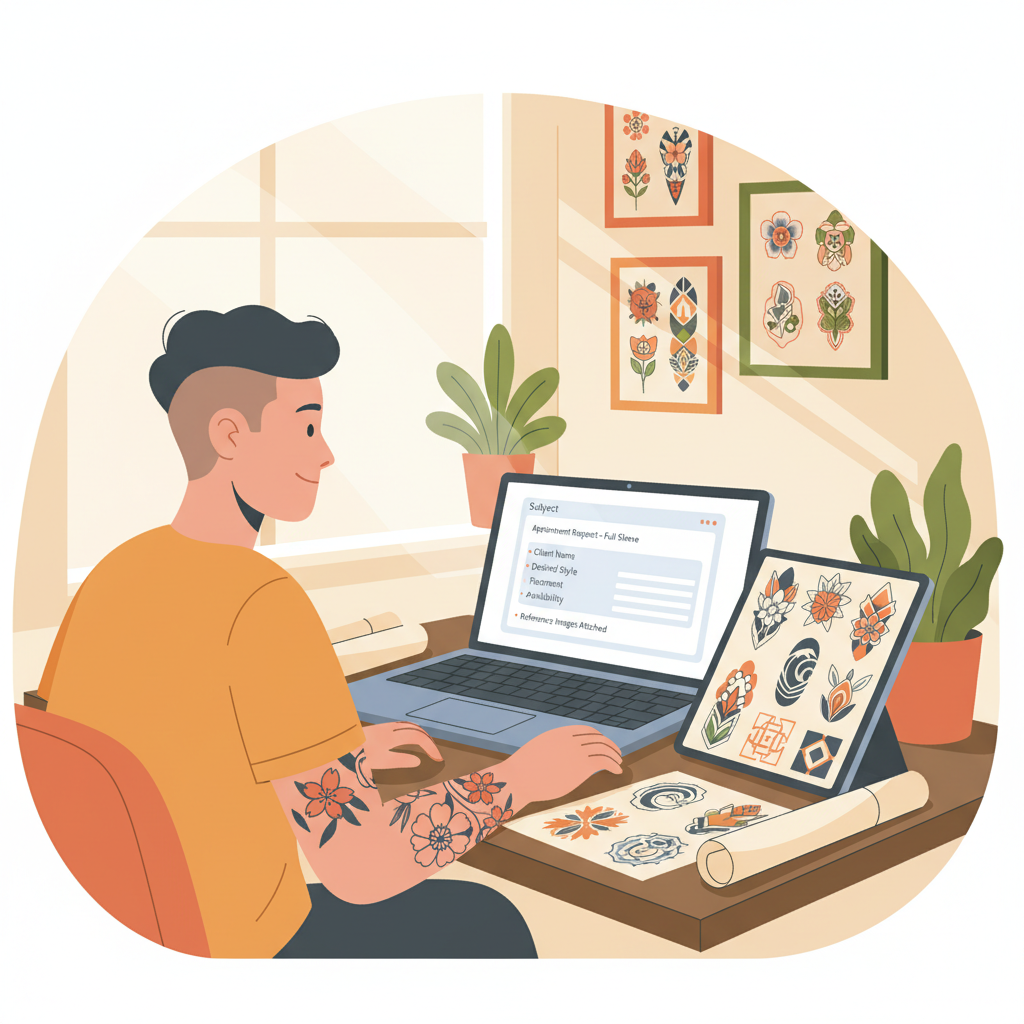
Step-by-Step AI Auto-Responder Setup
for Instagram Setting up a basic automation flow is simple and can be accomplished using Meta's native tools. Here is how to configure your system to redirect inquiries to your email: - Switch to a Professional Account: To set up auto-replies directly on Instagram, you must first switch your personal account to a professional Business or Creator account [4]. Personal accounts do not support automated messaging features, making this switch the mandatory first step for setting up any auto-responder [4].
- Access Meta Business Suite: Once your account is converted, log into the Meta Business Suite on your desktop or mobile device. This built-in tool is ideal for tattoo artists who want to automatically detect words like "book" or "price" and instantly reply with their booking email [3].
- Configure the Instant Reply Feature: Meta's native "Instant Reply" feature triggers exactly once when a user sends their very first message to your account [6]. You can use this greeting to immediately inform new prospects that you only accept booking inquiries via a specific email address [6].
- Set Up Custom Keyword Triggers: Meta Business Suite allows users to set up basic Instagram auto-replies in under 5 minutes, supporting up to 5 custom keyword triggers per automation [3]. Configure triggers for common words like "price," "deposit," "booking," "consultation," or "appointment" to automatically fire off your email template.
- Enable Away Messages: Meta's "Away Message" feature automatically responds to incoming DMs outside of pre-set business hours [7]. This allows tattoo artists to protect their personal boundaries and manage client expectations overnight or during weekends when they are not tattooing [7].
Advanced AI Auto-Responder Setup with
Third-Party Tools While Meta's native tools are excellent for basic redirection, advanced artists require more robust systems. Over 11,000 tattoo artists use InstantDM, an official Meta Business Partner, to automate their Instagram direct messages, consultations, and bookings [1]. This tool helps artists save up to 10 hours per month by handling repetitive inquiries and instantly sending booking links [1]. 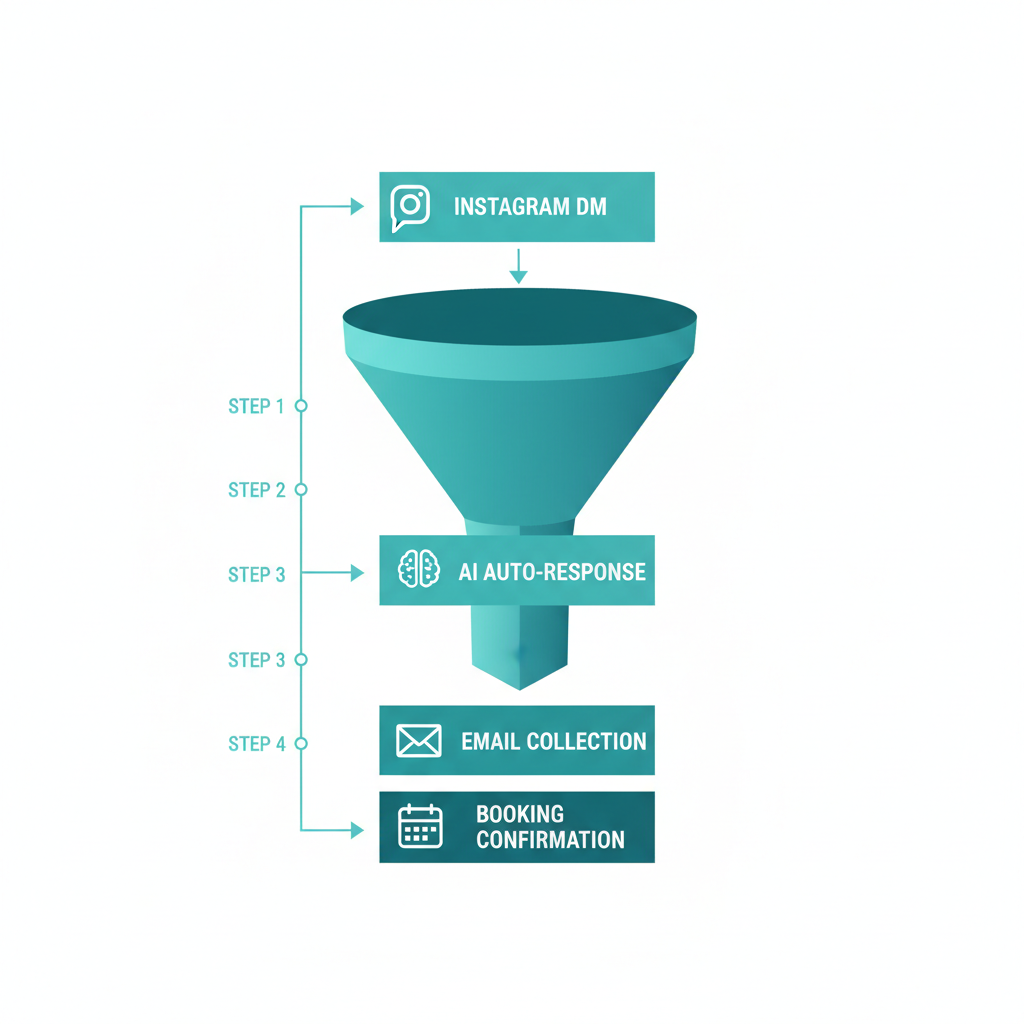 For creators seeking deep database integrations, platforms like CreatorFlow (a Meta Tech Provider approved in December 2025) allow creators to link their Instagram accounts using Meta's official Graph API to collect emails and send links 24/7 [8]. Third-party automation platforms like this can automatically capture a prospect's email address directly within the DM flow before redirecting them [8]. Additionally, Instagram's native AI auto replies, which utilize creator AIs built in Meta AI Studio, can be configured to respond only to specific audiences, such as anyone the creator does not follow back [9]. This allows tattoo artists to automate replies to new inquiries from the general public while maintaining normal, manual conversations with friends and existing clients [9]. However, advanced features do come with a cost. Third-party platforms like Take App require users to be on a paid Business Plan to enable Instagram Auto Reply features powered by AI [10]. While native Meta tools are free, artists seeking advanced AI-driven responses that read store or website content must budget for third-party subscription plans [10]. To evaluate your options and manage your operational budget, explore various pricing plans offered by automation providers.
Streamlining the Tattoo Booking Funnel
Simply redirecting clients to your email is only half the battle; you must also ensure the email process is friction-free. When clients are redirected, they should receive an automated email response or be directed to a structured form. This ensures you do not waste time back and forth asking for references, sizing, and placement. To learn more about our mission to simplify customer communication, visit About Conversify.
Native Meta Tools vs.
Third-Party AI Platforms Choosing the right tool depends on your budget, volume of inquiries, and technical comfort. To set up auto-replies directly on Instagram, you must first switch your personal account to a professional Business or Creator account [4].
How many keyword triggers can I set up using Meta's native tools?
Meta Business Suite supports up to 5 custom keyword triggers per automation [3]. This allows you to automatically detect specific words like "book" or "price" and instantly reply with your booking email [3].
What is the benefit of using an Away Message for tattoo artists?
Meta's "Away Message" feature automatically responds to incoming DMs outside of pre-set business hours [7]. This allows tattoo artists to protect their personal boundaries and manage client expectations overnight or during weekends when they are not tattooing [7].
How does Meta's Instant Reply feature work?
Meta's native "Instant Reply" feature triggers exactly once when a user sends their very first message to an account [6]. Tattoo artists can use this greeting to immediately inform new prospects that they only accept booking inquiries via a specific email address [6].
Do I need a paid plan to use AI auto-replies on Instagram?
While native Meta tools are free, third-party platforms like Take App require users to be on a paid Business Plan to enable Instagram Auto Reply features powered by AI [10]. Artists seeking advanced AI-driven responses that read store or website content must budget for third-party subscription plans [10].
Can I target my AI auto-replies to specific audiences?
Yes, Instagram's native AI auto replies, which utilize creator AIs built in Meta AI Studio, can be configured to respond only to specific audiences, such as anyone the creator does not follow back [9]. This allows tattoo artists to automate replies to new inquiries from the general public while maintaining normal, manual conversations with friends and existing clients [9].
How much time can tattoo artists save by automating their DMs?
Over 11,000 tattoo artists use InstantDM to automate their Instagram direct messages, consultations, and bookings [1]. This tool helps artists save up to 10 hours per month by handling repetitive inquiries and instantly sending booking links [1]. Setting up an AI auto-responder is a game-changer for tattoo artists looking to escape the endless cycle of manual DM management. By funneling high-intent inquiries from Instagram directly to a structured email system or booking link, you ensure that no lead is lost, boundaries are respected, and your administrative workload is slashed.com/for/tattoo-artists)
David Friedman - Founder, Conversify · LinkedIn
David Friedman is a B2B operations leader with over 10 years of experience managing large-scale teams and business processes. After years of working with service businesses and seeing how much time was lost to manual customer communication, he founded Conversify, an AI-powered platform that helps healthcare practices and service providers across Europe automate their patient and client interactions. David built the platform from the ground up, working directly with practicing healthcare professionals to ensure every feature solves a real operational pain point. He is based in Spain.