Front Desk Automation: A Practical Setup Guide
What front desk automation actually covers in 2026, which tasks to automate first, where humans stay in the loop, and a five-step setup that runs in an afternoon.
Front desk automation is what Conversify was built for: software that answers customers, quotes prices, books appointments, sends reminders, and asks for reviews without anyone on your team touching a keyboard. The term gets thrown around loosely though. A calendar link in an email signature and a full AI receptionist both get called "front desk automation," and they are not the same product. This guide sorts out what the work actually is, what is safe to automate first, and where a human should stay in the loop.
What front desk work actually is
The front desk stopped being a desk years ago. For a small service business it is whatever surface a customer touches before money changes hands: the WhatsApp message at 9 pm asking if you have anything tomorrow, the Instagram DM asking what a cut costs, the email asking to move Thursday to Friday, the phone call nobody picked up because you were elbow-deep in work.
Add up the tasks and you get a list like this:
- Answering inquiries across chat, DMs, text, and email
- Quoting prices and explaining what is included
- Booking, rescheduling, and cancelling appointments
- Sending confirmations and reminders
- Chasing no-shows and last-minute cancellations
- Requesting reviews after a visit
- Collecting intake details before a first appointment
None of these tasks is complicated on its own. The problem is volume and timing. They arrive in bursts, at odd hours, and mostly when you are already busy with the paying customer in front of you. That is the entire reason to automate: not laziness, just arithmetic.
The three ways to get it done
Hire someone. A full-time receptionist is a $30,000-plus-a-year commitment once you count taxes and overhead, and in many cities right now it is a hire you simply cannot make because nobody applies. You also get the two coverage gaps a human brings: lunch breaks and nights. The 9 pm message waits until morning either way.
Scripted tools. Calendar booking links, keyword autoresponders, saved reply templates. These are cheap and they work, up to a point. The point arrives fast. A booking link answers "when are you free" but not "how much is it," and the customer who asked three questions and got one link learns that messaging you is a dead end. Scripts are furniture. They sit there.
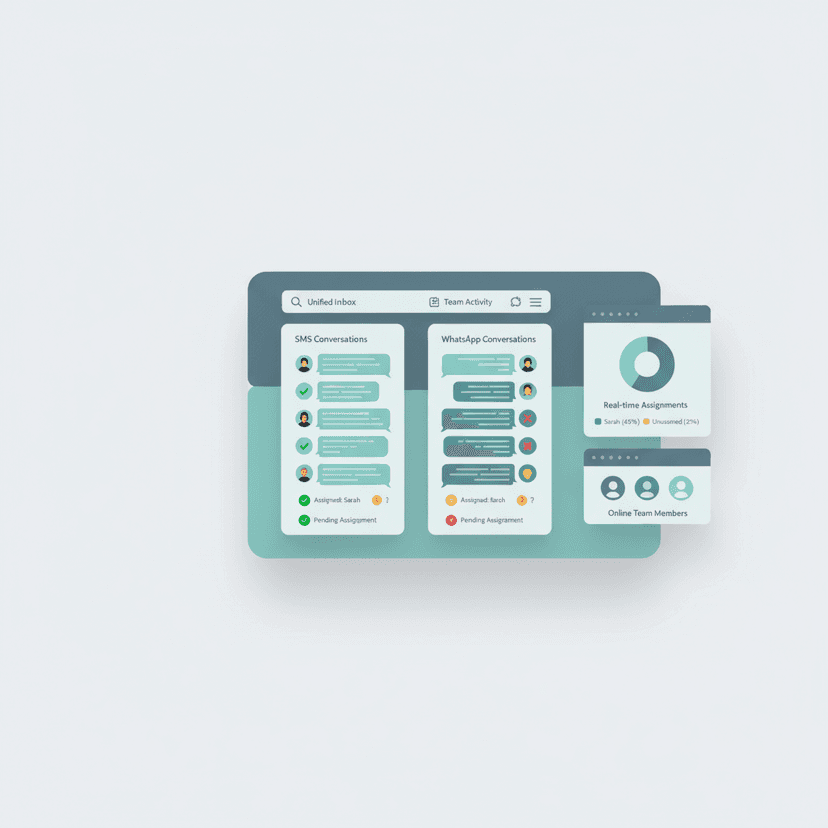
An AI front desk. Software that actually converses: it reads the question, answers from your real service list and prices, checks your calendar, offers slots, books, confirms, and remembers the customer next time. It works every hour, including the ones you do not. This is the category Conversify belongs to, running on WhatsApp, Instagram, Messenger, email, and web chat with a unified inbox behind it.
What to automate first
If you try to automate everything on day one you will get a mess. There is an order that works because it front-loads the high-volume, low-risk stuff.
Start with routine questions. Prices, hours, availability, what a service includes. These are the highest-volume messages you get and the lowest risk to answer wrong, because you already know the answers cold. Write them down once and the AI has them forever.
Next, confirmations and reminders. Purely mechanical, and the payoff is direct: a reminder sequence is the single cheapest way to cut no-shows, and no-shows are the revenue leak nobody sees. Adding a deposit requirement on top, where the customer pays a small amount up front to hold the slot, filters out the flakes before they cost you an hour.
Then review requests. A short message a few hours after the visit, with a direct link to your Google profile, recovers a chunk of the reviews you currently never ask for. Customers are not unwilling to leave reviews. They are unwilling to hunt for your profile at 11 pm.
Intake forms last. Useful, but it only matters once bookings are flowing.
Step 1: Write down your ten most-asked questions
Open a note and list the questions customers actually send, not the ones you wish they sent. Prices for each service, hours, location and parking, how deposits work, cancellation policy, how long a service takes. If a question has a numeric answer, the exact number goes in the note. This becomes the AI's source of truth, and it doubles as a reality check on your own website, because half the questions you list are probably answered badly or not at all on your site today.
Step 2: Connect the channel customers already use
Do not start with the channel you like. Start with the one your customers use, which for most service businesses in 2026 is WhatsApp or Instagram DMs, with email close behind. Conversify connects a WhatsApp Business number without forcing you to change yours, and it coexists with the phone in your pocket, so you keep texting friends on the same number while customer conversations run through the AI. Connect one channel, prove it works, then add the others.
Step 3: Sync your calendar and set the booking rules
This is where front desk automation earns its keep or exposes itself as a message-taker. The system has to see your real availability: open hours, buffer time between appointments, how far ahead a customer may book, which services take which amount of time. Conversify syncs with Google Calendar and books straight into it, so a slot the AI offers is a slot that actually exists. Set the rules once and they hold without supervision.
Step 4: Write the handoff rule
Automation without an escape hatch is a liability. Decide what gets escalated to a human: complaints, refund requests, anything about money the AI is unsure of, or simply any message where the customer sounds unhappy. On Conversify you can take over any conversation with one tap and the AI steps back the moment you do. A good rule of thumb: the AI handles the questions with known answers, and everything with feelings in it reaches a person.
Step 5: Turn on reminders and review requests
Once bookings flow, switch on the reminder sequence (typically one message the day before, one a couple of hours before) and the post-visit review request. Both are set-and-forget. Then leave it alone for a week and read the transcripts before you change anything, because the failure mode of automation is not the AI answering wrong, it is you adjusting settings based on one weird conversation instead of a pattern.
Where a human stays in the loop
Some things should not be automated, at least not fully. Angry customers should reach a person, fast. Anything involving a dispute over money deserves a human voice. New or unusual requests the AI has never seen should escalate rather than get a confident guess. And there is a style of owner who wants to approve every outgoing message before it sends, which you can do on Conversify, though most people drop that habit within a week once they see the AI is not embarrassing them.
The point of front desk automation is not to remove you from the conversation. It is to remove the 80 percent of the conversation you never needed to be in.
What it costs
A full-time hire costs thousands a month, a scripted tool costs almost nothing and does almost nothing, and an AI front desk sits in between: Conversify starts at $29 a month with unlimited staff seats, Growth at $89, Pro at $199, flat regardless of how many customers write to you. There is a 14-day free trial, no credit card, and setup is the five steps above, not a consulting project.
One thing worth saying plainly: the trial costs nothing but an afternoon, and the fastest way to know whether automation fits your business is to point it at your real messages for two weeks and count the bookings it finishes while you sleep. Most owners who quit do so because their customers call rather than write, which is a real finding, and better to learn it in week one than after signing an annual contract anywhere.
If your customers message you and nobody answers until tomorrow morning, that gap is the cheapest thing you will ever fix.
David Friedman - Founder, Conversify · LinkedIn
David Friedman is a B2B operations leader with over 10 years of experience managing large-scale teams and business processes. After years of working with service businesses and seeing how much time was lost to manual customer communication, he founded Conversify, an AI-powered platform that helps healthcare practices and service providers across Europe automate their patient and client interactions. David built the platform from the ground up, working directly with practicing healthcare professionals to ensure every feature solves a real operational pain point. He is based in Spain.