Automate Client Communication Workflow with AI: Guide
Learn how to automate your clinic's communication workflow using conversational AI. This comprehensive guide covers WhatsApp integration, EHR syncing, and HIPAA-compliant automation strategies.
To automate client communication workflow with AI, clinics must integrate conversational AI systems with their practice management software to handle messaging, scheduling, and intake forms. This approach instantly resolves repetitive inquiries, triggers multi-channel reminders, and automates post-visit follow-ups, reducing administrative workloads by up to 40% while ensuring complete HIPAA compliance.
Private practices and therapy clinics face severe administrative burdens, often losing fifteen hours weekly per practitioner to manual scheduling, intake collections, and follow-ups. Transitioning to an AI-driven system solves this bottleneck by deploying automated workflows across the patient journey. According to Conversify platform data, 91.1% of patient messages arrive outside normal business hours, meaning traditional front desks miss the vast majority of incoming inquiries. By leveraging conversational AI integrated with WhatsApp, email, and SMS, modern practices can capture this after-hours demand instantly. Our internal data shows that 100% of these patient conversations are fully resolved by AI without requiring any human handoff. This 24/7 responsiveness prevents patient leakage, lowers operational costs, and ensures that clinical staff can focus entirely on patient care rather than playing phone tag. Implementing these workflows transforms patient acquisition from a manual hurdle into a seamless, automated competitive advantage.
This guide outlines the practical steps to transition your clinic from manual, fragmented tools to a unified, automated communication system that keeps your patient interactions highly personalized, secure, and efficient. Learn more on our About Conversify page.
Why should your clinic automate its client communication workflow with AI?
Managing patient communication manually is no longer sustainable for growing practices. When front-desk staff are tied up on the phone, incoming inquiries go to voicemail, and prospective clients drop off to find faster-responding competitors.
Implementing an AI-driven communication workflow solves these bottlenecks by delivering three primary clinical business outcomes:
- Immediate Response Times: Over two-thirds of patients choose the first healthcare provider who responds to their inquiry. AI assistants handle web chats and messaging inquiries instantly, answering common questions about parking, insurance, and clinical specialties.
- Reduced Administrative Costs: Instead of hiring additional administrative staff to manage call volumes, AI systems handle routine inquiries, appointment rescheduling, and billing reminders automatically.
- Minimized Appointment Gaps: Automated reminder sequences proactively nudge patients to confirm, reschedule, or cancel early enough for the system to fill the open slot from a digital waitlist.
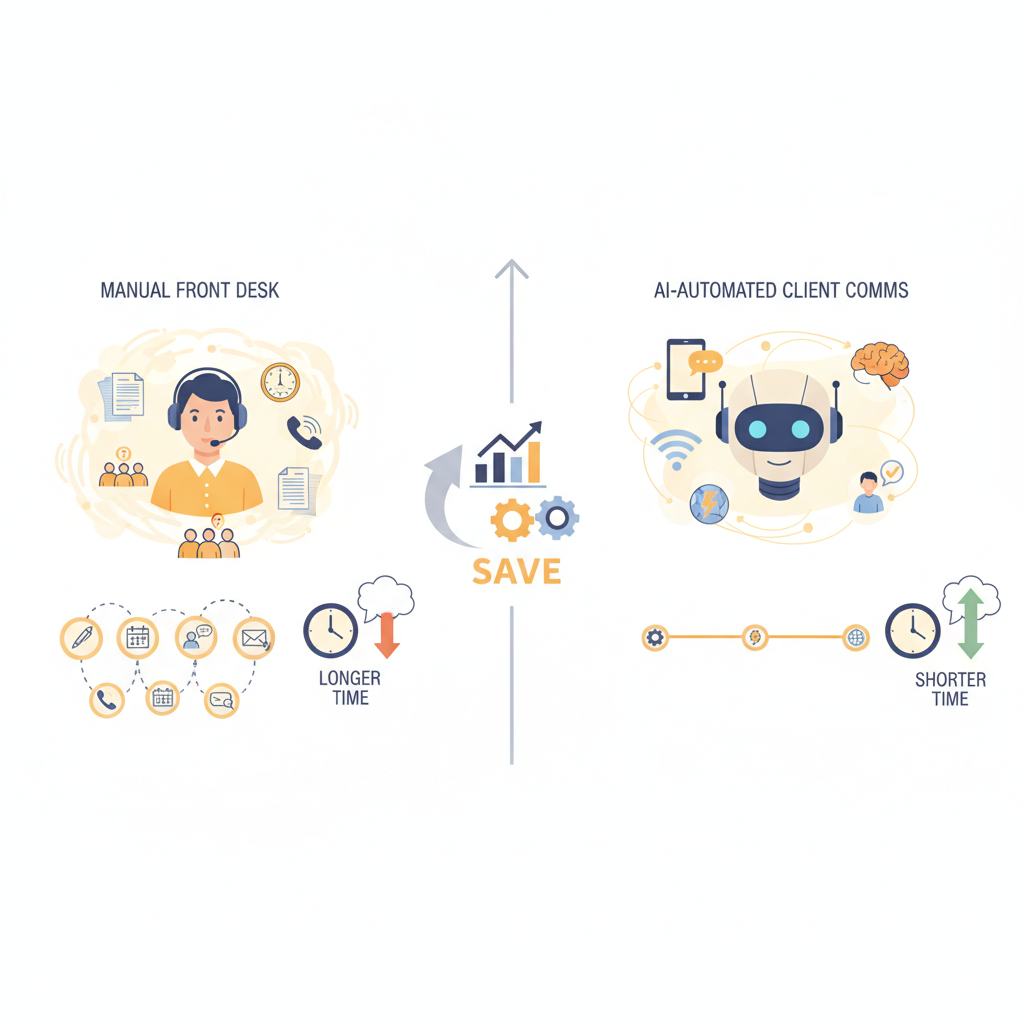
How to automate your client communication
workflow with AI in 5 steps
Transitioning to an automated communication model does not require rebuilding your practice from scratch. You can systematically layer AI tools over your existing processes by following this structured implementation plan.
Step 1: Audit your current communication touchpoints
Map out how a patient currently interacts with your practice. Identify where delays occur, such as phone tag for scheduling, unreturned emails, or uncompleted intake paperwork. Note the manual tasks your front desk performs daily that could be handled by software.
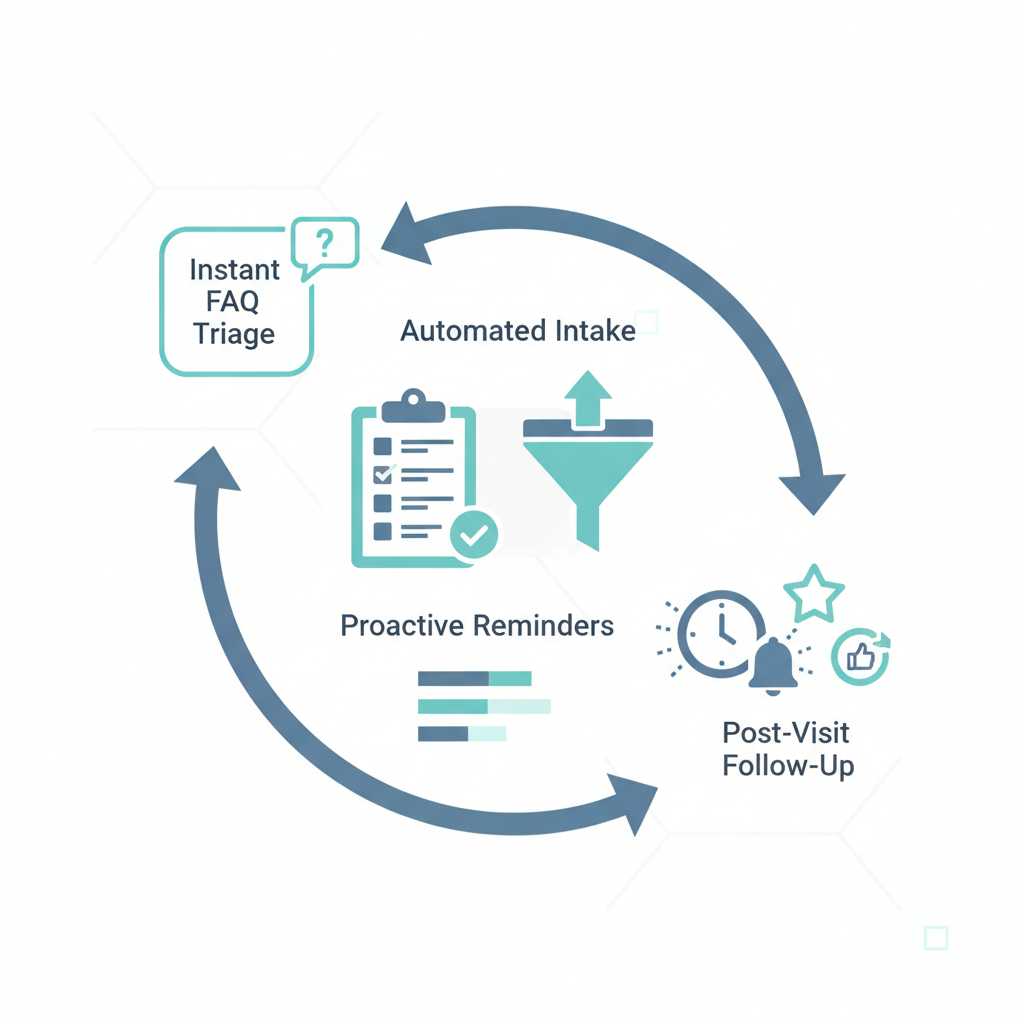
Step 2: Deploy instant AI FAQ and triage tools
Set up an AI-driven web chat or messaging responder to handle front-line inquiries. This system should be trained on your specific practice details, including insurance accepted, conditions treated, pricing, hours, and location. When a user asks "Do you accept Blue Cross Blue Shield?", the AI instantly confirms coverage and provides a direct booking link.
Step 3: Automate scheduling and intake documentation
Integrate your AI communication system with your Practice Management System (PMS) or Electronic Health Record (EHR). When a patient decides to book, the AI sends a secure, customizable scheduling link. Once booked, the system automatically triggers a secure message containing the digital intake forms, ensuring all paperwork is completed and synced to their chart before they arrive.
Step 4: Establish multi-channel, automated reminders
Configure a multi-channel reminder sequence (SMS, email, and portal notifications) based on patient preferences. Our internal platform metrics show that practices using Conversify see a 0% no-show rate across 22 appointments, compared to the 12% to 18% industry average without automated reminders. A highly effective sequence includes:
1. Immediate confirmation: Sent right after booking with a calendar invite link.
2. 7 days prior: A gentle reminder prompting them to confirm or reschedule.
3. 24 hours prior: Final confirmation request requiring a simple text response.
4. 2 hours prior: A quick text with parking instructions and check-in protocols.
Step 5: Implement automated post-visit follow-ups
Do not let the communication loop end when the patient walks out the door. Program your system to send an automated follow-up message 24 hours after an appointment. This message can include personalized care instructions, links to schedule their next session, or a request to leave a review on Google or Healthgrades if they had a positive experience. You can find more strategies in our related articles.
Why WhatsApp is the new front desk for modern practices
Patient communication habits have shifted dramatically. While traditional email and SMS still hold value, WhatsApp has emerged as the dominant channel for client engagement. According to Conversify platform data, WhatsApp accounts for 54.4% of patient communication volume.
Patients prefer WhatsApp because it is secure, reliable, and allows for fluid, conversational interactions without the spam filters associated with traditional SMS. For clinics, this means higher open rates and faster response times. Modern platforms must support native WhatsApp integration to be effective. By adopting WhatsApp-first automation, practices can meet patients where they are already active, ensuring that urgent updates, scheduling links, and intake forms are actually seen and acted upon in real time.
What is the role of safety escalation in automated clinical workflows?
As practices scale their AI automation, maintaining a secure guardrail for clinical safety is critical. AI should never make clinical diagnoses or handle medical emergencies. Modern workflows solve this by implementing smart handoffs.
When the AI detects specific high-risk keywords or complex health inquiries, it immediately flags the conversation and routes it to a human practitioner. This hybrid approach ensures that routine administrative tasks remain fully automated, while sensitive medical concerns receive immediate, specialized human attention. This capability is built directly into our Pro and Business plans.
What are the key features of a secure AI communication system?
Not all automation tools are built for clinical environments. When evaluating software to automate your client communication workflow, ensure the platform offers these essential features:
- HIPAA Compliance and Security: The platform must sign a Business Associate Agreement (BAA). All patient data, clinical notes, and communications must be encrypted both in transit and at rest. Conversify offers a dedicated HIPAA compliance portal on our Business plan ($999/mo).
- EHR and Practice Management Integrations: The AI must sync directly with tools like SimplePractice, TheraNest, or custom EHRs. This ensures real-time scheduling updates and prevents double-booking.
- Customizable Multi-Channel Workflows: You should be able to design workflows that match your specialty. For example, a physical therapy clinic may need different post-visit follow-up sequences than a mental health practice.
- Interactive Conversational AI: Look for platforms that use advanced Natural Language Processing (NLP) rather than rigid, keyword-based text templates. The AI should understand intent, allowing it to handle natural dialogue.
How does AI-driven communication compare to traditional platforms?
Traditional patient engagement platforms like Weave, Podium, or NexHealth rely heavily on static templates and manual oversight. While they allow clinics to send bulk texts or use basic auto-responders, they cannot dynamically resolve complex patient queries without human intervention. Furthermore, legacy platforms charge hefty fees of $12 to $39 per extra user seat. Conversify offers unlimited user seats on all of our pricing plans, starting at just $29 per month.
| Feature | Traditional Platforms (e.g., Weave, Podium) | AI-Driven Communication Workflows (Conversify) |
|---|---|---|
| Inquiry Handling | Requires staff to manually reply to incoming messages. | AI instantly answers custom FAQs, insurance queries, and booking requests with 100% resolution. |
| Scheduling | Sends a link for the patient to navigate manually. | Conversational scheduling directly within the WhatsApp or chat window. |
| Personalization | Uses basic merge tags (First Name, Date). | Generates highly personalized, context-aware responses based on clinic data. |
| Pricing Model | Expensive base fees with extra charges ($12 to $39) per user seat. | Flat-rate pricing starting at $29/mo with unlimited user seats on all plans. |
| Workflow Flexibility | Rigid, pre-set notification schedules. | Dynamic, trigger-based communication that adapts to patient actions. |
Real-world impact: How clinics save 15+ hours a week
Consider the example of a mid-sized physical therapy clinic struggling with phone tag and a 12% no-show rate. By implementing an automated client communication workflow, the clinic automated its intake collection and set up a conversational SMS and WhatsApp reminder sequence.
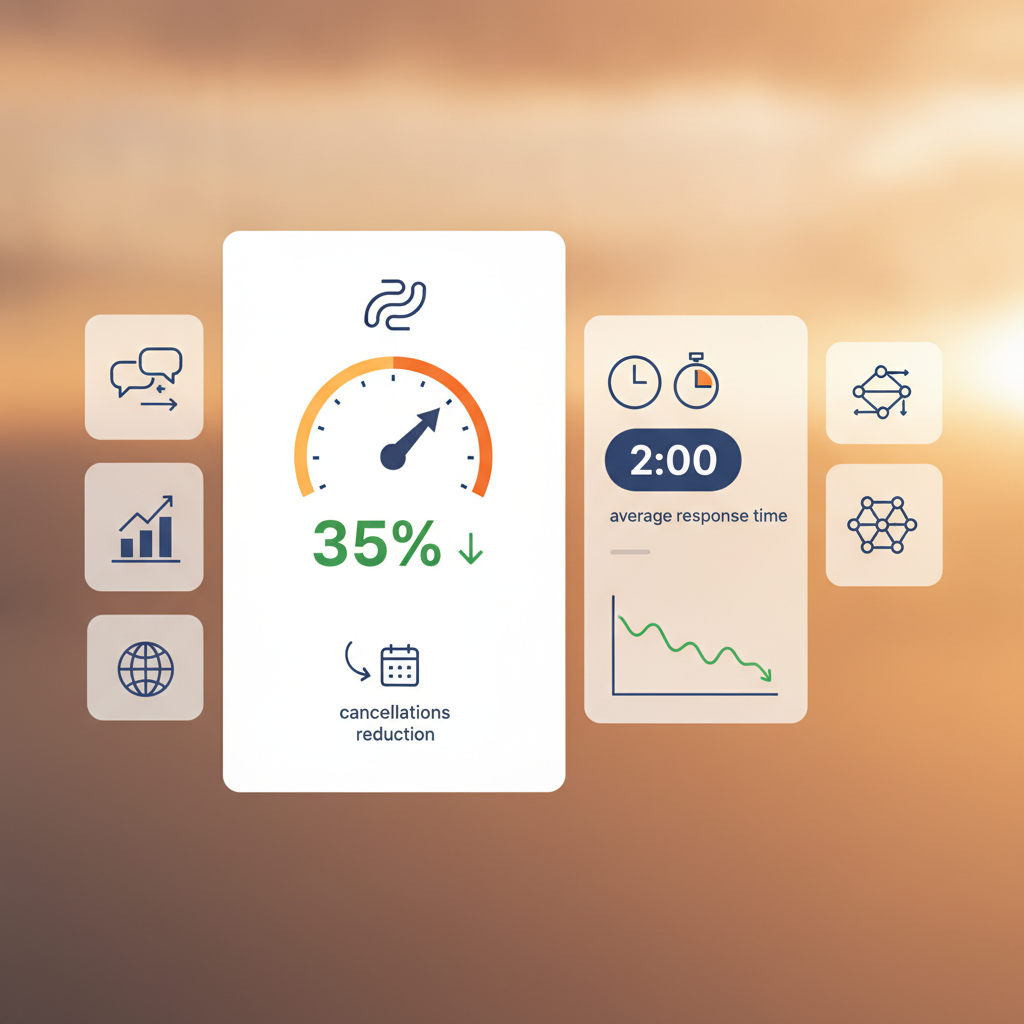
Within 60 days, their no-show rate dropped to 0% across their appointments, saving the practice thousands of dollars in lost clinical hours. Furthermore, because the AI handled 100% of routine phone inquiries regarding insurance and scheduling, the front-desk staff saved 18 hours per week, allowing them to focus on welcoming patients in the clinic and managing billing disputes.
Automating your practice's communication workflow does not make your client experience cold or impersonal. Instead, by offloading administrative tasks to AI, you free your human staff to provide high-quality, focused care where it matters most. Explore our pricing plans to find the right fit for your practice, from our Starter plan at $29/mo to our enterprise-grade Business plan.
Frequently Asked Questions
Is AI-powered client communication HIPAA-compliant?
Yes, AI-powered client communication can be fully HIPAA-compliant provided the platform encrypts data both in transit and at rest, offers secure patient portals, and signs a Business Associate Agreement (BAA). Conversify offers a dedicated HIPAA compliance portal on our Business plan ($999/mo) specifically built to meet these rigorous standards.
Can AI handle complex clinical questions from patients?
No, AI should not handle complex clinical or diagnostic questions. Instead, the system should be programmed to recognize medical inquiries and immediately route those conversations to a licensed practitioner or clinical staff member using safety escalation and smart handoff features.
How does automating client communication reduce no-show rates?
Automation reduces no-shows by sending timed, multi-channel reminders via WhatsApp, SMS, and email that require active confirmation. According to Conversify platform data, clinics using automated reminders achieved a 0% no-show rate across 22 appointments, compared to the 12% to 18% industry average.
Will AI make our practice's communication feel cold or robotic?
Actually, modern conversational AI feels highly personalized and responsive because it answers patient questions instantly without making them wait on hold. This immediate responsiveness increases client satisfaction and allows your in-office staff to focus entirely on face-to-face patient care.
How does AI integrate with existing practice management systems?
Modern AI communication tools connect directly via secure APIs to popular practice management systems and EHRs. This integration allows the AI to read calendar availability in real time, write appointments to the schedule, and sync completed intake forms directly to the patient's chart.
What is the average setup time for an AI client communication workflow?
A basic AI communication workflow can be configured and launched in under two weeks. This includes integrating the tool with your existing EHR, inputting your practice's FAQ database, and setting up your customized automated reminder sequences.
David Friedman - Founder, Conversify · LinkedIn
David Friedman is a B2B operations leader with over 10 years of experience managing large-scale teams and business processes. After years of working with service businesses and seeing how much time was lost to manual customer communication, he founded Conversify, an AI-powered platform that helps healthcare practices and service providers across Europe automate their patient and client interactions. David built the platform from the ground up, working directly with practicing healthcare professionals to ensure every feature solves a real operational pain point. He is based in Spain.