AI Integration Practice Management System: Complete Guide
Learn how to connect a secure AI communication tool with your practice management system or EHR. Automate up to 85% of front-desk tasks, eliminate double-booking, and ensure full HIPAA compliance.
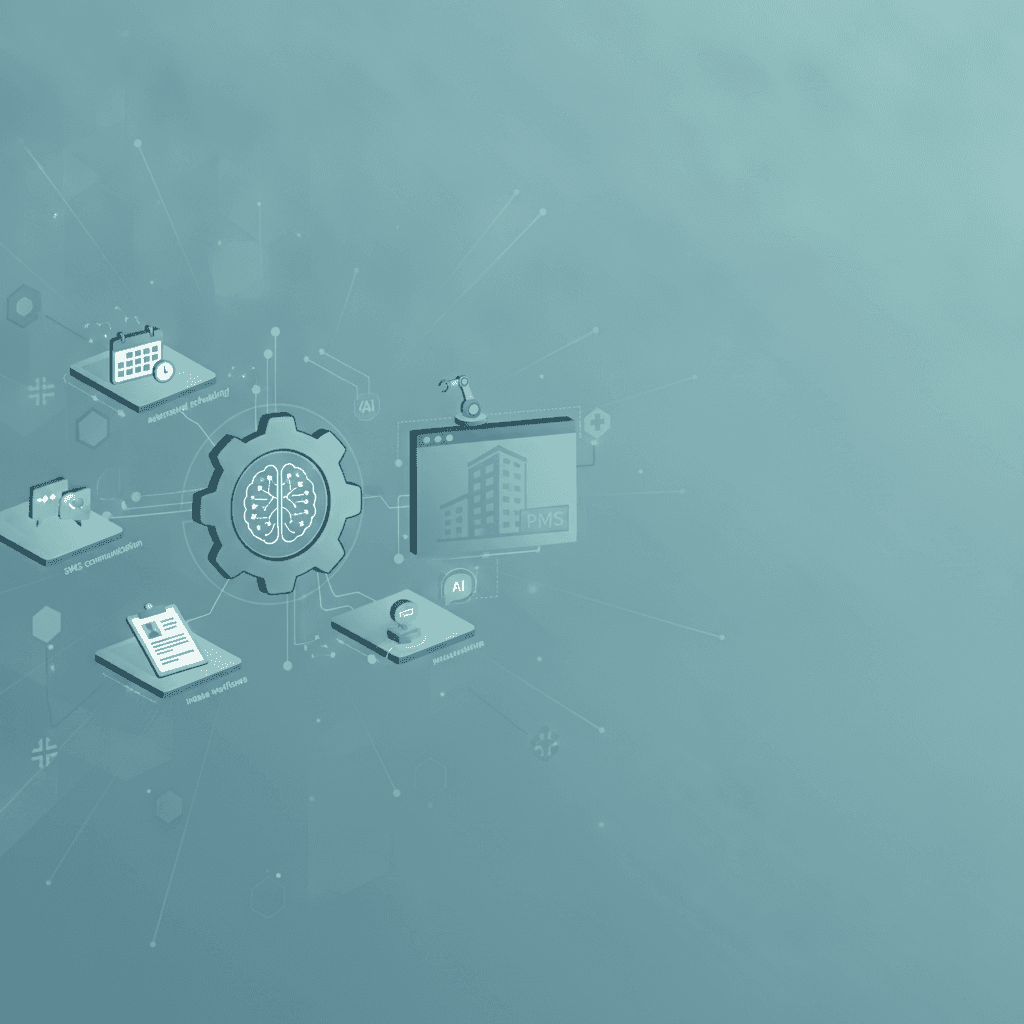
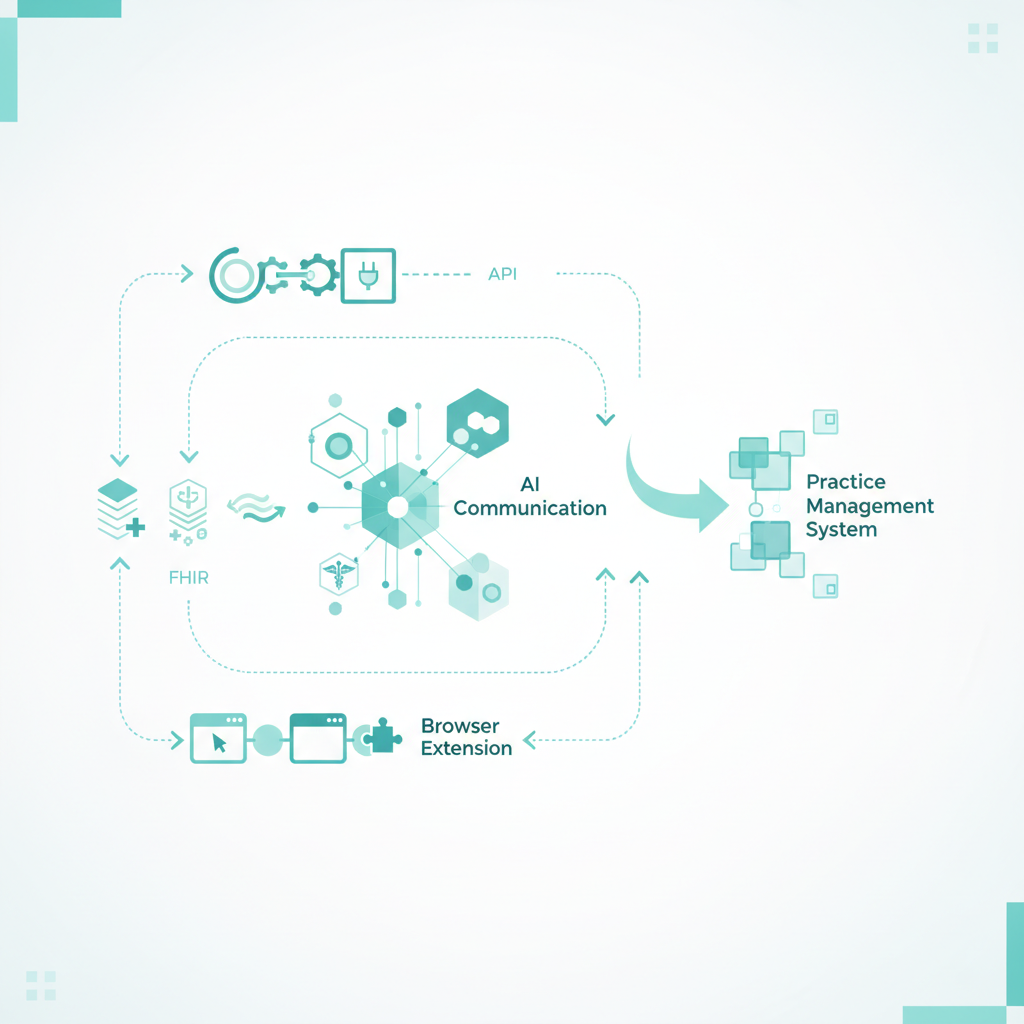
Integrating an AI communication tool with your practice management system (PMS) works by establishing a secure data bridge via APIs, HL7/FHIR protocols, or browser extensions. This connection lets AI assistants read calendar availability, write appointments, update patient charts, and sync message histories instantly without manual data entry.
By establishing this real-time sync, private practices can automate up to 85% of routine front desk tasks, including SMS appointment reminders, follow-up messages, and answers to frequently asked questions. This integration eliminates the risk of double-booking, reduces patient no-shows, and saves administrative staff an average of 10 to 15 hours per week by removing the need for manual data double-entry. According to Conversify platform data, practices using our automated reminders achieved a 0% no-show rate across 22 appointments, compared to the 12% to 18% industry average. Furthermore, our internal data shows that 91.1% of patient messages arrive outside regular business hours, highlighting the necessity of 24/7 automated engagement. Modern AI communication systems ensure that whether your clinic uses SimplePractice, TheraNest, NexHealth, or a proprietary EHR system, you can deploy intelligent, automated messaging that keeps your records accurate, secure, and fully HIPAA-compliant.
Why Should You Connect AI Communication to Your Existing PMS?
Operating with disconnected systems creates administrative friction. When your patient communication software does not talk to your practice management system, your staff must manually copy text conversations, update appointment statuses, and transcribe intake details. This double-entry wastes valuable clinical hours and introduces human error, such as typos in phone numbers or missed scheduling updates.
Connecting an AI communication assistant to your PMS solves these problems by creating a single source of truth. The AI works in the background, executing tasks based on real-time data:
- Eliminating Double-Booking: The AI reads your live calendar and only offers open time slots to patients inquiring via WhatsApp or SMS.
- Instant Intake Updates: When a new client completes an automated intake workflow, the AI pushes their demographic and clinical data directly into their client profile in your PMS.
- Automated Recall and Follow-ups: The AI identifies patients who are due for an annual exam or follow-up and proactively reaches out via text or WhatsApp to secure the booking, writing the confirmation back to your system.
Our platform analytics show that WhatsApp accounts for 54.4% of patient communication volume; relying solely on traditional SMS channels means missing the vast majority of modern patient engagement opportunities.
How Does an AI Integration with a Practice Management System Actually Work?
Technically, there are three primary ways to achieve an AI integration practice management system connection. The path you choose depends heavily on your current PMS software's architecture.
1. Direct RESTful API Integration
This is the gold standard of integration. Modern cloud-based systems provide open Application Programming Interfaces (APIs). A RESTful API allows our AI platform to communicate directly with your PMS database. For example, when a patient texts your clinic asking to reschedule, the AI calls your PMS calendar API, checks for open slots, updates the appointment status, and logs the communication transcript in the patient's record instantly.
2. HL7 and FHIR Protocols
For larger clinics, medical groups, or hospital-affiliated practices, integration typically relies on HL7 (Health Level Seven) or FHIR (Fast Healthcare Interoperability Resources) standards. These are standardized formats for exchanging clinical and administrative data securely between separate healthcare applications, ensuring that patient records remain identical across different platforms.
3. Secure Browser Extensions and RPA
Many legacy desktop-based EHRs or closed cloud systems (like certain older configurations of TheraNest or proprietary regional systems) do not offer open APIs. In these scenarios, AI platforms use secure browser extensions or Robotic Process Automation (RPA). This software overlay safely reads the open fields on your screen and syncs the communication data without requiring direct database modifications.
How Do You Implement an AI Integration in Your Practice?
Setting up an integrated AI communication platform doesn't require a computer science degree. Here is the step-by-step process to get your AI assistant connected to your active practice management system.
Step 1: Audit Your Current PMS Capabilities
Check if your current PMS supports external integrations. Look for an "Integrations," "API," or "Marketplace" tab in your settings menu. If you are using a closed system, note down the version number and whether it is web-based or desktop-based.
Step 2: Define Your Automated Workflows
Decide exactly what tasks you want the AI to handle. Common workflows include:
1. Sending a secure WhatsApp or text message containing an intake link to any new caller.
2. Automatically answering billing FAQs based on your practice's policy manual.
3. Offering scheduling links via text message when a patient messages after hours.
Step 3: Secure API Keys or Install the Middleware
Log into your PMS administrator account and generate a secure API key, or authorize our AI communication system through your system's app store. If your PMS is closed, our team will provide a secure browser extension to act as the bridge.
Step 4: Map Your Data Fields
Ensure that the data collected by the AI matches your PMS fields. For example, map the AI's "First Name" data point to the "Given Name" field in your patient charts to prevent duplicate profiles from being created.
Step 5: Execute a Sandbox Test
Before going live, create two to three test patient profiles in your system. Run through a series of scenarios: text the AI assistant to book an appointment, submit a mock intake form, and ask a generic billing question. Verify that all interactions log correctly within the test patient charts.
How Does Dedicated AI Communication Compare to Traditional Patient Engagement Platforms?
Many practices rely on legacy patient engagement tools like Podium, Weave, NexHealth, or Spruce Health. While these systems are excellent for manual two-way texting and sending basic automated template reminders, they lack true conversational AI capabilities.
| Feature | Native PMS Portals | Traditional Texting Tools (e.g., Weave, Podium) | Fully Integrated AI Communication |
|---|---|---|---|
| Automation Style | No automation; manual portal messages only | Rigid, template-based triggers (if X then send Y) | Dynamic, conversational, natural language understanding |
| 24/7 Availability | Patients must wait for business hours | Automated out-of-office message only | Instantly resolves FAQs, books, and reschedules 24/7 |
| Data Sync | Native (built-in) | Basic sync (frequently requires manual data copying) | Deep real-time sync of conversations, intake, and scheduling |
| Intake Processing | Manual form review and upload | Sends links; staff must manually transcribe details | Automatically parses intake data and populates patient charts |
How Do You Choose the Right AI Integration Plan for Your Practice?
When selecting an AI integration path, clinic size and communication volume dictate the ideal setup. At Conversify, our pricing plans are structured to scale transparently without penalizing your growth:
- Starter ($29/mo): Ideal for solo practitioners. Includes 5,000 messages, one WhatsApp number, AI with memory, contact profiles, and a dedicated knowledge base.
- Growth ($89/mo): Perfect for expanding clinics. Includes 20,000 messages, two WhatsApp numbers, intake forms, proactive engagement, and insurance collection workflows.
- Pro ($199/mo): Built for busy multi-provider practices. Includes 50,000 messages, five WhatsApp numbers, safety escalation, smart handoff, and a business insights dashboard.
- Business ($999/mo): Designed for enterprise medical groups requiring maximum compliance. Includes 100,000 messages, unlimited WhatsApp numbers, a dedicated HIPAA compliance portal, and white-label branding.
Crucially, all our plans include unlimited user seats. While legacy platforms charge $12 to $39 per extra user, we believe your team should collaborate without artificial pricing barriers. Learn more about our mission on our About Conversify page, or check out our related articles to see how other clinics have transformed their workflows.
How Do You Handle Security, Compliance, and Data Syncing?
When connecting external AI software to clinical records, security is your primary consideration. To ensure your integration remains safe and legally compliant, pay close attention to these three factors:
HIPAA Compliance and BAAs
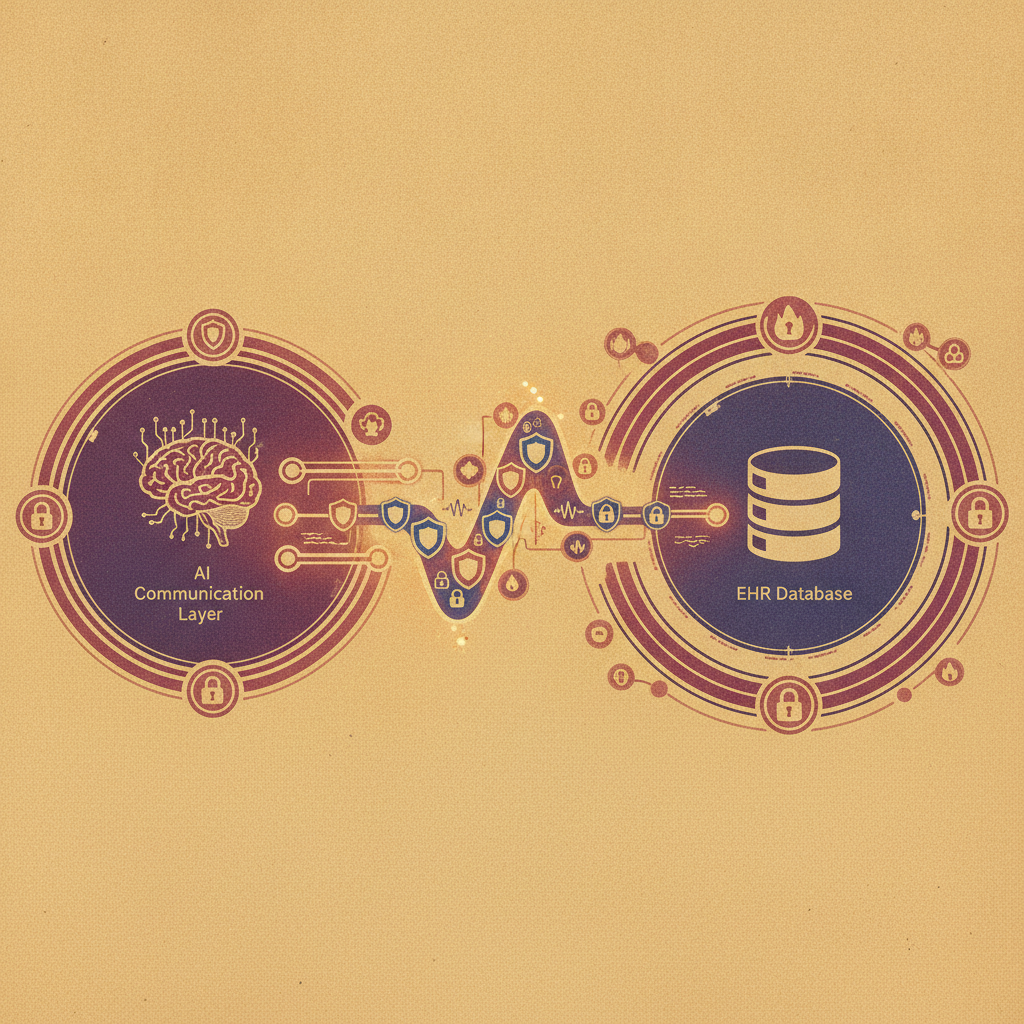
Never connect any AI tool to your practice management system unless the provider is willing to sign a Business Associate Agreement (BAA). The communication channel must feature end-to-end encryption (AES-256 bit encryption) to protect Protected Health Information (PHI) both in transit and at rest. For clinics with strict compliance requirements, our Business plan provides a dedicated HIPAA compliance portal to simplify auditing.
Preventing Patient Chart Duplication
Without proper safeguards, automated integrations can accidentally create duplicate patient profiles. To prevent this, our integration uses a multi-point verification system. Before creating a new record, the AI checks the patient's phone number, email address, and date of birth against your existing database to merge records automatically.
Handling Complex Medical Questions Safely
AI should never give medical advice. Our platform is designed with rigid safety guardrails. If a patient asks a clinical question (for example, "Should I adjust my medication dosage?"), the system recognizes the clinical intent, bypasses the auto-responder, and instantly flags the message for a human staff member to review and answer manually.
Deploying an AI integration practice management system connection is no longer a luxury reserved for massive hospital systems. By bridging the gap between your communication channels and your core administrative software, your practice can lower overhead costs, eliminate burnout for your front desk staff, and provide patients with the instant, secure, and accurate responses they expect.
Frequently Asked Questions
Is connecting AI to my EHR or practice management system HIPAA-compliant?
Yes, connecting AI to your EHR is fully HIPAA-compliant as long as the AI vendor signs a Business Associate Agreement (BAA) and utilizes end-to-end AES-256 bit encryption. All data transmission must be secure, and patient information must be protected both in transit and at rest to maintain regulatory standards.
Can I integrate AI communication if my practice management system does not have an open API?
Yes, you can absolutely integrate AI communication even without an open API. If your PMS is closed, we utilize secure browser extensions or robotic process automation (RPA) middleware. These tools safely read your web-based interface to sync data and log communication records without modifying your database directly.
How long does it typically take to set up an AI integration?
For modern cloud-based systems with open APIs, such as SimplePractice or Jane App, the initial connection can be configured in under an hour. Custom setups, complex field mapping, and legacy desktop EHR integrations typically take between one to three weeks to fully deploy and test.
Will an integrated AI communication tool replace my front desk staff?
No, the AI is designed to act as an assistant rather than a replacement. By automating repetitive administrative tasks like FAQ responses, appointment confirmations, and intake collection, your staff can focus on high-priority clinical duties and face-to-face patient care.
What happens if a patient asks the AI a clinical or medical question?
Our AI communication system is equipped with strict safety guardrails that detect clinical intent. If a patient asks for medical advice, the AI bypasses automated messaging entirely, leaves the question unanswered, and immediately flags the conversation for a licensed staff member to handle manually.
How does the AI prevent creating duplicate patient profiles in my PMS?
The system utilizes a multi-point verification protocol before writing any data. It cross-references the patient's phone number, email address, and date of birth against your existing database, automatically linking the interaction to the existing chart rather than generating a new profile.
David Friedman - Founder, Conversify · LinkedIn
David Friedman is a B2B operations leader with over 10 years of experience managing large-scale teams and business processes. After years of working with service businesses and seeing how much time was lost to manual customer communication, he founded Conversify, an AI-powered platform that helps healthcare practices and service providers across Europe automate their patient and client interactions. David built the platform from the ground up, working directly with practicing healthcare professionals to ensure every feature solves a real operational pain point. He is based in Spain.