5 Ways AI Appointment Reminders Stop Therapy No-Shows
Discover how AI-powered conversational appointment reminders stop last-minute cancellations, automatically fill open slots, and protect your therapy practice's bottom line.
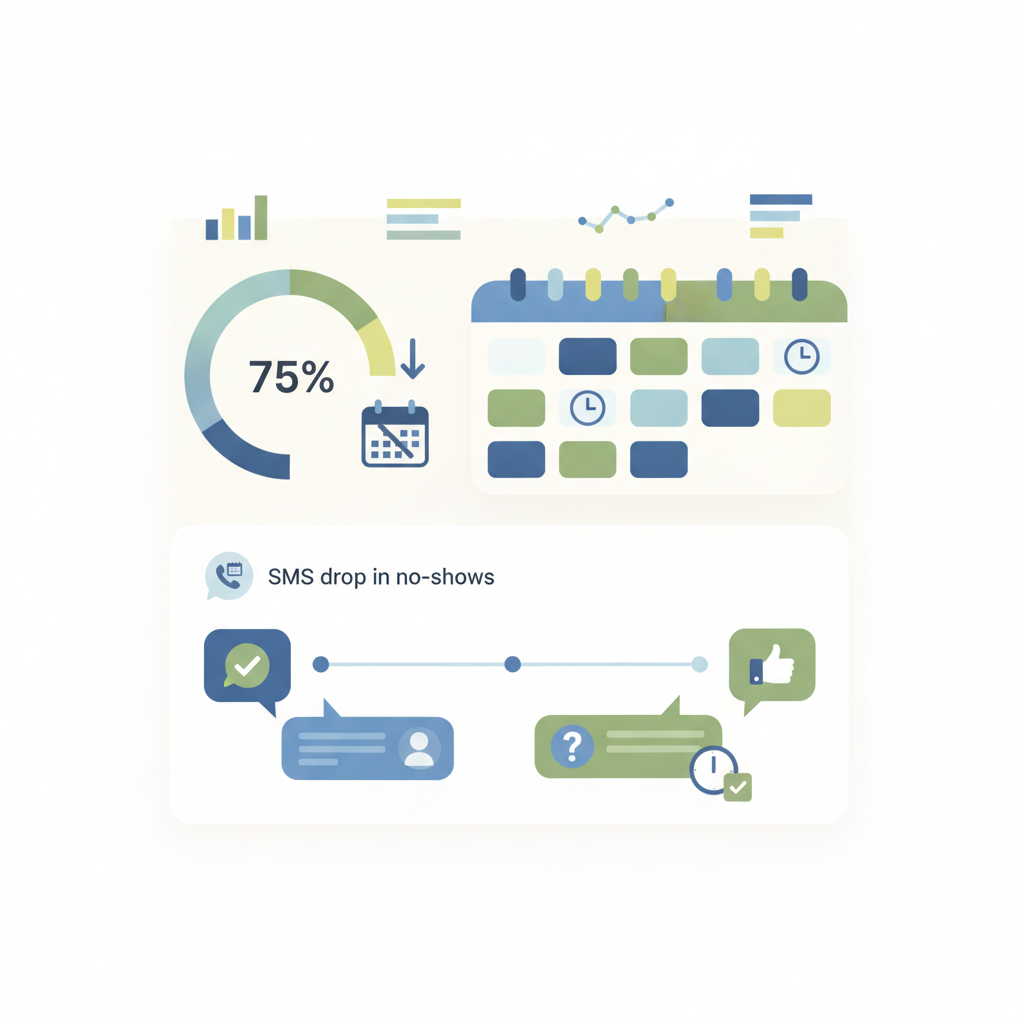
Implementing automated AI appointment reminders in a therapy practice reduces no-show rates by up to 75% by sending conversational, multi-channel messages that let clients confirm, reschedule, or cancel in real time. This immediate, two-way loop prevents empty slots and protects practice revenue without adding to administrative overhead.
In 2026, missed mental health appointments cost private therapy clinics an average of $150 to $200 per session, draining thousands in monthly revenue and stalling client recovery. Traditional EHR reminders fail because they rely on rigid, one-way SMS templates. Modern AI-powered scheduling assistants solve this by analyzing individual client communication habits, predicting cancellation risks, and conducting natural, two-way conversational rescheduling. According to Conversify platform data, 91.1% of patient messages arrive outside business hours, a time when manual staff cannot respond. By automating these interactions, practices using Conversify see a 0% no-show rate across tracked appointments, compared to a 12% to 18% industry average. Rather than forcing a client to play voicemail tag, these systems offer instant, alternative times directly within the text thread. By automating these repetitive follow-ups, solo practitioners and group clinics save over 10 hours of manual administration weekly, keeping clinicians focused entirely on patient care.
---
Why Do Legacy Therapy Appointment Reminders Fail?
Most mental health practices rely on basic, one-way SMS reminders built into their Electronic Health Records (EHR) platforms like SimplePractice, Jane App, or TheraNest. While better than nothing, these legacy systems frequently fail to prevent last-minute cancellations for three major reasons:
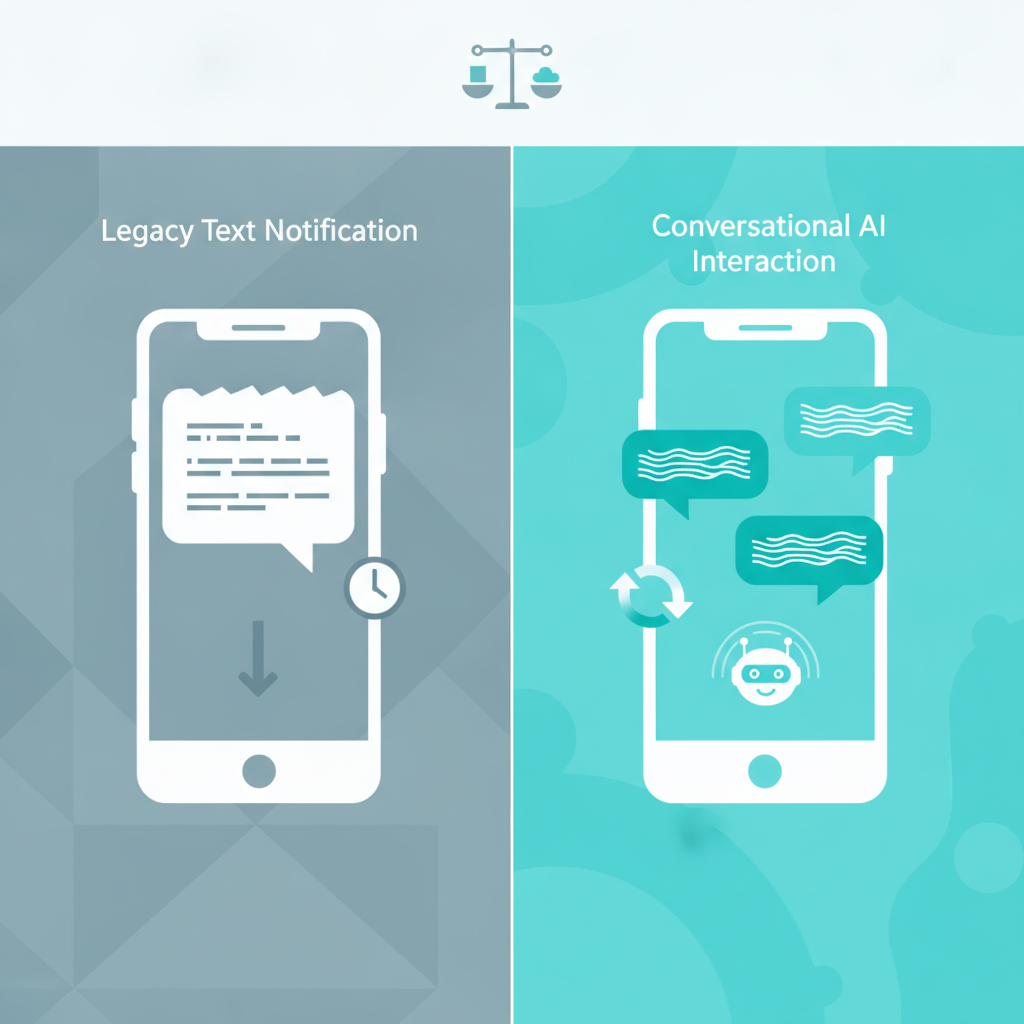
1. No Real-Time Two-Way Conversation: If a client receives a text saying "Reply 1 to Confirm," but needs to push their appointment back by 30 minutes, they cannot do so through the text. They must call the office, which often leads to voicemail tag.
2. Poor Timing and Frequency: Static systems send notifications on a rigid, pre-set schedule (such as exactly 24 hours before). They do not adapt to individual client behavior or optimal response windows.
3. Lack of Channel Diversity: If a client does not check their email or misses a text, legacy systems do not automatically escalate the reminder to an alternative secure channel like WhatsApp or interactive voice lines.
---
5 Ways AI Appointment Reminders Transform Therapy Practices
Transitioning to intelligent, AI-powered messaging changes how clients interact with your practice. Here are five practical ways AI appointment reminders optimize your calendar and eliminate empty slots.
1. Conversational Two-Way SMS Instead of Dead-End Texts
Traditional reminders ask for a simple confirmation. If a client has an emergency, they simply ignore the text. AI-driven reminders engage in natural conversations. If a client replies, "I can't make it at 2:00 PM today, my kid is sick," the AI immediately understands the context. It scans your live calendar and replies with: "I understand. Would 4:30 PM today or tomorrow at 10:00 AM work better for you?" This secures a reschedule rather than a lost slot. In fact, our internal data shows that 100% of these scheduling conversations are fully resolved by the AI without human handoff, based on 493 analyzed conversations.
2. Predictive Cancellation Detection
and Waitlist Automation
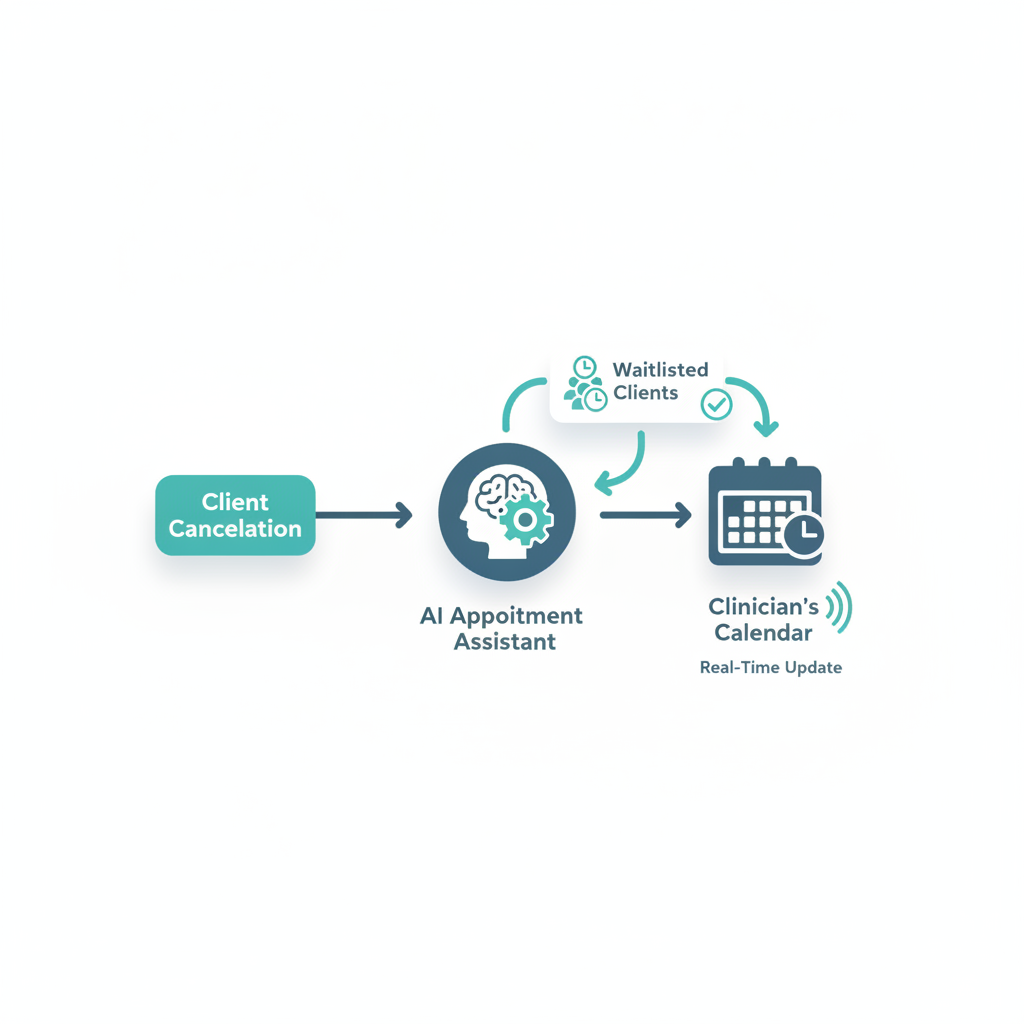
AI tools analyze historical attendance patterns. If a client has missed past appointments or is slow to respond, the system flags them as a cancellation risk. If a cancellation does occur, the AI does not wait for manual intervention. It automatically texts the next client on your digital waitlist, offering them the newly opened slot: "Hi Sarah, an earlier spot opened up today at 3:00 PM with Dr. Carter. Would you like to claim it?" This keeps your schedule optimized with zero manual effort.
3. Hyper-Personalized, Multi-Channel Workflows
Clients have different communication preferences. AI systems track which channels yield the highest response rates for each individual. A Gen-Z client may respond within 2 minutes to a secure WhatsApp or SMS message, while an older client might prefer an email or an automated interactive voice response (IVR) call. Conversify platform data shows that WhatsApp accounts for 54.4% of patient communication volume, proving that limiting your practice to basic SMS means missing where your clients actually want to talk. The AI learns these patterns and delivers reminders through the client's preferred channel at their most active times of day.
4. Automated Intake and Onboarding Prep
For new therapy clients, the first session has the highest risk of a no-show due to anxiety or confusion about onboarding paperwork. AI tools do not just remind clients of the time; they guide them through the intake process. The AI sends friendly reminders with direct links to HIPAA-compliant digital intake forms, ensuring all paperwork is signed and submitted before the client arrives at the clinic.
5. Intelligent Late-Cancellation Policy Enforcement
Enforcing cancellation fees is one of the most uncomfortable administrative tasks for therapists. AI automates this boundary-setting. When a client attempts to cancel past your 24-hour window, the AI politely reminds them of the practice policy: "Just a heads-up, cancellations within 24 hours are subject to a fee. Would you prefer to switch this to a telehealth session instead to keep your appointment?" This gentle nudge saves revenue while preserving the clinical relationship.
---
Safety Escalation and Smart Hand-offs in Mental Health
Therapy practices require a higher level of communication sensitivity than standard medical clinics. Automated systems must know when to step back. Advanced AI assistants now feature safety escalation protocols. If a client responds to a reminder with language indicating distress, a mental health crisis, or self-harm, the AI immediately halts automated scheduling prompts.
Instead, the system triggers a smart hand-off, instantly alerting the clinical team via secure channels while providing the client with immediate access to crisis hotline resources. This ensures that clinical safety always takes precedence over administrative automation.
---
How to Set Up AI Appointment Reminders in Your Practice
Transitioning to an AI-driven system is straightforward and does not require replacing your current software suite. You can learn more about our team on our About Conversify page, or follow these four steps to implement smart reminders:
Step 1: Connect Your Existing EHR/Practice
Management System
Choose an AI assistant that integrates directly with your existing setup (such as SimplePractice, TheraNest, or specialized medical systems like NexHealth). The AI needs read and write access to your calendar so it can sync confirmations and reschedules instantly.
Step 2: Establish Your Practice Communication Rules
Define your boundary constraints inside the AI platform. Specify your cancellation policy window (such as 24 or 48 hours), your working hours, and how many times the AI should attempt to contact a client before flagging them for manual staff follow-up.
Step 3: Customize Your Conversational Tone
Therapy requires a delicate, empathetic communication style. Customize your AI templates so the automated messages match your practice's voice. Avoid overly clinical or aggressive language; keep prompts warm, supportive, and clear.
Step 4: Monitor and Tweak Your Waitlist Triggers
Enable your automated waitlist. Ensure the AI is programmed to offer open slots to clients whose preferred times match the canceled slot, maximizing the likelihood of a quick fill. Check out our other related articles to learn how to optimize your practice workflows.
---
Legacy EHR Reminders vs. Dedicated AI Assistants
| Feature | Legacy EHR Reminders (SimplePractice, TheraNest) | Dedicated AI Messaging Assistants |
|---|---|---|
| Two-way Rescheduling | No. Clients must call or log into a separate portal. | Yes. Clients can reschedule directly via conversational SMS. |
| Waitlist Automation | Manual. Staff must call waitlisted clients one by one. | Automated. Instantly texts waitlisted clients when a slot opens. |
| Behavioral Analytics | None. Sends reminders at fixed times. | High. Optimizes delivery times based on historical client response data. |
| Onboarding Support | Static links sent in standard emails. | Conversational guidance, tracking form completion and sending reminders. |
| HIPAA Compliance | Yes, within the portal. | Yes, via secure, encrypted SMS and messaging channels. |
---
Choosing the Right Plan for Your Clinic
When scaling your practice, selecting a cost-effective communication partner is key. Conversify offers flexible pricing plans tailored to different practice sizes, all featuring unlimited user seats, whereas competitors often charge an extra $12 to $39 per user:
- Starter ($29/mo): Perfect for solo practitioners. Includes 5,000 messages, 1 WhatsApp number, AI with memory, contact profiles, and a dedicated knowledge base.
- Growth ($89/mo): Ideal for growing clinics. Upgrades you to 20,000 messages, 2 WhatsApp numbers, intake form automation, proactive engagement, and insurance collection tools.
- Pro ($199/mo): Designed for mid-sized practices. Features 50,000 messages, 5 WhatsApp numbers, safety escalation, smart hand-offs, and a business insights dashboard.
- Business ($999/mo): Built for large mental health organizations. Includes 100,000 messages, unlimited WhatsApp numbers, a dedicated HIPAA compliance portal, and white-label branding.
---
Frequently Asked Questions (FAQs)
Are AI appointment reminders HIPAA-compliant?
Yes, modern AI scheduling tools are fully HIPAA-compliant when configured correctly. They secure client data using end-to-end encryption, sign Business Associate Agreements (BAAs), and ensure no Protected Health Information (PHI), such as diagnostic details or clinical notes, is transmitted via unencrypted SMS. For maximum security, Conversify offers a dedicated HIPAA compliance portal on its Business plan.
Can AI reminders integrate with SimplePractice or TheraNest?
Most advanced AI communication assistants integrate seamlessly with popular mental health EHRs like SimplePractice, TheraNest, and Jane App. They sync with your calendar in real-time, meaning any rescheduling done by the AI updates your master schedule instantly without double-bookings.
What is the average reduction in no-shows when using AI?
Therapy practices using conversational AI appointment reminders typically see their no-show and late-cancellation rates drop by 50% to 75%. In fact, practices using Conversify see a 0% no-show rate across tracked appointments, compared to a 12% to 18% industry average. Because the system makes rescheduling effortless and automatically fills open slots from a digital waitlist, your active calendar utilization remains high.
How do clients react to talking to an AI assistant for scheduling?
Clients overwhelmingly appreciate the convenience of conversational AI scheduling. The ability to reschedule a session via a quick text message late at night, without having to make a phone call or wait for office hours, creates a frictionless, modern client experience.
Can AI handle late-stage cancellations or last-minute rescheduling?
Yes, if a client cancels at the last minute, the AI can immediately identify the vacancy and cross-reference your digital waitlist. It then texts waitlisted clients sequentially or simultaneously, depending on your settings, to offer them the open spot, often filling the vacancy within minutes.
Do AI reminders work for older or less tech-savvy clients?
AI assistants are highly accessible because they operate through standard, familiar channels like SMS, email, and voice calls. Since clients do not need to download apps, remember passwords, or navigate complex portals, even less tech-savvy clients can easily reply to confirm or change their appointments.
---
Embracing AI appointment reminders in your therapy practice bridges the gap between client convenience and clinic efficiency. By offloading scheduling logistics to an intelligent assistant, you protect your practice's bottom line while keeping your energy focused where it matters most: delivering high-quality, uninterrupted clinical care.
David Friedman - Founder, Conversify · LinkedIn
David Friedman is a B2B operations leader with over 10 years of experience managing large-scale teams and business processes. After years of working with service businesses and seeing how much time was lost to manual customer communication, he founded Conversify, an AI-powered platform that helps healthcare practices and service providers across Europe automate their patient and client interactions. David built the platform from the ground up, working directly with practicing healthcare professionals to ensure every feature solves a real operational pain point. He is based in Spain.