
Automate WhatsApp Business While Using the App Normally
Small businesses can now automate their messaging without losing access to their mobile app. Thanks to Meta's official WhatsApp Coexistence feature, you can run both the standard app and the API on a single phone number.
Yes, you can automate messaging while using your app normally. WhatsApp Coexistence is a Meta-supported feature allowing businesses to run both the WhatsApp Business App and the WhatsApp Business API on the same phone number simultaneously [1]. By connecting tools like Conversify, you get advanced AI automation without losing your mobile app [1, 2].
This official coexistence capability eliminates the historical restriction where migrating a phone number to the Cloud API required completely deleting your account from the mobile app [1]. To enable this setup, your primary mobile device must run WhatsApp Business App version 2.24.17 or higher [2]. This technical requirement ensures that your messages, contacts, and automated responses sync in real time across both the mobile app and your API-connected shared inbox [2].
For small businesses, this hybrid approach offers the best of both worlds. You can maintain your personal, on-the-go connection with customers through the familiar mobile interface while running sophisticated automated workflows in the background. If you want to explore how messaging can transform your operations, feel free to check out our related articles on conversational commerce.
How WhatsApp Coexistence Bridges the App-API Divide
For years, small business owners faced a frustrating technical barrier. If they wanted to scale their customer service with automated messaging, they had to migrate their phone number to the WhatsApp Business API. However, doing so immediately locked them out of the standard WhatsApp Business mobile app. This forced teams to rely entirely on complex third-party software interfaces, removing the simplicity of carrying their business chats in their pocket.
Fortunately, Meta officially introduced the WhatsApp Coexistence feature [1]. This update allows businesses to run both the WhatsApp Business App and the WhatsApp Business API simultaneously using a single, shared phone number [1]. This development means you no longer have to choose between mobility and automation.
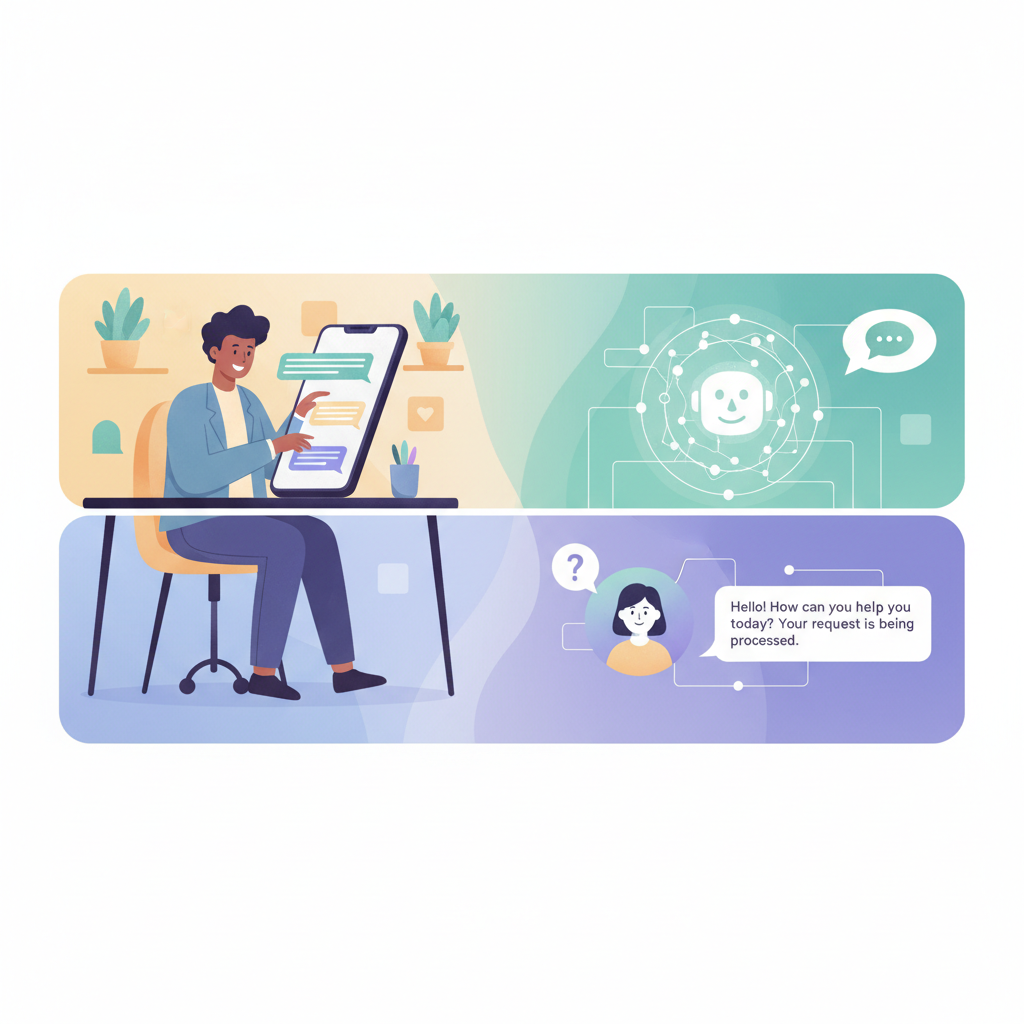
By bridging this gap, local service businesses, such as salons, restaurants, stores, and consulting agencies, can maintain their daily routines. Your staff can answer complex, personal inquiries directly from their phones, while an AI assistant handles routine questions, schedules appointments, and qualifies leads instantly.
Step-by-Step: Enabling WhatsApp Automation
for Your Business
Setting up a hybrid automation system requires careful preparation to ensure a smooth transition without losing valuable customer data. Because you are connecting live databases, following the technical requirements is essential.
To successfully implement this hybrid setup, follow these steps:
- Update Your Mobile Application: Ensure that your primary mobile device is running WhatsApp Business App version 2.24.17 or higher [2]. This specific version contains the necessary protocols to allow real-time synchronization between your phone and the API [2].
- Select an Integration Partner: Partner with a platform like Conversify to connect your account to the official WhatsApp Business API.
- Initiate the Onboarding Process: Start the official onboarding process through your chosen platform to link your phone number to the API environment [1].
- Sync Your Historical Chats: During the onboarding phase, Meta allows you to sync up to six months of your existing one-to-one text chat history [3]. This helps you retain crucial customer context.
- Account for Media File Limitations: Keep in mind that while text history syncs up to six months, media files such as images, PDFs, and documents are only synced for the most recent two weeks [4]. Make sure to download and back up any older, critical media files before starting.
- Manage Companion Devices: Be aware that Windows and WearOS companion devices do not reconnect after you complete the onboarding process [5]. If your team relies on these platforms, you will need to transition them to web-based or mobile companion alternatives [5].
Why Growing Businesses Outgrow the Free App
While the free WhatsApp Business App is an excellent starting point for new ventures, its built-in limitations quickly become a bottleneck as your customer base expands. Understanding these constraints helps clarify why upgrading to the API, while maintaining the app via Coexistence, is the optimal path forward.
The primary limitations of the free mobile app include:
- Strict Device Limits: The free app restricts customer service teams to logging in on a maximum of five devices simultaneously, which includes one primary phone and four companion devices [6]. This restriction makes it difficult for growing service businesses to scale their support operations [6].
- Broadcast Constraints: The standard app limits broadcast lists to a maximum of 256 contacts [7]. If you want to send promotional updates or newsletters to a larger audience, this cap forces you to manually segment lists, wasting hours of valuable time [7].
- Basic Built-In Automation: The native automation features in the free app are limited to simple greeting messages, away messages, and quick replies [10]. If your business requires advanced capabilities, such as conditional routing, CRM database integrations, or automated booking systems, you must utilize the WhatsApp Business API [10].

By transitioning to the Coexistence model, you bypass these limitations. You gain access to unlimited simultaneous logins through a shared inbox, the ability to send broadcasts to thousands of contacts at once, and robust automation features, all while keeping your mobile app active for day-to-day use.
Navigating Meta's strict AI Policies and Message Pricing
Before deploying automated systems on your WhatsApp channel, you must understand Meta's regulatory and financial framework. Failing to comply with these rules can result in service disruptions or account suspension.
Compliance with Meta's AI Policies
Meta enforces strict AI policy restrictions to prevent spam and maintain a high-quality user experience. Specifically, Meta prohibits general-purpose AI chatbots on WhatsApp [8]. All automated AI interactions must be task-specific, focusing on clear use cases like lead qualification, customer support routing, or appointment booking [8]. Non-compliant businesses that deploy general-purpose AI wrappers risk immediate account suspension under Meta's guidelines [8]. Conversify helps businesses stay fully compliant by building structured, task-oriented AI receptionists that satisfy these requirements.
Understanding Conversation-Based Pricing
While sending messages directly through the standard WhatsApp Business App is completely free, messages sent via the WhatsApp Business API are subject to Meta's per-message conversation-based pricing [9]. This pricing structure charges businesses based on 24-hour conversation windows, categorized by utility, authentication, marketing, or service interactions [9]. Small businesses must budget for these API costs when planning to transition their campaign volumes or automated workflows [9]. To find a plan that fits your operational needs, explore our detailed pricing plans.
Comparing Your Messaging Options
Choosing the right setup depends on your team size, messaging volume, and budget. Here is a direct comparison of the three primary paths available to small businesses.
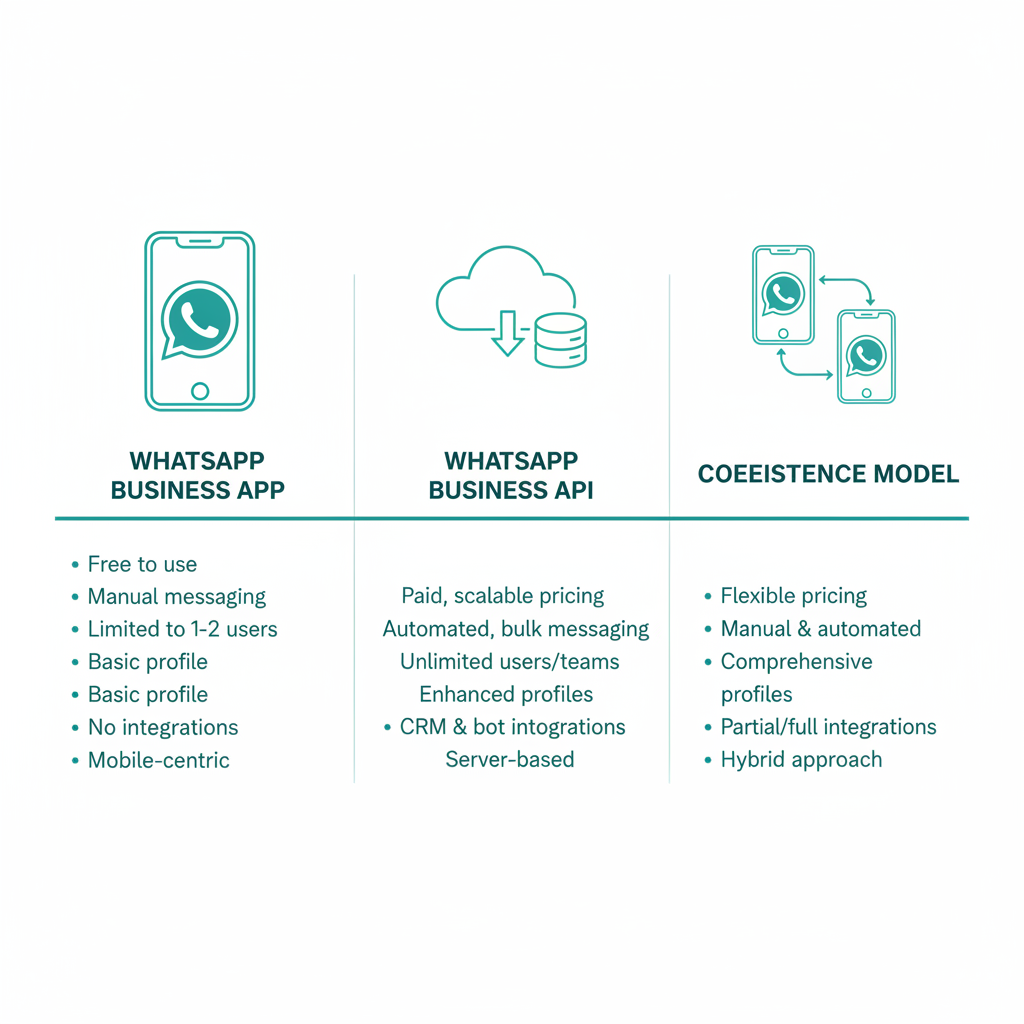
| Feature | WhatsApp Business App (Free) | WhatsApp Business API (Solo) | Coexistence Hybrid Model |
|---|---|---|---|
| Simultaneous Devices | Max 5 devices (1 primary, 4 companions) [6] | Unlimited via third-party shared inbox | Unlimited via API plus 1 primary phone and select companions [5, 6] |
| Broadcast Limits | Max 256 contacts per list [7] | Unlimited contacts [7] | Unlimited contacts [7] |
| Automation Support | Basic greetings and quick replies [10] | Advanced AI, CRM sync, and custom routing [10] | Full advanced automation alongside standard mobile app features [1, 10] |
| Message Cost | 100% Free [9] | Conversation-based pricing [9] | Free for app-sent; conversation-based for API-sent [9] |
| AI Integration | Not supported | Yes (task-specific only) [8] | Yes (task-specific only) [8] |
Frequently Asked Questions
Can I use the WhatsApp Business App and API on the same number?
Yes, Meta officially supports the WhatsApp Coexistence feature, which allows businesses to run both simultaneously on the same phone number [1]. This eliminates the old restriction where migrating to the API required deleting the mobile app [1]. You can now manage daily chats on your phone while running automated workflows in the background.
What are the technical requirements to enable WhatsApp Coexistence?
To enable this feature, your primary mobile device must run WhatsApp Business App version 2.24.17 or higher [2]. This ensures that all messages, contacts, and chats sync in real time between your phone and your API-connected shared inbox [2].
How much chat history can I sync when setting up Coexistence?
During the onboarding process, Meta allows businesses to sync up to six months of one-to-one text chat history [3]. However, media files like images and documents are only synced for the most recent two weeks [4]. Businesses should back up older media files before starting the setup to prevent data loss.
Will my companion devices still work after setting up Coexistence?
Most standard companion devices will continue to work, but Windows and WearOS companion devices do not reconnect after onboarding [5]. If your customer service team relies on these specific platforms, you will need to adjust your workflows accordingly [5].
What are the device limitations of the free WhatsApp Business App?
The free WhatsApp Business App restricts customer service teams to logging in on a maximum of five devices simultaneously, consisting of one primary phone and four companion devices [6]. If your growing service business needs to support a larger team, upgrading to the API is necessary to remove this limit [6].
Are there restrictions on using AI chatbots on WhatsApp?
Yes, Meta enforces strict AI policy restrictions that prohibit general-purpose AI chatbots on the platform [8]. All automated AI must be task-specific, such as for lead qualification or appointment booking [8]. Using unauthorized general-purpose AI wrappers can lead to immediate account suspension [8].
How does pricing work for the WhatsApp Coexistence model?
While messages sent directly through the WhatsApp Business App are free, any messages sent via the WhatsApp Business API are subject to Meta's per-message conversation-based pricing [9]. Small businesses should budget for these API costs when planning automated campaigns or workflows [9].
Summary
Embracing whatsapp automation for small business no longer requires sacrificing the convenience of your mobile app. Through Meta's official WhatsApp Coexistence feature, you can run both the standard app and the powerful API simultaneously on a single phone number [1]. This hybrid setup allows you to handle personal customer interactions on the go while deploying task-specific AI receptionist tools to manage bookings, qualify leads, and scale your operations seamlessly. By understanding the technical requirements, historical data sync limits, and platform compliance guidelines, you can build a highly efficient, modern communication strategy that drives growth without losing the human touch.
Sources
- [1] WhatsApp Coexistence Feature
- [2] WhatsApp Business App and API on the Same Number
- [3] Use WhatsApp Business App and API Together
- [4] Customer Service Automation Guide
- [5] WhatsApp Sales Automation Pros and Cons
- [6] WhatsApp Business Automation Tips
- [7] WhatsApp Automation Complete Guide
- [8] WhatsApp Automation Best Practices
David Friedman - Founder, Conversify · LinkedIn
David Friedman is a B2B operations leader with over 10 years of experience managing large-scale teams and business processes. After years of working with service businesses and seeing how much time was lost to manual customer communication, he founded Conversify, an AI-powered platform that helps healthcare practices and service providers across Europe automate their patient and client interactions. David built the platform from the ground up, working directly with practicing healthcare professionals to ensure every feature solves a real operational pain point. He is based in Spain.