

Unified Inbox for WhatsApp Instagram Messenger: Best Apps
Learn how to combine Facebook Messenger, WhatsApp, and Instagram DMs into a single unified inbox. Discover the best free and paid tools to streamline your customer communication.
Yes, you can combine Facebook Messenger, WhatsApp, and Instagram DMs into one unified inbox. A dedicated unified inbox for whatsapp instagram messenger solves this by consolidating all client chats into a single dashboard. For basic setups, Meta's free built-in tool helps small operators eliminate constant app-switching [3]. However, as message volume grows, businesses require sophisticated tools to route conversations and automate replies.
Why You Need a Unified Inbox for WhatsApp,
Instagram, and Messenger In the modern business environment, customers expect instant replies on their platform of choice. Whether it is a direct message on Instagram, a quick inquiry on Facebook Messenger, or a detailed booking request on WhatsApp, managing these channels independently is highly inefficient. Consumers increasingly prefer the convenience of direct messaging over traditional phone calls or emails, which means businesses must adapt to meet them where they already spend their time. A unified inbox for whatsapp instagram messenger solves this exact issue. Instead of logging into multiple apps, team members can view, organize, and reply to all incoming messages from a single screen. This consolidation prevents missed messages, reduces response times, and ensures a consistent brand voice across all touchpoints. For small businesses just starting out, Meta provides a native solution. Meta Business Suite features a free, built-in unified inbox designed to help small businesses eliminate app-switching [3]. This tool consolidates notifications, manages post comments, and allows users to set up basic automated away messages directly within the Meta ecosystem [1, 3]. While this is an excellent starting point for solopreneurs, growing brands and service providers quickly run into limitations as their message volume increases.
The Limitations of Meta's Free Unified
Inbox While the free Meta inbox is convenient, it is not built for scaling operations. One of the primary constraints involves user limits. The standard free inbox only supports up to three users [11]. If you have a larger customer support, sales, or front-desk team, this limitation quickly becomes a bottleneck, forcing staff to share login credentials and creating security and tracking issues. Furthermore, while Meta Business Suite supports the standard WhatsApp Business App, scaling to the WhatsApp Business API (also known as the WhatsApp Business Platform) requires third-party Meta Business Partners [2]. If your business needs advanced automation, CRM integrations, or high-volume messaging capabilities, the standard free app will not suffice [2]. Small service businesses, such as local agencies, consulting firms, salons, and home services, often start with the free Meta inbox [3]. However, they must transition to API-based platforms once they require multi-agent routing, automated appointment bookings, or deep customer record syncing [2]. Without these advanced features, manual message management becomes overwhelming and leads to lost revenue. 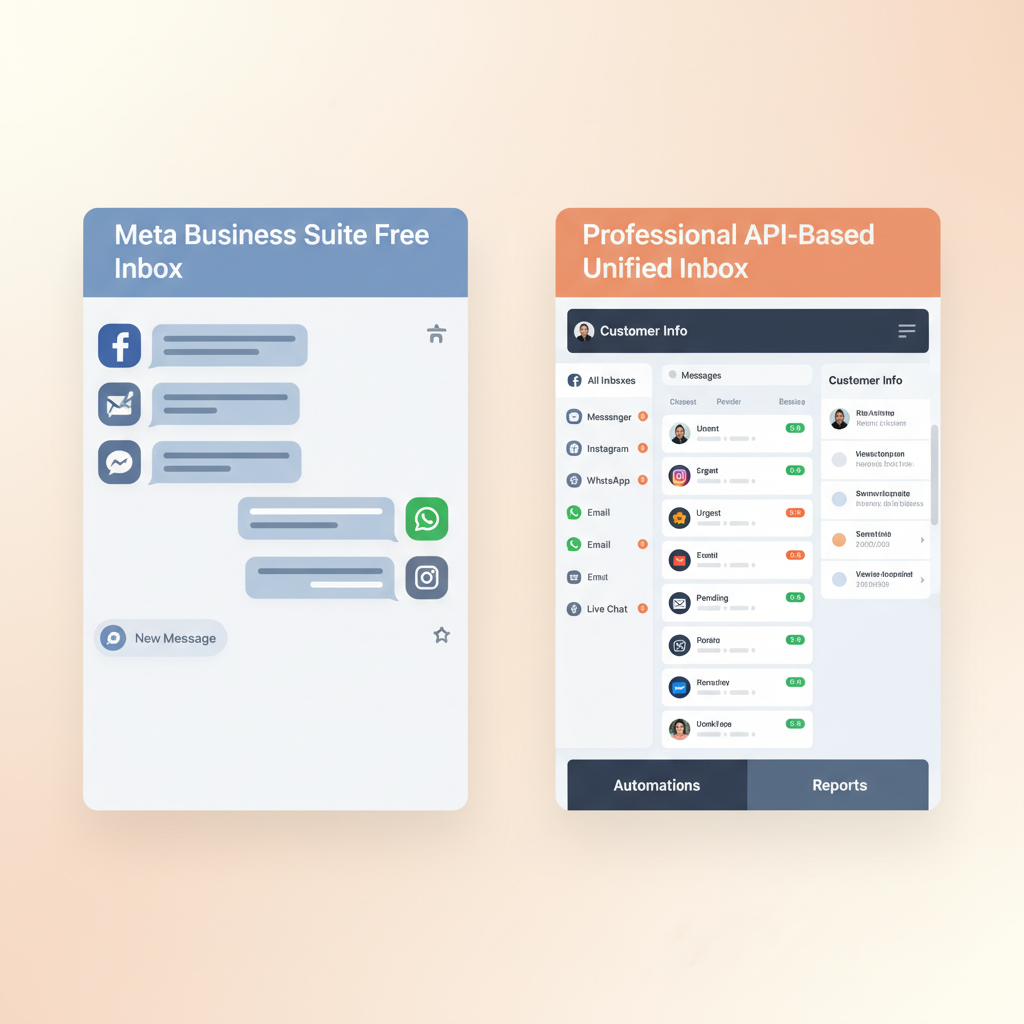
Top Professional Apps to Combine Your
Social DMs When you are ready to move beyond basic tools, several professional platforms offer advanced features to manage your social channels. Here are the leading options on the market today: - Conversify: As an AI-powered receptionist and front desk solution, Conversify unifies your social channels while automating client bookings and responses. By integrating directly with your scheduling tools, it turns conversations into confirmed appointments without requiring manual intervention. You can explore our related articles to learn more about how automation can transform your workflow. - ManyChat: Trusted by over 1 million businesses, ManyChat is an official Meta Business Partner [9]. Its Inbox Pro plan unifies Instagram, Facebook Messenger, WhatsApp, Telegram, and SMS, allowing teams to scale beyond the standard free limit of three inbox users [10, 11]. ManyChat is particularly effective for converting public engagement into private sales, using triggers like Instagram comments or Story replies to automatically initiate direct messaging flows [9]. - respond.io: This customer conversation platform offers a unified inbox starting at 99 USD per month, with its most popular Growth plan priced at 199 USD per month supporting up to 10 users and advanced AI features [8]. Built specifically for B2C teams and service businesses, it helps teams scale beyond free tools by offering multi-agent collaboration, transcribing voice notes, and deploying custom AI agents [8]. - Intercom: Known for enterprise-grade support, Intercom features the Fin AI Agent, which operates across unified social channels including WhatsApp, Instagram DMs, and Facebook Messenger [12]. Fin can resolve complex, multi-step customer queries in over 45 languages [12]. Unlike basic keyword-matching chatbots, this AI-driven inbox pulls real-time data from connected systems to perform actions like looking up orders or booking appointments before escalating to a human agent with full context [12]. - Inflowave: This multi-channel messaging platform is ideal for agencies managing multiple brands. Inflowave allows businesses to connect up to 50 accounts across nine channels, including multiple Instagram and WhatsApp numbers, into a single combined list [13]. This capability prevents team members from having to log in and out of different brand profiles, automatically routing outgoing replies from the exact account and channel where the message was received [13]. - Hootsuite Nest: A comprehensive social inbox that manages DMs, comments, reviews, and mentions across Facebook, Instagram, WhatsApp, LinkedIn, X, and TikTok from a single dashboard [14]. Hootsuite Nest supports smart conversation routing, allowing teams to automatically prioritize queues by adding tags and topics or setting up rules to resolve repetitive interactions [14].
Specialized and Custom Unified Inbox
Solutions For businesses with highly specific workflows, generic inbox tools might not be enough. Specialized platforms and developer APIs offer deeper integrations: - CRM Helix: This platform integrates WhatsApp, Instagram DMs, and Facebook Messenger into a unified inbox that links conversations directly to the customer's record [6]. - OnBoard AI: This onboarding platform is highly effective for international service businesses and booking agencies. It unifies WhatsApp, Instagram DM, Facebook Messenger, Web Chat, and SMS into one screen [15]. - Unipile: If your business uses proprietary software, Unipile provides a unified messaging API and centralized dashboard [14]. This allows developers to manage and sync real-time notifications, read receipts, and attachments across LinkedIn, WhatsApp, Instagram, and Telegram [14]. It is ideal for software companies and businesses building custom internal tools who want to embed multi-channel messaging directly into their proprietary CRM or customer databases [14]. 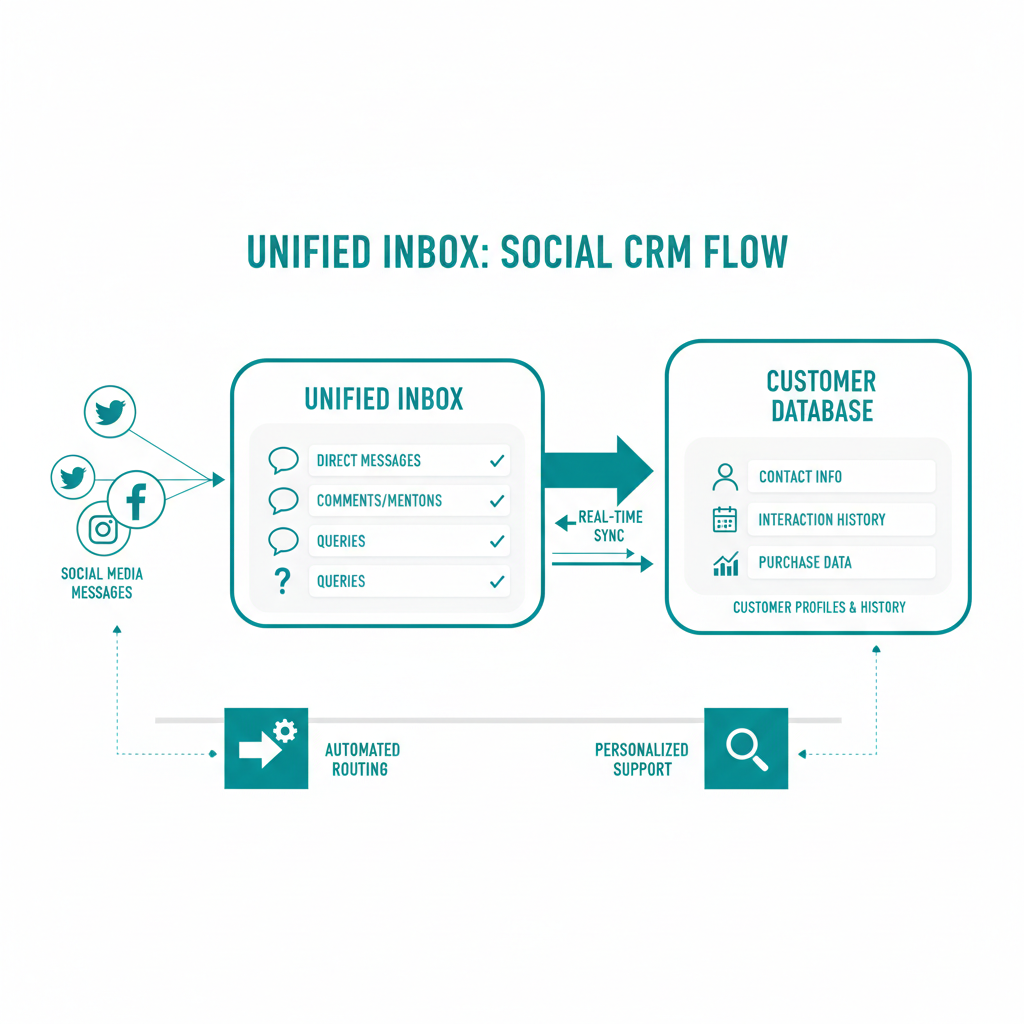
How to Set Up a Unified Social Inbox
for Your Business Setting up a unified inbox does not have to be complicated. If using Meta Business Suite, link your Facebook Page and Instagram Professional account through your business settings [1].
- Step 3: Upgrade to the WhatsApp Business API. If you plan to use advanced automation or support multiple agents, partner with an official Meta Business Partner to transition from the standard WhatsApp Business App [2].
- Step 4: Configure routing and automation rules. Set up tags, topics, or automated away messages to help organize incoming chats [14].
- Step 5: Integrate your CRM or database. Connect your unified inbox to your client database to ensure every conversation is logged against the correct customer profile [6].
- Step 6: Train your team. Ensure your staff understands how to use the single dashboard, manage queues, and escalate complex issues when necessary [12].io | High-volume B2C teams | Voice transcription & multi-agent | 99 USD/mo [8] |
| Intercom | Enterprise support | Multi-lingual Fin AI Agent | Varies [12] |
|---|---|---|---|
| Inflowave | Multi-brand agencies | 50 accounts across 9 channels | Varies [13] |
Frequently Asked Questions
Can I use the standard free WhatsApp app in a multi-user unified inbox?
While Meta Business Suite supports the standard WhatsApp Business App, scaling to advanced automation and multi-agent routing requires upgrading to the WhatsApp Business API [2]. Third-party partners are necessary to sync this API with custom dashboards [2].
How many users can access Meta's free unified inbox?
Meta's standard free inbox has a limit of three users [11]. To scale beyond this limit, businesses must use third-party platforms like ManyChat or respond.io, which support larger teams [8, 11].
Is there an app that connects LinkedIn and Telegram along with Meta channels?
Yes, platforms like Hootsuite Nest and Unipile connect Meta channels with LinkedIn, Telegram, and other networks [14]. Unipile also provides an API for developers to sync these notifications into custom CRMs [14].
Can a unified inbox automatically translate messages?
Yes, specialized platforms like OnBoard AI use AI to automatically detect and reply to inquiries in languages such as English, Arabic, Spanish, and French [15]. This allows businesses to qualify leads 24/7 without manual translation [15].
How does an AI agent help manage a unified inbox?
AI agents, such as Intercom's Fin AI, can resolve complex customer queries in over 45 languages by pulling real-time data from connected databases [12]. They can perform actions like booking appointments or looking up orders before escalating to a human [12].
Can I connect multiple Instagram accounts to one inbox?
Yes, multi-channel messaging platforms like Inflowave allow businesses to connect up to 50 accounts across nine channels, including multiple Instagram and WhatsApp numbers, into a single list [13]. Consolidating your communication channels into a single unified inbox is one of the most effective ways to save time, eliminate app-switching, and improve customer satisfaction. Whether you start with Meta's free native inbox or upgrade to an advanced AI-powered assistant like Conversify, having a centralized dashboard ensures that no lead is ever left unanswered. By choosing the right tool for your team, you can transform chaotic social media DMs into an organized, automated booking pipeline.
Sources [1] [Meta Business Help Center:
About Inbox](https://www.facebook.com/business/help/1192884166182156)
- Meta Business Help Center: WhatsApp Business Platform
- Infozub: All-in-One Inbox Meta Business Suite Guide
- Meta for Business: Go to Inbox Video
- ManyChat Blog: How to Merge Instagram, Messenger, and WhatsApp
- Helix: WhatsApp and CRM Integration
- YouTube: Meta Business Suite Inbox Tutorial
- Respond.io Google Play Store App
- ManyChat Blog: Combine Instagram, Messenger, and WhatsApp
- ManyChat Inbox
- ManyChat Help Center: Manychat Inbox Overview
- Fin.ai: Fin AI Agent on Social Channels
- Inflowave: Unified Inbox Features
- Zernio: Best Unified Social Media Inbox Tools
- OnBoard Platform: Multi-Channel Messaging
David Friedman - Founder, Conversify · LinkedIn
David Friedman is a B2B operations leader with over 10 years of experience managing large-scale teams and business processes. After years of working with service businesses and seeing how much time was lost to manual customer communication, he founded Conversify, an AI-powered platform that helps healthcare practices and service providers across Europe automate their patient and client interactions. David built the platform from the ground up, working directly with practicing healthcare professionals to ensure every feature solves a real operational pain point. He is based in Spain.