

Can I Text From My Current Business Landline Number?
Yes, you can text from your current business landline number without losing voice capabilities. Learn how to add SMS and WhatsApp capabilities, maintain 10DLC compliance, and utilize automated messaging tools.
Yes, you can text from your current business landline number without losing your voice capabilities. This enables you to send and receive text messages while your original phone carrier continues to route your voice calls exactly as normal [2]. Traditionally, standard landline numbers cannot natively receive text messages, meaning that carriers typically drop incoming texts without notifying either the sender or the business [1]. This creates a major communication gap for businesses whose customers try to text their main office line; the customer assumes they are being ignored while the business remains completely unaware of the message [1]. By implementing hosted messaging, a third-party provider hosts the texting portion of your number while leaving your voice services untouched [2]. This allows you to tap into the incredible 98% open rate of SMS and WhatsApp, where 90% of messages are read within just three minutes [10]. To explore how your business can get started, check out our competitive pricing plans, read other related articles on conversational marketing, or discover more About Conversify to see how we help small service businesses thrive with automated front desk solutions. > Key Takeaways:
* You can text-enable your existing landline or VoIP number without affecting your voice services.
* Traditional landlines drop incoming texts silently, causing missed business opportunities.
* U.S. carriers require 10DLC registration to prevent spam, with unregistered traffic blocked since February 2025.
* WhatsApp Business can be verified on a landline using the automated voice call option.
* Two-way messaging allows customer service representatives to manage ten or more conversations simultaneously.
How Landline Texting and Hosted Messaging
Work Many businesses are hesitant to alter their communication setup because they fear losing their established voice services. Fortunately, landline texting, which is technically known as hosted messaging, allows businesses to add SMS and MMS capabilities to their existing landline or VoIP numbers without affecting their voice services in any way [2]. This process works by separating the routing of voice signals from text signals. When you text-enable your landline, a third-party messaging provider is authorized to host the texting portion of the number [2]. Meanwhile, your original phone company continues to route your voice calls exactly as they always have [2]. Without this setup, when a customer attempts to send a text message to your standard business landline, the mobile carrier simply drops the message [1]. Because this happens silently, the sender assumes they are being ignored, and your business misses out on a valuable touchpoint [1]. Hosted messaging bridges this gap, ensuring that every text sent to your main number is captured and routed to a digital inbox.
Step-by-Step Process to Text-Enable
Your Landline To text-enable an existing business landline, providers must follow strict verification protocols to ensure that numbers are not hijacked. This requires specific documentation to prove ownership of the line [3]. * Gather Proof of Ownership: You must provide a recent phone bill that clearly displays your business name, address, and the phone number you wish to text-enable [3].
- Sign a Letter of Authorization (LOA): You must complete and sign a Letter of Authorization [3]. This legal document grants the third-party messaging provider permission to host the SMS and MMS routing for your number [3].
- Submit to Mobile Carriers: Your messaging provider will submit these documents to mobile carriers to verify that your business legitimately owns the number and has authorized the activation of texting services [3].
- Await Campaign Verification: The average industry timeline to complete registration and fully activate landline texting is one to two weeks [6]. This buffer accounts for manual carrier verification and campaign reviews [6].
Understanding 10DLC Compliance and Carrier
Regulations If you plan to text-enable a standard 10-digit local landline, you must understand the regulatory landscape. Under U.S. carrier regulations, any business texting from a standard 10-digit local landline or VoIP number must register their brand and use case under 10DLC (10-Digit Long Code) compliance rules [4]. 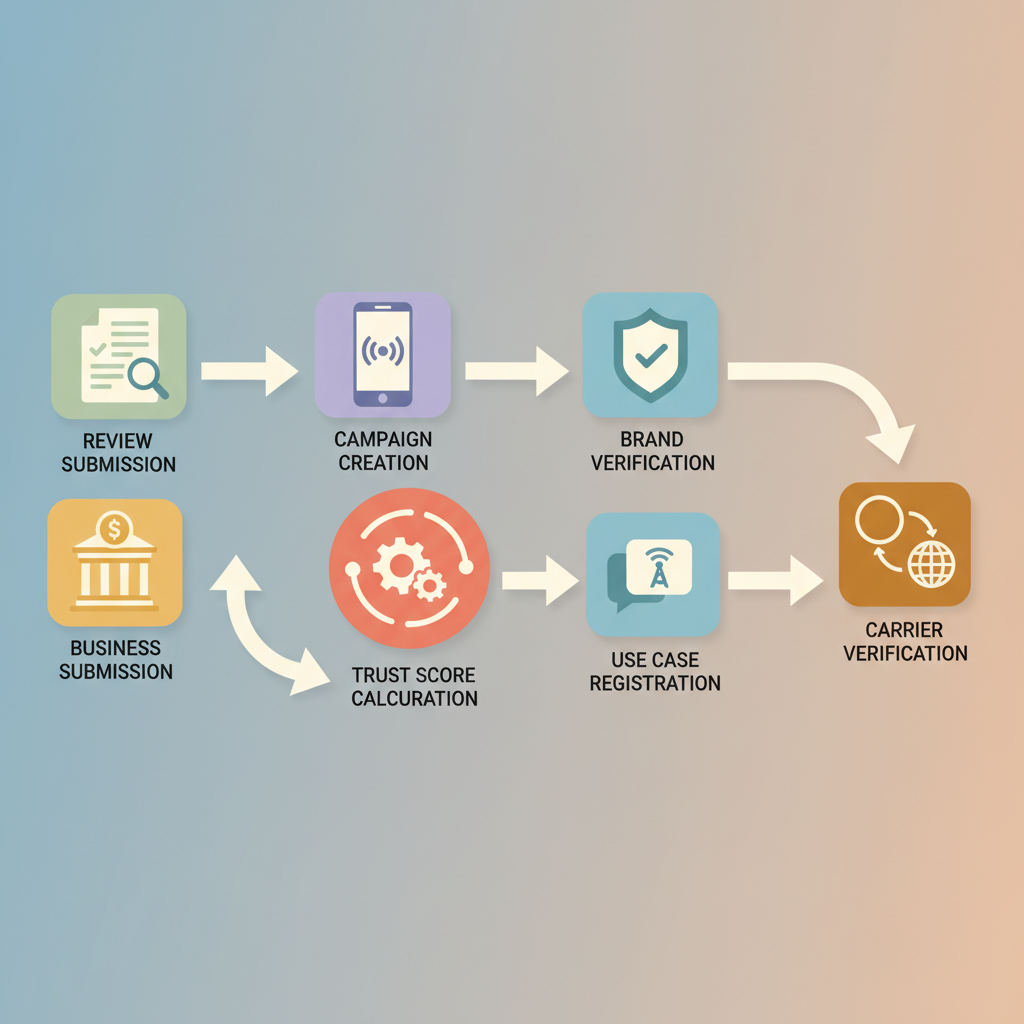 This carrier-sanctioned standard was implemented to prevent spam, fraud, and phishing [4]. It ensures that carriers know exactly who is sending messages and what types of messages are being sent. Compliance is no longer optional; unregistered business traffic has been blocked entirely by major U.S. carriers since February 3, 2025 [4]. Failing to comply with these rules carries heavy consequences. Non-compliance with 10DLC registration rules can result in carriers blocking outbound messages and passing down carrier-enforced fines of up to $10,000 per violation [5]. This strict enforcement makes proper registration through a compliant messaging provider essential for any business wanting to maintain reliable outbound communication [5].
Setting Up WhatsApp Business with Your
Landline Beyond traditional SMS, businesses can also register their existing landline numbers to use WhatsApp Business, allowing customers to message the same number they call [8]. This is highly beneficial because WhatsApp is the preferred communication channel for millions of consumers worldwide. Because landlines cannot receive the standard SMS verification code, businesses must select the "Call Me" option during setup [7]. This prompts WhatsApp to deliver your six-digit activation code via an automated voice call to your landline [7]. However, this process requires careful preparation. WhatsApp Business registration does not support phone line extensions, call-blocking, or active interactive voice response (IVR) menus during the verification phase [9]. Businesses must temporarily disable these features or temporarily use their primary direct line to ensure the automated verification call from WhatsApp can successfully go through [9].
WhatsApp Business App vs.
WhatsApp Business API When setting up WhatsApp Business on your landline, you have two primary options: the free WhatsApp Business app or the WhatsApp Business API. While the free mobile app supports landline verification, larger organizations and growing service businesses will find it limiting [8]. The app is designed for micro-businesses and does not support advanced team collaboration or automation. A comparison chart showing the differences between the standard WhatsApp Business App and the WhatsApp Business API for landline numbers. For larger organizations, using the WhatsApp Business API allows you to connect your landline to a shared team inbox and automate complex workflows [8]. Using the API allows multiple customer service agents to manage conversations simultaneously and integrate messaging with other software tools, which is not possible on the standard mobile app [8]. The communication habits of consumers have shifted dramatically, and businesses must adapt to meet them where they are. Research shows that SMS and WhatsApp messages maintain an exceptionally high open rate of 98%, with 90% of SMS messages being read within three minutes [10]. This high level of immediate engagement makes two-way business messaging far more effective for time-sensitive alerts, appointment reminders, and customer support than traditional email. Furthermore, a survey conducted by SimpleTexting revealed that 79% of consumers have opted in to receive text messages from businesses [11]. This high opt-in rate highlights a growing consumer expectation for direct, text-based communication channels with the companies they patronize. 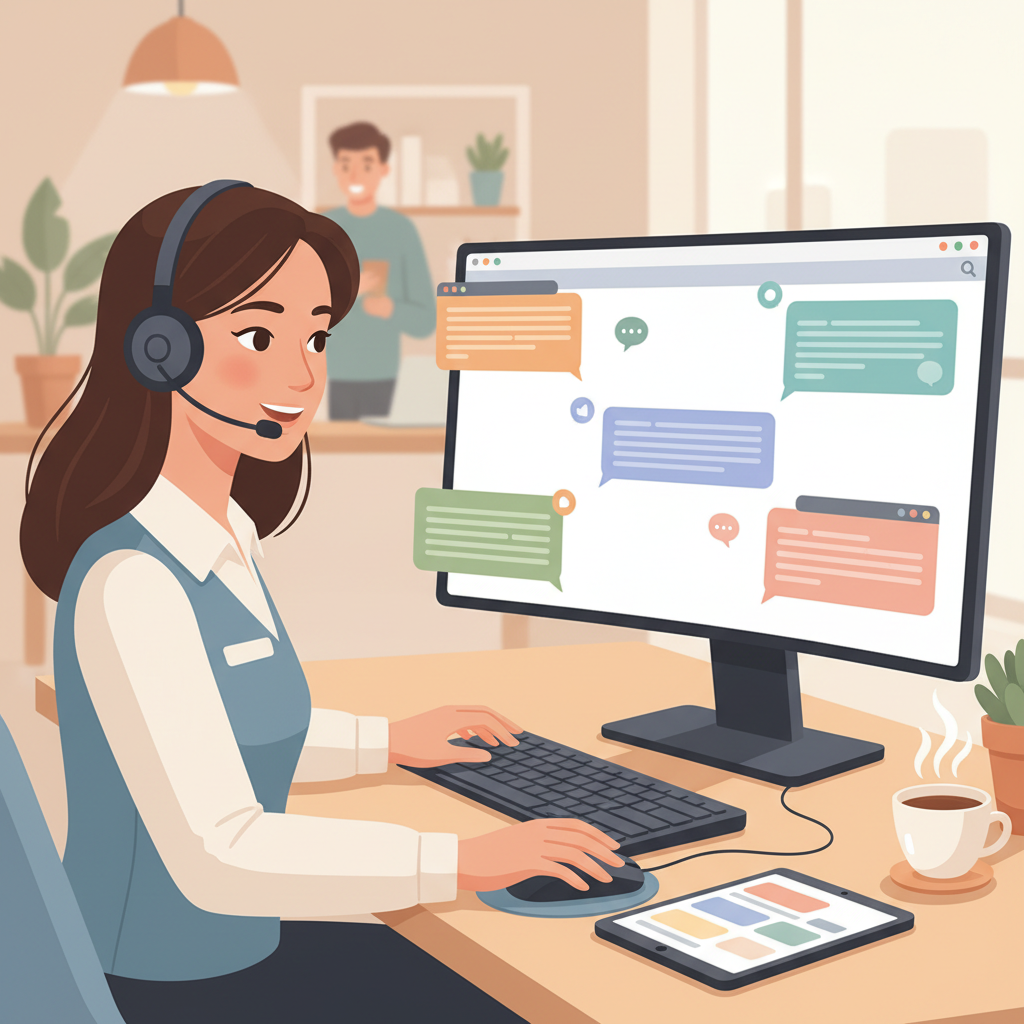 From an operational standpoint, implementing two-way messaging allows customer service representatives to handle ten or more customer conversations simultaneously [12]. This multi-chat capability significantly reduces customer wait times and lowers operational costs compared to traditional voice-only call centers that can only handle one call per agent at a time [12]. Whether you run a salon, a restaurant, a retail store, or a local service agency, this shift dramatically increases your front desk efficiency. Hosted messaging allows a third-party provider to manage the text routing while your original voice carrier continues handling your phone calls exactly as normal [2].
What documents do I need to text-enable my existing landline?
To verify ownership, providers require a signed Letter of Authorization (LOA) and a copy of a recent phone bill [3]. These documents are submitted to mobile carriers to prove that your business legitimately owns the number and has authorized the activation of texting services [3].
What is 10DLC and why is registration mandatory?
10DLC stands for 10-Digit Long Code, which is a compliance framework for businesses texting from standard local numbers [4]. It was implemented by U.S. carriers to prevent spam and phishing, and unregistered traffic has been completely blocked since February 3, 2025 [4].
What happens if my business does not comply with 10DLC rules?
Non-compliant businesses face major operational disruptions, including blocked outbound messages [5]. Additionally, carriers can pass down carrier-enforced fines of up to $10,000 per violation, making proper registration essential [5].
How do I verify my landline number on WhatsApp Business?
Since landlines cannot receive standard SMS verification codes, you must select the "Call Me" option during the setup process [7]. WhatsApp will then place an automated voice call to your landline to read out your six-digit activation code [7].
Can I use WhatsApp Business with an active IVR or call-blocking system?
No, not during the initial verification phase. Because the verification code is delivered via an automated voice call, you must temporarily disable call-blocking, extensions, or interactive voice response (IVR) menus so the call can go through successfully [9].
Sources [1] [Ringback Text: How to Text-Enable
a Business Landline](https://ringbacktext.com/blog/text-enable-business-landline/)
- Sakari: Landline Texting Features
- TextBetter: Landline Texting Guide
- Virtual Guardians: 10DLC Explained
- Telnyx: What is 10DLC
- Text Request: 10DLC Insights
- ServiceCore: FAQs About 10DLC Numbers
- Trengo: WhatsApp Business on Landline
- Wappy.chat: Using WhatsApp Business with Your Landline
- Sinch: WhatsApp Business Using Landline
- Channel Mobile: WhatsApp Business with a Landline
- Meetergo: Virtual Number for WhatsApp
- Twilio: SMS vs. WhatsApp for Business
- Textellent: Two-Way SMS Marketing
- CallHub: SMS Marketing Statistics
- Numa: How to Enable Text to Landline
- SMS Tools: WhatsApp and SMS Gateway Solutions
- Analytic Call Tracking: Two-Way Texting for Business
David Friedman - Founder, Conversify · LinkedIn
David Friedman is a B2B operations leader with over 10 years of experience managing large-scale teams and business processes. After years of working with service businesses and seeing how much time was lost to manual customer communication, he founded Conversify, an AI-powered platform that helps healthcare practices and service providers across Europe automate their patient and client interactions. David built the platform from the ground up, working directly with practicing healthcare professionals to ensure every feature solves a real operational pain point. He is based in Spain.