

Lead Capture Automation for Service Businesses Without Robot Tone
Learn how to automate your service business's lead follow-up using friendly, conversational text and messaging without sounding like a cold, robotic auto-responder.
Automating your first response without sounding like a robot refers to using conversational, personalized messaging instead of rigid email templates. By using Conversify, an AI receptionist, service businesses can instantly send tailored text messages that feel completely human. This response within one minute can increase conversions by up to 391% [3]. Traditional auto-responders often alienate high-value prospects with cold, transactional language. Modern lead capture automation for service businesses solves this by shifting the conversation to direct messaging channels like SMS or WhatsApp. In fact, 73.3% of online adults prefer messaging over email or phone calls to communicate with a business [5], [6]. Check out our pricing plans to see how easy it is to deploy this technology. By leveraging dynamic customer details and interactive two-way dialogues, businesses can secure the first-responder advantage while maintaining an authentic, warm tone. To help you navigate this transition, we have put together a comprehensive guide on modern lead capture automation for service businesses. You can explore our other related articles for more insights. Our team at Conversify, led by industry experts who understand the challenges of local business growth, developed these strategies to help you turn cold web traffic into hot, loyal clients.
Why Speed and Tone Matter for Service
Businesses When a prospective client reaches out through your website, the clock starts ticking immediately. Many business owners believe that responding within a few hours is sufficient, but the data tells a completely different story. There is a massive mismatch between what consumers expect and what businesses actually deliver. While 82% of consumers expect a response from a business within 10 minutes, the average inbound lead response time across businesses is a sluggish 42 hours [1], [3], [4]. This massive gap between consumer expectations and reality represents a major opportunity for service businesses that implement automated messaging to bridge the delay.
The Cost of Waiting: The Five-Minute
Rule Delaying your response even by a few minutes can completely destroy your chances of closing a deal. Research shows that responding to a new lead within five minutes makes a business 21 times more likely to qualify that lead compared to waiting 30 minutes [1], [2], [3], [4]. This benchmark, established by the Lead Response Management Study conducted by Dr. James Oldroyd and MIT, highlights how rapidly lead quality decays when service businesses delay their initial follow-up [1], [2]. When a prospect submits a contact form, they are actively thinking about their problem. If you wait 30 minutes, they have already moved on to other tasks, closed their browser, or worse, contacted your competitors.
The Power of Being First Speed is not just about qualification;
it is about winning the sale outright. A staggering 78% of customers purchase from the first business that responds to their inquiry [1], [2], [3], [4]. This statistic from the Lead Response Management Study underscores the massive competitive advantage of using automated systems to secure the first responder position [1], [2]. If you are the first to initiate a helpful, human-sounding conversation, the prospect has no reason to keep searching. Initiating a response within one minute of lead submission can increase conversion rates by up to 391% [3]. This research from Velocify shows that near-instantaneous contact captures prospects at the peak of buying intent, before they have a chance to look at competitors [3]. 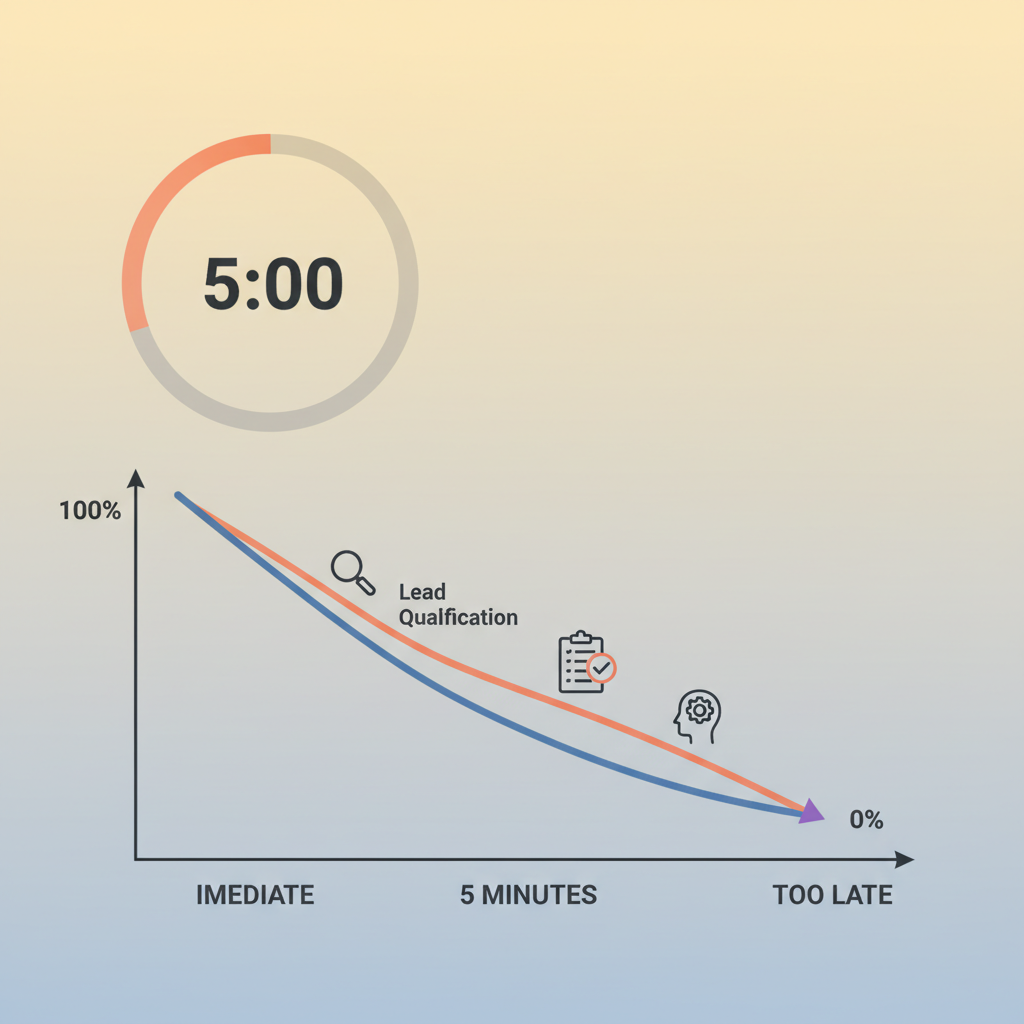
How to Avoid the Robot Tone in Automated
Responses The primary reason business owners hesitate to use lead capture automation for service businesses is the fear of sounding cold, robotic, and impersonal. We have all received those generic emails: "Thank you for your inquiry. Your ticket number is 4829. A representative will contact you shortly." These messages instantly kill the human connection. To automate successfully without losing your personal touch, you must design your automated systems to mimic natural, friendly human interactions.
Step 1: Use Conversational, Two-Way
Language An automated message should never feel like a dead end.
Instead of sending a static notification, design your auto-responses to invite a reply. A study by Artera revealed that 64% of clients prefer a conversational messaging experience over a basic, transactional one [10]. To prevent automated follow-ups from feeling cold, service businesses should design their auto-responses to initiate two-way, interactive dialogues rather than sending one-way notifications [10]. For example, instead of saying "Your request has been received," try asking a simple, open-ended question like, "Hi! I saw you were looking for help with your project. What is the main goal you are trying to achieve?"
Step 2: Personalize with Dynamic Customer
Details Generic templates are a dead giveaway that a robot is writing. True personalization goes beyond just inserting a first name, though that is a great place to start. You should pull in specific details from your web form, such as the specific service they requested or their preferred timing. Data highlights the importance of tailoring automated first responses with dynamic details to avoid sounding like an impersonal robot. For instance, SMS programs that utilize personalized messaging achieve 34% higher client engagement than those using generic, automated templates [8], [9]. When a message references the exact service the client selected, it immediately feels like a real person reviewed their submission.
Step 3: Shift the Conversation to Messaging
Channels If you want your automated responses to feel natural, you need to meet your clients where they already spend their time. Email inboxes are cluttered with newsletters and spam, making them feel inherently transactional. Direct messaging, on the other hand, is where people talk to their friends and family. According to Meta's State of Business Messaging 2026 report, 73.3% of online adults prefer messaging over email or phone calls as their primary way to communicate with a business [5], [6]. Conducted by Kantar across more than 11,000 consumers, this study shows that traditional contact forms and phone trees are increasingly alienating modern prospects [5], [6]. Furthermore, the Meta and Kantar 2026 study found that 74.6% of people trust a business more when they can exchange direct messages with it [6]. Direct messaging channels like WhatsApp build a personal, responsive, and human-scaled connection that traditional, static email sequences fail to replicate [6]. 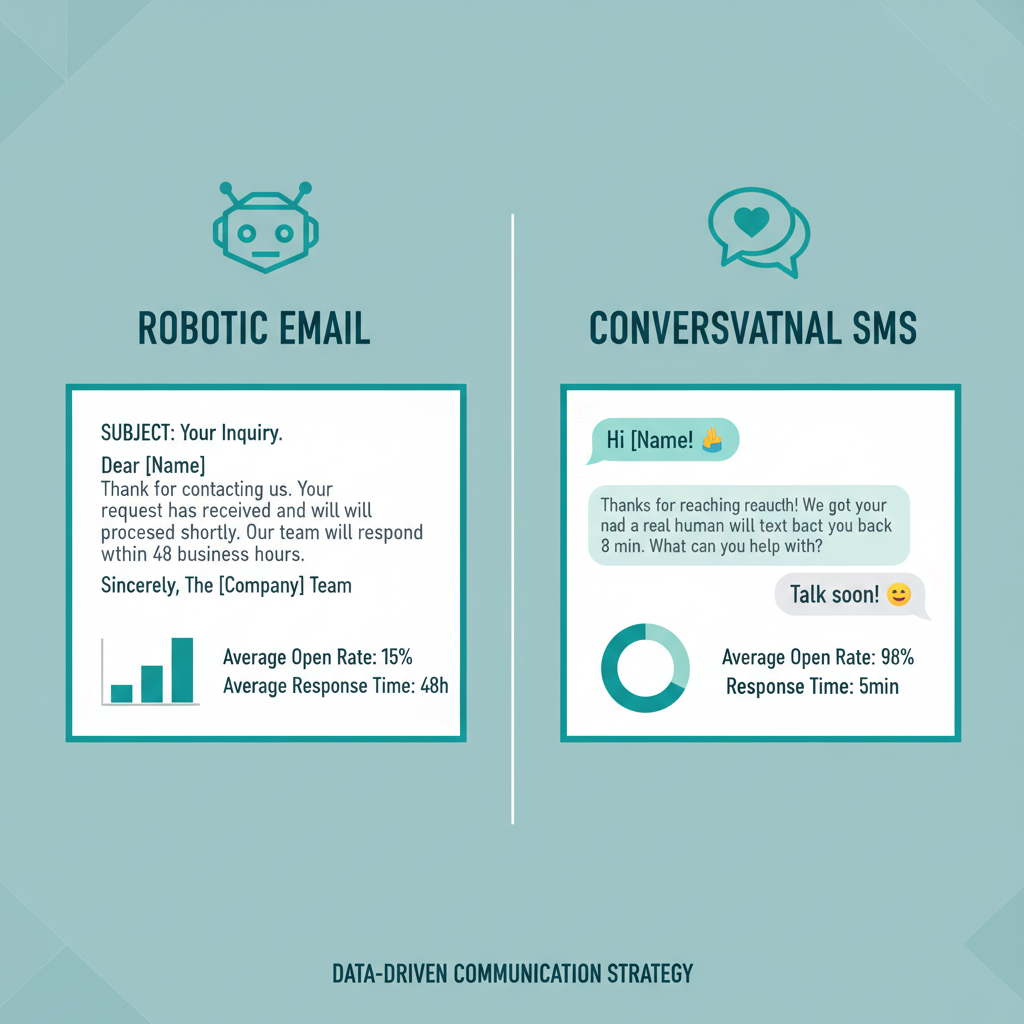
Comparing Lead Capture Automation Channels
Not all communication channels are created equal when it comes to speed and engagement. While email and phone calls have been the standard for decades, they are rapidly losing effectiveness compared to text-based messaging. Let us look at how different channels perform in the real world: * SMS and Text Messaging: Text messages achieve an incredible 98% open rate, making them the most reliable way to ensure your response is seen [7]. In comparison, only about 30% of voicemail notifications result in a callback [7]. For service businesses, choosing text-based automation over phone-based follow-ups ensures that the first response is actually seen and read by the prospect [7].
- Direct Messaging (WhatsApp, Messenger): Direct messaging channels build high levels of trust. Since 74.6% of consumers trust businesses they can message directly [6], using a WhatsApp shared inbox or AI-powered auto-responses can significantly boost your credibility.
- Traditional Email: While email is useful for long-form details, it fails at instant engagement. With average open rates hovering around 20%, your automated email is highly likely to end up in the spam folder or be ignored entirely.
- Phone Calls: While a phone call is personal, modern consumers increasingly avoid answering calls from unknown numbers. In the service sector, 90% of clients prefer to receive communications from their providers via text message, compared to 59% for email and only 34% for phone calls [8]. This shifting preference is even more pronounced among younger demographics. This highlights that modern communication capabilities are no longer just a convenience, but a critical factor in client retention [8].
Implementing Lead Capture Automation
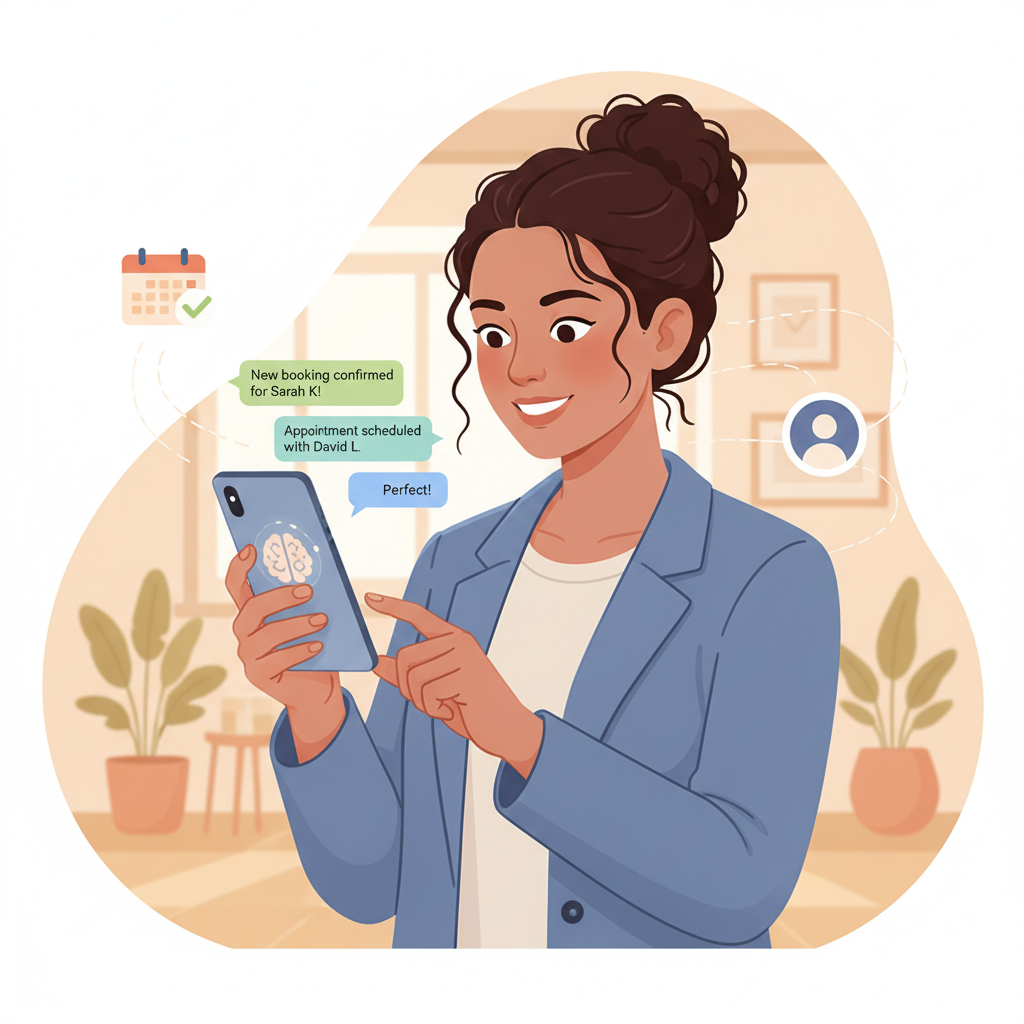
for Service Businesses Now that you understand the data, how do you actually implement a system that works on autopilot without alienating your audience? The key is choosing the right technology and setting up conversational guardrails. At Conversify, we have designed an AI receptionist and AI front desk specifically for small service businesses. Our platform allows you to automate your lead capture while maintaining a warm, authentic, and human-like interaction. Here is how you can set up a high-converting, non-robotic automation system: * Integrate Your Web Forms with SMS: Ensure that as soon as a prospect submits their contact details on your website, their information is instantly pushed to a text-messaging or WhatsApp queue.
- Use an AI-Powered Shared Inbox: Instead of relying on rigid, pre-written templates, use an AI receptionist that can understand the context of the user's inquiry and generate a personalized, conversational reply in real time.
- Offer Instant Appointment Booking: Do not just say "we will get back to you." Provide a direct link to book a time on your calendar. This keeps the momentum going while their buying intent is at its peak.
- Keep It Short and Sweet: Natural text messages are short. Avoid sending paragraphs of text. Keep your first automated message under 160 characters to ensure it reads like a quick note from a real person.
- Enable Easy Human Handoff: Automation should assist your team, not replace them entirely. Make sure your system alerts a human team member the moment a prospect asks a complex question, allowing for a seamless transition from bot to human. To learn more about how our team can help you build this system, you can read About Conversify and discover our mission to empower small businesses with cutting-edge conversational tools.
Frequently Asked Questions
How can I make my automated text messages feel more human?
To make automated texts feel human, use casual language, contractions, and open-ended questions. Avoid using overly formal language or terms like "ticket number" or "case ID". Additionally, personalize the message by dynamically inserting the prospect's name and the specific service they requested on your form [8], [9].
Why is email less effective than SMS for lead follow-up?
Email suffers from low open rates and slow response times, whereas text messages achieve a 98% open rate [7]. Furthermore, 73.3% of consumers prefer messaging over email as their primary communication method [5], [6]. Messaging channels allow for instant, conversational, two-way interactions that email simply cannot replicate [10].
Is it possible to automate first responses without using rigid templates?
Yes, by utilizing advanced AI receptionists like Conversify, you can move away from rigid templates. AI-powered systems can read the context of a lead's inquiry and generate dynamic, personalized responses in real time. This ensures that every conversation feels natural and conversational, which 64% of clients prefer [10].
What is the ideal response time for a new website lead?
The ideal response time is under one minute. Initiating a response within one minute of lead submission can increase conversion rates by up to 391% [3]. Responding within five minutes also makes you 21 times more likely to qualify the lead compared to waiting 30 minutes [1], [2].
Will automated messaging help with customer retention?
Absolutely. Modern consumers expect text-based communication, and failing to provide it can drive them to competitors. For instance, approximately 42% of Gen Z clients would switch their service providers if they did not offer text messaging options [8]. Providing convenient, instant messaging builds trust and long-term loyalty [6].
How does Conversify handle complex customer questions?
Conversify acts as an AI front desk, handling initial inquiries, answering basic questions, and offering booking links. If a prospect asks a highly specific or complex question, the system instantly alerts your team, allowing a human representative to take over the conversation seamlessly via a unified inbox.
Sources [1] [Lead Response Time Statistics
- CaseyResponse](https://caseyresponse.com/blog/lead-response-time-statistics)
- Why Fast Follow-Ups Convert More Leads - LeadHero
- Speed to Lead Statistics - LeadAngel
- Consumers Prefer Messaging Over Email - Flowella
- Business Messaging Statistics 2026 - ChatMaxima
- Text vs Phone Calls: Customer Communication - Curogram
- Consumer Messaging in Service Industries 2026 - Sinch
- How Text Messaging Improves Customer Outcomes - 2Factor
- Customer Communication Trends - Artera
David Friedman - Founder, Conversify · LinkedIn
David Friedman is a B2B operations leader with over 10 years of experience managing large-scale teams and business processes. After years of working with service businesses and seeing how much time was lost to manual customer communication, he founded Conversify, an AI-powered platform that helps healthcare practices and service providers across Europe automate their patient and client interactions. David built the platform from the ground up, working directly with practicing healthcare professionals to ensure every feature solves a real operational pain point. He is based in Spain.